
Poker Tournament Management App
Run Poker Tournaments Like a Pro!
From First Hand to Final Table
Seat draws, table balancing, the clock, payouts and league standings: Shuffle Up and Deal! runs the whole night from your iPhone or iPad.

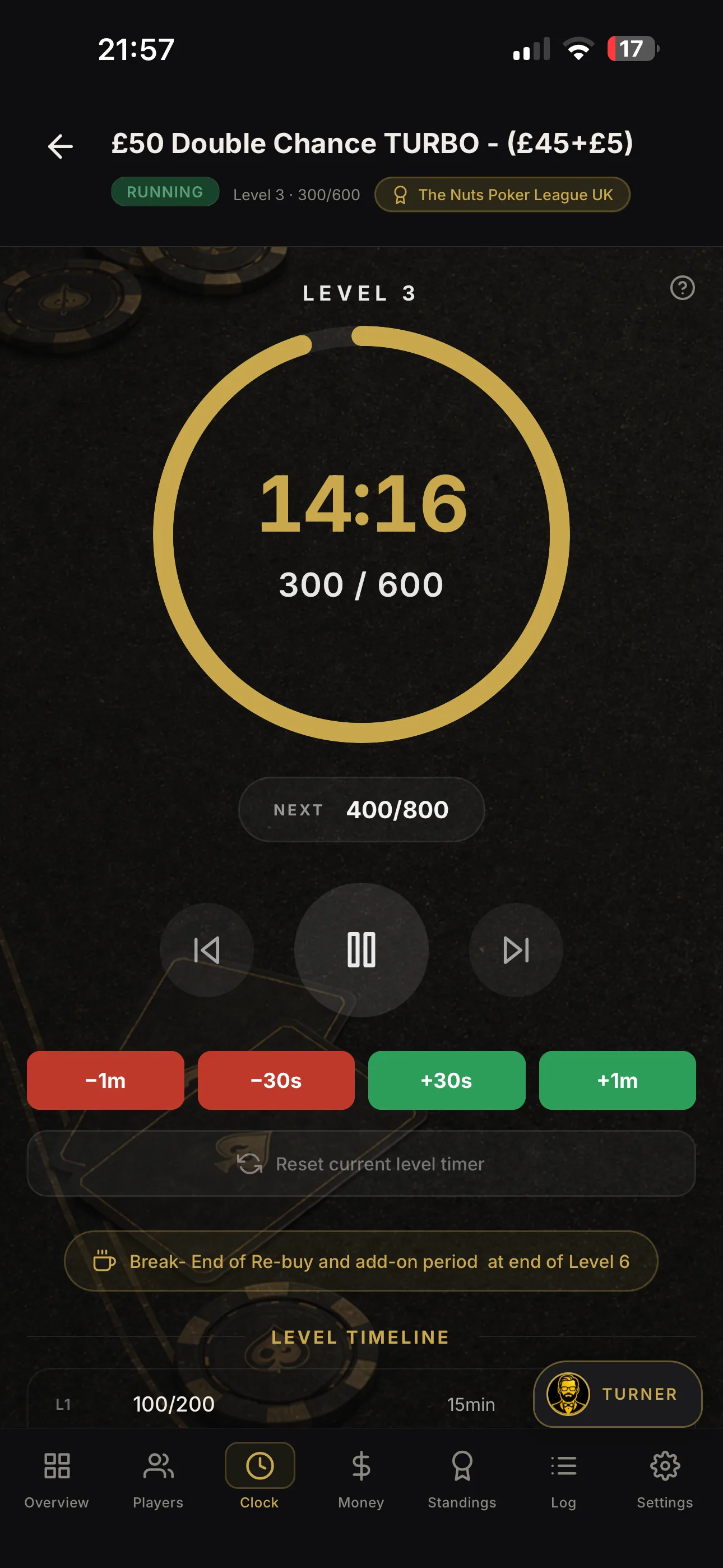

Best poker blind timer for tournament organisers

For most UK tournament directors, Shuffle Up and Deal! is the best poker blind timer available today. It is not simply a countdown clock. It is a complete tournament management app that handles the clock, seating, rebuys, payouts, and casting to a TV, all from your iPhone or iPad. Professional voice packs announce “blinds are up” and the new level, levels auto-advance with pause, skip, and jump-to-level controls, chip-race breaks auto-pause so you can finish the race cleanly, and a casting mode puts a casino-quality display on any screen in the room. If you want the clock plus the entire night managed in one app, this is the install.
Table of Contents
-
Does Shuffle Up and Deal! integrate with other poker software?
-
Shuffle Up and Deal! runs the whole night, not just the clock
Why should you use a dedicated blind timer?
A dedicated blind timer keeps pacing consistent and removes the single biggest source of mid-game disputes: missed level changes. When you track blinds manually, someone always forgets to call the level, players argue about how long the last round ran, and the whole table loses momentum.
A proper poker time management tool fixes this automatically:
-
Automatic blind and ante increases at the exact moment the level ends, with no human intervention required
-
Visible countdown so every player at the table knows how long remains in the level
-
Scheduled breaks built into the structure, triggered without a reminder from the TD
-
Consistent pacing across every session, whether it is a six-player home game or a 40-player club night
-
Audible and visual alerts that reduce slow-play friction because players self-regulate when they can see the clock
Industry guidance from 888poker confirms that a poker timer automatically tracks blind levels and scheduled breaks, helping hosts avoid the missed level changes that are common with manual tracking. That single benefit alone justifies the switch from a kitchen timer or a spreadsheet.
How do you pick the right blind timer for your tournament?
The answer depends on what you need beyond the clock itself. A browser timer or a light mobile app suits a quick two-hour home game with friends. The moment you add rebuys, seating, or payouts, you need a full tournament management app.
Run through this checklist before you install anything:
-
Device availability: do you have a tablet or a second screen to cast the display?
-
Offline reliability: will the app run without Wi-Fi in your venue?
-
Voice alerts: does it announce the new blinds aloud, or only beep?
-
Auto-advance and pause controls: can you pause, skip, and jump to any level mid-game?
-
Break handling: does it schedule breaks automatically, including chip-race pauses?
-
Casting support: can it push a clean display to a TV?
-
Template saving: can you save and reuse your blind structure for next week?
-
Customer support and update frequency: is the app actively maintained?
| Category | Platform | Price model | Core timer features | Display options | Alerts | Tournament extras |
|---|---|---|---|---|---|---|
| Entry-level mobile timers | iOS or Android | Free or one-off purchase | Basic countdown, manual advance | Phone screen only | Beep or vibrate | None |
| Browser timers | Any browser | Free | Preset structures, manual or auto-advance | Fullscreen on laptop or tablet | Sound on level change | None |
| Full tournament management apps | iOS (primary) | Free tier + subscription | Auto-advance, pause, skip, jump-to-level, break handling | Casting to TV, clean display mode | Spoken announcements, sound packs | Rebuys, add-ons, payouts, seating, player tracking, league management |
Red flags to watch for: no pause or skip controls, no template saving, poor behaviour when the device sleeps, and an app that has not been updated in over a year. Any one of these will cause problems mid-event.
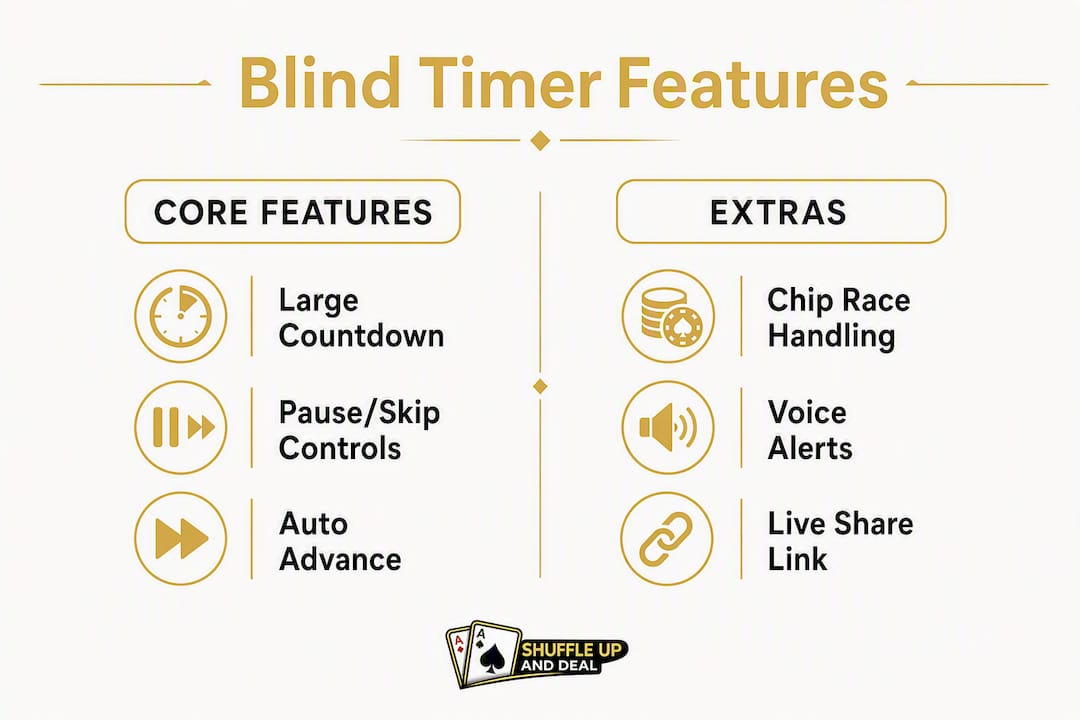
Which timer features actually matter for live tournaments?
The right combination of features prevents delays and preserves skill play. A clock that simply counts down is the floor, not the ceiling.
-
Payout calculator: auto-calculates prize splits as players bust, including ICM deal support
-
Big blind ante support: configure ante behaviour once in the structure and it applies automatically at the correct level
For UI, the standard is simple: a large legible countdown, high-contrast colours for TV viewing, and controls that a TD can operate one-handed without squinting at a menu.
Why Shuffle Up and Deal! meets every organiser’s need
Shuffle Up and Deal! is more than a blind timer. It is the app that manages your entire tournament night, from the first seat draw to the final payout.
The clock itself is powerful. Levels auto-advance on schedule, and you have full pause, skip, and jump-to-level controls at your fingertips. The professional voice pack announces “blinds are up” and reads out the new blind amounts, so players at every table hear the change the moment it happens. No shouting, no confusion.

Chip-race handling is built in. The clock auto-pauses for chip races so you can run the race cleanly and resume without manually resetting anything. It is one of those features you do not appreciate until the first time you need it at 11 PM with 20 players watching.
Casting mode puts a clean, casino-quality display on any TV in the room. Position a screen at the front of your card room and every player can see the level, the blinds, and the countdown without leaving their seat. The seating chart display feature extends this further, showing table assignments on the same external screen.
Beyond the clock, the app handles rebuys, add-ons, and payout calculations, player registration, smart table balancing, and full league management with leaderboards. The in-app calculators cover pot odds and ICM deals, so you are never reaching for a separate tool when a deal comes up at the final table.
Shuffle Up and Deal! removes the ad-hoc decision-making that slows down a live night. Jump-to-level, auto-pause for chip races, and spoken announcements reduce the cognitive load on the TD, so you can focus on running a great game, not watching a clock.
Pro Tip: Position your casting display at the end of the room where it is visible from all seats, and set the voice pack volume to roughly 70% in a standard home game room. In a larger card room, bump it to full and test from the furthest seat before players arrive.
Quick setup: build a blind structure in minutes
Practical guidance on starting stacks and level lengths points to three common structures: Standard (25/50 start, 20-minute levels), Turbo (25/50 start, 10-minute levels), and Deep (larger starting stacks, 30-minute levels). Pick the one that matches your session length and player count.
-
Enter players and starting stack in the app’s tournament setup screen
-
Choose a preset or build a custom structure - Standard, Turbo, and Deep presets cover most club nights
-
Add breaks every 4–6 levels; the app schedules them automatically within the structure
-
Set spoken announcements to your preferred voice pack and volume
-
Enable casting and connect to your TV before players arrive
-
Save as a template so you can reload the same structure next week in seconds
-
Share the live link with your co-host so they can monitor or take over from their device
For a typical club night with several players, a 20-minute standard structure with a break after some levels usually lasts a few hours. A shorter turbo format works well with faster levels and no breaks. A deep evening session with longer levels suits experienced groups seeking a longer, more skill-based game.
Pro Tip: If you need to shorten the night mid-session, reduce the remaining level times rather than skipping a scheduled level. Skipping levels changes the blind-to-stack ratio abruptly and can feel unfair to players who planned their stack management around the original structure.
Compatibility, pricing, and availability for UK organisers
Shuffle Up and Deal! is optimised for iPhone and iPad and is available on the UK App Store. The app is iOS-native, which means the full feature set, including casting, voice packs, and multi-device sync, runs on Apple devices.
| Platform | Availability | Price model |
|---|---|---|
| iPhone | UK App Store | Free forever plan + paid subscription tiers |
| iPad | UK App Store | Free forever plan + paid subscription tiers |
| Android | Not currently available | - |
| Browser (alternatives) | Any device with a browser | Free (limited features, no tournament management) |
The free-forever plan gives you access to the core clock and basic tournament setup. Paid subscription tiers unlock higher usage limits, advanced features, and the full suite of tournament management tools. Upgrade options are available directly within the app, and you can start on the free plan immediately to test casting and voice packs before committing.
What the evidence says about timers and templates
Industry guidance and club practice consistently favour timers for fairness and pacing. The principle is straightforward: when every player can see the same clock, disputes about level timing disappear.
A poker timer automatically tracks blind levels and scheduled breaks, helping hosts avoid the missed level changes that are common with manual tracking.
- 888poker
Community practice mirrors this. Standard 20-minute levels, 10-minute turbo options, and 30-minute deep structures are the three presets that cover the vast majority of club nights. Organisers who save templates report that setup time for repeat events drops to under two minutes.
When evaluating any blind level timer, check the app store listing for recent updates and read the screenshots carefully. A casting mode screenshot, a voice pack settings screen, and a visible chip-race pause control are the three things that separate a full tournament management app from a basic countdown timer.
Does Shuffle Up and Deal! integrate with other poker software?
Shuffle Up and Deal! is designed as a self-contained tournament management platform, so the need for third-party integrations is minimal. The app covers player registration, seating, the clock, rebuys, payouts, and league management in a single place, which means most organisers never need to export data to another tool.
The live share link feature functions as a lightweight integration layer. Co-hosts and spectators can follow the tournament in real time from any device via a browser link, without needing the app installed. This makes it straightforward to display live standings on a separate screen or share progress with players who have already busted.
For organisers who track statistics across seasons, the league season planning features and player profiles store results within the app, reducing the need for a separate spreadsheet or tracking tool. The TDA rules assistant built into the app handles rule queries in-event, which removes another common reason TDs reach for a second tool mid-game.
Customer support and how often the app updates
An actively maintained app matters more than most organisers realise. A blind timer that has not been updated in 18 months is a liability: iOS updates can break audio, casting, or display behaviour without warning, and a developer who is not actively maintaining the app will not fix it quickly.
Shuffle Up and Deal! is actively developed, with regular updates that reflect both iOS changes and organiser feedback. Support is available through the website at shuffleup.co.uk, and the blog is updated regularly with practical guidance on features, tournament formats, and configuration options. That combination of active development and accessible documentation is a strong signal that the app will work reliably on current devices.
When assessing any poker timer app, check the App Store or Play Store listing for the date of the most recent update and read the developer responses to reviews. An engaged developer who responds to support questions and ships updates regularly is the clearest indicator of long-term reliability.
Key takeaways
Shuffle Up and Deal! is the strongest choice for UK tournament organisers who need a reliable blind timer combined with full tournament management in a single iOS app.
| Point | Details |
|---|---|
| Use a dedicated timer | A proper blind level timer eliminates missed level changes and removes pacing disputes from your night. |
| Match the tool to your needs | Browser timers suit quick home games; a full management app is necessary when you add rebuys, seating, or payouts. |
| Core features to prioritise | Auto-advance, pause/skip/jump-to-level, spoken announcements, chip-race auto-pause, and TV casting are the features that matter most. |
| Template saving saves time | Saving and sharing your blind structure means repeat club nights take under two minutes to configure. |
| Shuffle Up and Deal! recommendation | Shuffle Up and Deal! covers the clock and the entire tournament night on iPhone and iPad, with a free plan available on the UK App Store. |
A tournament director’s perspective on running a live night
A reliable clock changes the feel of a table immediately. The moment players can see a countdown and hear “blinds are up” called out clearly, the pace of the game tightens. Players stop asking how long is left in the level. Slow-play friction drops. The TD stops being a timekeeper and starts being a host.
Positioning the TV matters more than most people expect. Place the casting display at the far end of the room, not beside the TD’s station. Every player should be able to glance up and see the clock without turning around. Test the voice pack volume from the furthest seat before the first player arrives.
Late entries are where jump-to-level earns its keep. When a player arrives after level 4 has started and you need to register them quickly, you do not want to be scrolling through menus. A single tap to the current level, confirm the registration, and you are back to the game in seconds.
For contingency: if your primary device fails mid-event, the live share link means a co-host can take over from their own phone immediately. Keep a second device charged and logged in before the night starts. The multi-device sync means the tournament state is never locked to one piece of hardware.
Shuffle Up and Deal! runs the whole night, not just the clock
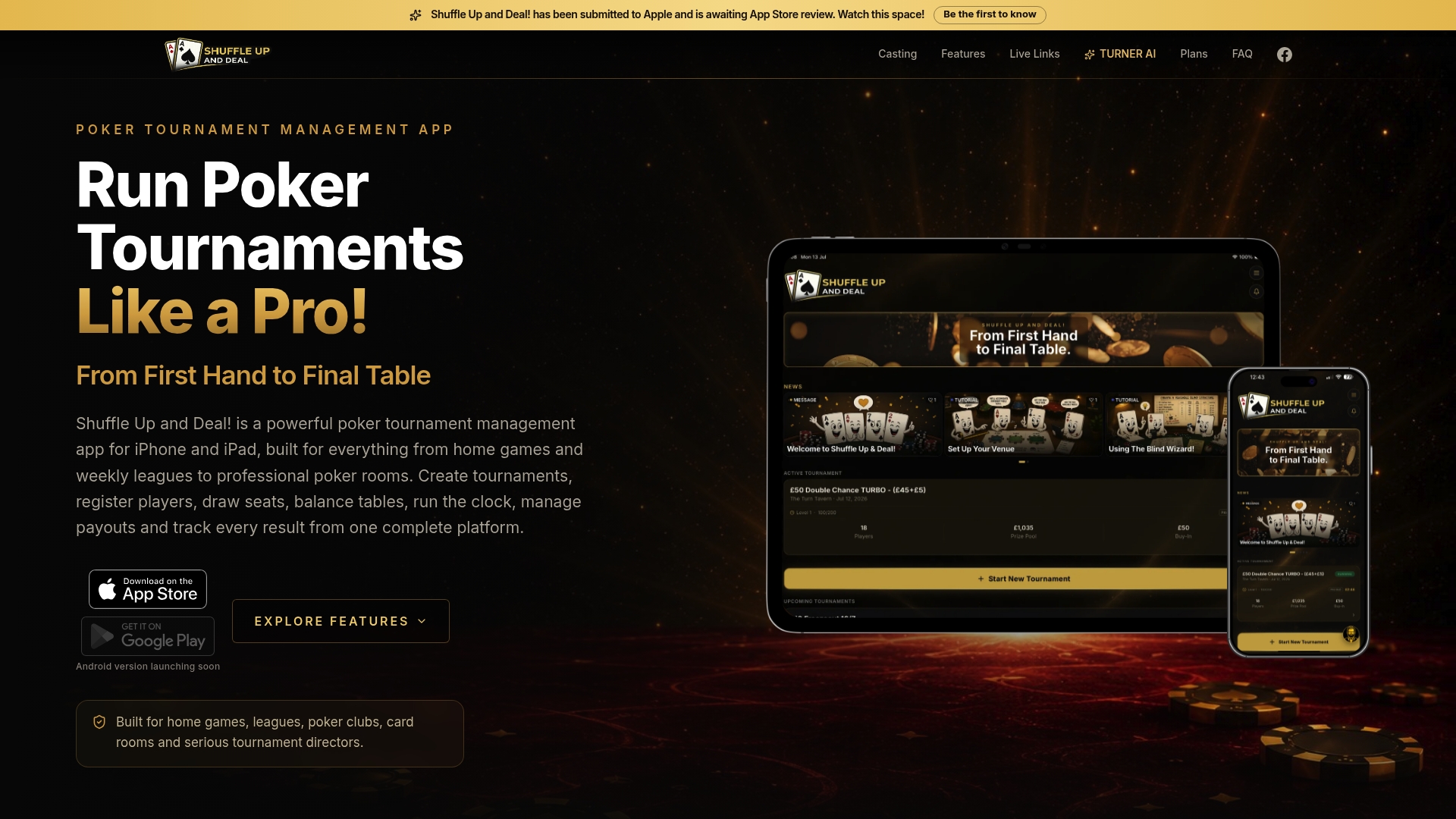
For organisers who want the clock plus everything else, Shuffle Up and Deal! is the recommended install. It replaces the blind timer, the seating chart, the rebuy tracker, the payout calculator, and the league spreadsheet with a single app on your iPhone or iPad.
The core benefits in practice:
-
Auto-advance, pause, skip, and jump-to-level controls keep the clock running without interruption
-
Professional voice packs announce every level change aloud
-
Chip-race auto-pause holds the clock while you run the race, then resumes cleanly
-
Cast-to-TV clean display mode gives the room a professional, broadcast-quality look
-
Rebuys, add-ons, and payout calculators update the prize pool in real time
-
Multi-device sync and live share links mean a co-host can take over instantly
Start on the free plan, test casting and voice packs in a rehearsal before your next event, and upgrade when you are ready for the full feature set. Download Shuffle Up and Deal! from the UK App Store and run your next tournament with confidence.
Useful sources and further reading
-
Shuffle Up and Deal! - tournament management app landing page: full feature list, pricing, and UK App Store download link
-
Seating chart display (Shuffle Up blog): casting setup and multi-device display configuration
-
Poker chip breakdown (Shuffle Up blog): starting stack guidance and level length recommendations
-
888poker free poker timer: industry guidance on why timers matter for tournament pacing and fairness