
Poker Tournament Management App
Run Poker Tournaments Like a Pro!
From First Hand to Final Table
Seat draws, table balancing, the clock, payouts and league standings: Shuffle Up and Deal! runs the whole night from your phone or tablet.


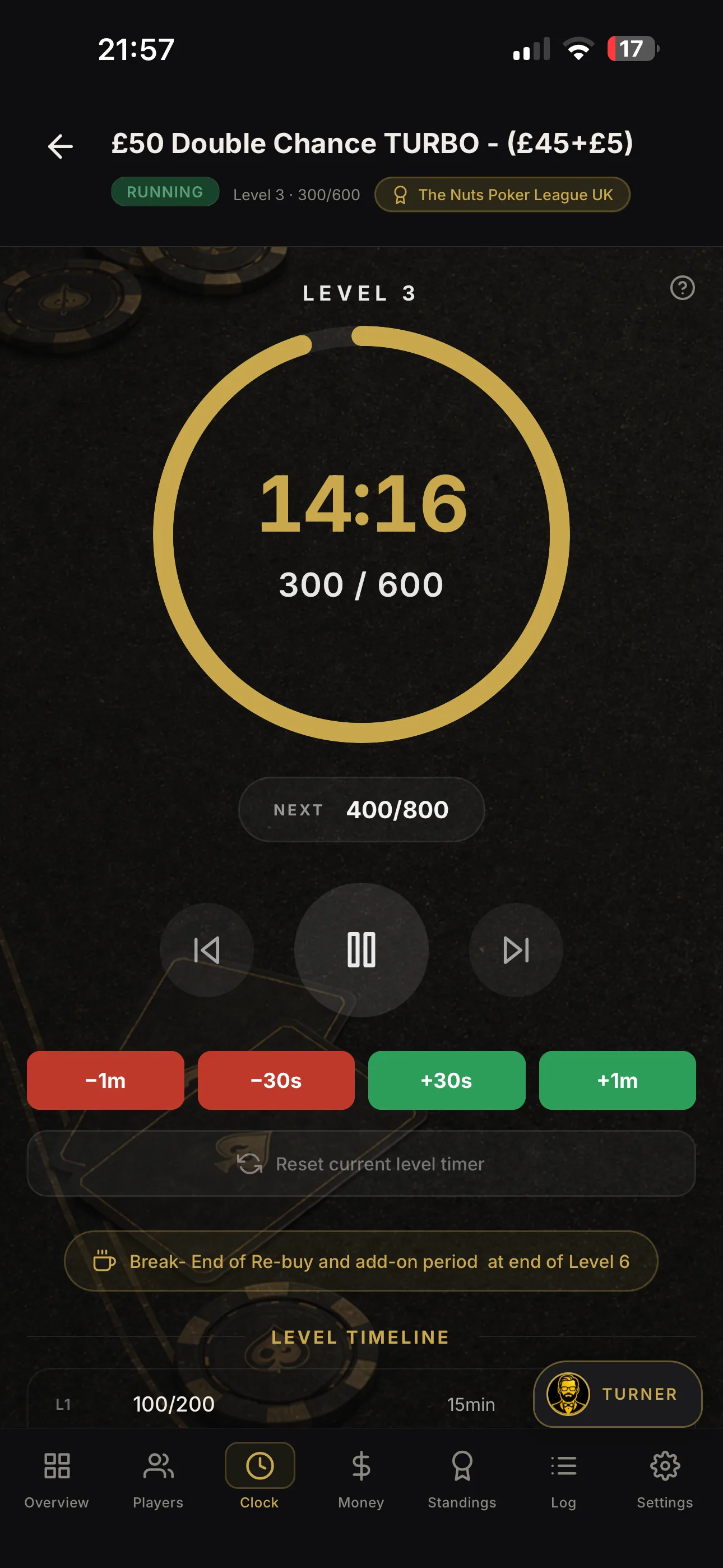

Best poker tournament app for UK tournament directors

For UK live, in-person poker events that go beyond a single table, Shuffle Up and Deal! is the most complete mobile-first tournament management app available. It handles the full operational chain: player registration, smart seating, blind clock, rebuys, eliminations, payouts, league tracking and external displays, all from one platform on your iPhone or iPad (Android coming soon).
Three reasons it stands out for UK tournament directors:
-
Single player record, zero duplication. Register a player once and that profile flows automatically through venues, tournament results, league points and lifetime statistics.
-
Smart seating and table balancing. The app’s algorithm handles table draws and rebalancing as players bust, removing the manual chaos of moving chips and chairs mid-event.
-
Live share links and external display casting. Cast the blind clock to a venue screen while spectators follow the tournament live via a shareable link on their own devices.
Simple timer sufficient? Yes, if you run occasional single-table home games with no league tracking and fewer than two tables. For anything more, read on.
Pro Tip: Before you download anything, count your average table count and whether you track results across events. Two tables or more, or any cross-event records, and you need a management app, not a timer.
Table of Contents
-
Which organisers need a full management app and which can use a timer?
-
What does a poker tournament app cost, and what should you budget?
-
What questions should you ask vendors before choosing an app?
Which organisers need a full management app and which can use a timer?
A blind timer does one job well: it counts down levels and shows the current blinds. That is genuinely enough for a casual Friday-night home game with six friends at one table and no prize pool to calculate.
The moment your event grows, a timer becomes a liability. Here is where a full poker tournament management app earns its place:
-
Multi-table events (two or more tables) where seating draws and table balancing must happen quickly and fairly
-
Recurring club nights or league seasons where player records, points tallies and leaderboards carry across events
-
Venue card rooms running monthly, weekly, daily or even multiple daily tournaments with paying entrants and formal prize pools
-
Charity poker nights where you need a documented payout structure and a record of buy-ins
-
Late registration and rebuy events where the prize pool changes in real time
A simple timer app covers blind schedules, some even include basic tournament management features including a basic player database and seating management, and can export player data to CSV. For a home game organiser who runs one table occasionally, that is perfectly adequate. But it does not carry players’ history through a league season or calculate ICM-friendly payouts automatically.
Pro Tip: Choose a full management app when you run more than one multi-table event per month, or when you keep player records across events.
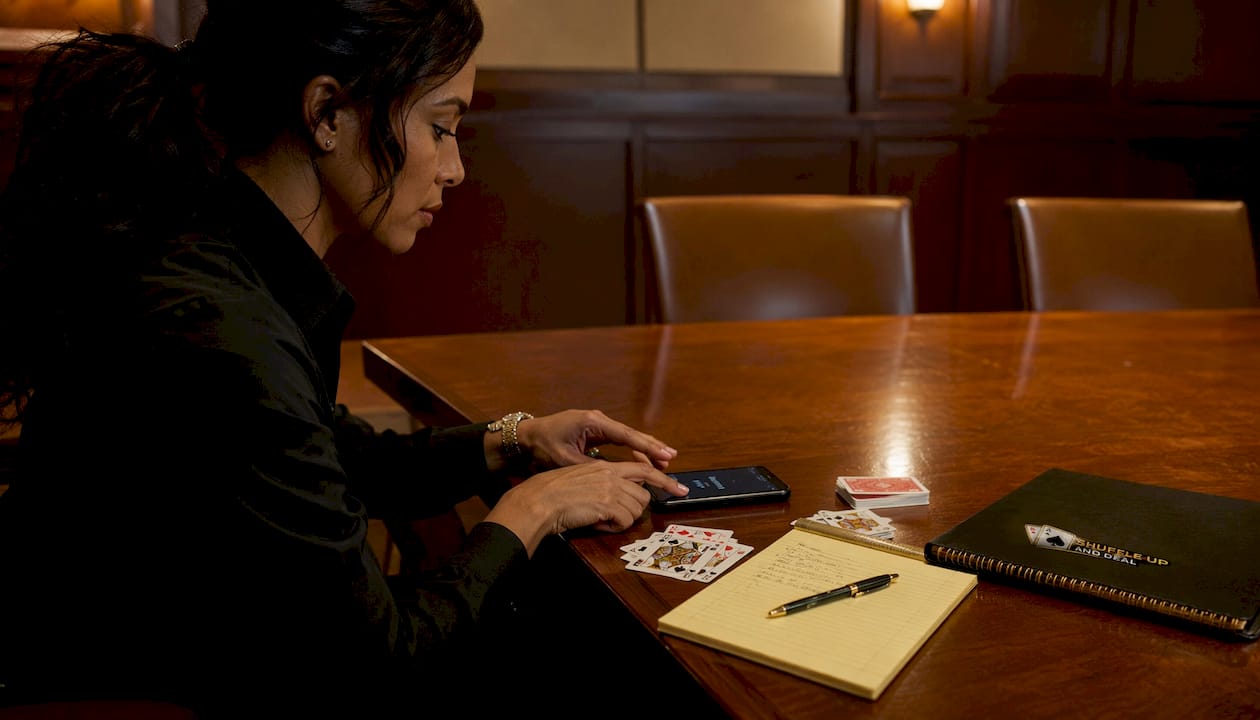
The practical difference is clearest in registration. With a management app, you register a player once: their name, buy-in status and seat assignment are all linked. Bust them out and the app updates the prize pool, triggers a table redraw if needed and logs the result against their profile. With a timer, you do all of that manually, usually on a notepad.
What features must a live UK poker tournament app have?
Use this checklist when evaluating any app. Every item on it matters for a live, in-person event.
-
Registration and payment integration. Players should be registerable on-site with buy-in amounts tracked. Payment processing or cash-handling notes keep your prize pool accurate from the first hand.
-
Smart seating and table balancing. Random seat assignment, plus automatic rebalancing as tables break. Manual overrides matter too.
-
Blind clock and level editor. Full control over level durations, antes, break schedules and colour-ups. A clean full-screen display is non-negotiable for players to read from across the room.
-
Rebuys, add-ons and late registration. These must update the prize pool in real time without requiring you to restart the clock or recalculate manually.
-
Eliminations and redraws. Log a bust-out, trigger a table redraw and move to the final table with showmanship, not spreadsheets.
-
Prize-pool and payout calculators. Percentage-based structures, flat payouts and ICM deal calculators for final-table chops.
-
League management and leaderboards. Points systems, season standings and player rankings across multiple events.
-
Player profiles and lifetime statistics. Win rates, cashes, buy-in history and head-to-head records stored against each player.
-
External displays and live share links. Cast the blind clock to a TV or projector; share a live tournament link so that dealers, players and spectators can follow on their phones. User research consistently highlighted casting to a TV as one of the most-requested features.
-
Multi-device syncing and offline behaviour. If your venue Wi-Fi drops, the app must keep running locally and reconcile when connectivity returns. This is mission-critical for live events.
-
GDPR-compliant data export. UK event organisers handling player data are subject to UK GDPR. Your app must let you export player records and delete data on request.
-
Support channels. Live chat or email support during event hours matters far more than a help article library.
Multi-format support is common across general tournament apps, but poker-specific controls such as rebuys, late registration and ICM-friendly payout tools are rarer. Prioritise those for live poker.
Pro Tip: Home game organisers can deprioritise league management and GDPR export. Club and venue directors should treat both as mandatory, not optional.
How Shuffle Up and Deal! covers every item on the checklist
| Feature | How Shuffle Up and Deal! handles it |
|---|---|
| Registration and payments | On-site player registration with buy-in tracking; cash handling notes update the prize pool live |
| Smart seating and table balancing | Algorithm-driven seat draws with automatic rebalancing as players bust; manual override available |
| Blind clock and level editor | Full-screen clock with customisable levels, antes, breaks and colour-ups; cast to external display |
| Rebuys, add-ons, late registration | Real-time prize-pool updates; late entries and rebuys logged without pausing the clock |
| Eliminations and redraws | One-tap bust-out logging; animated final-table redraw for showmanship |
| Payout calculator | Percentage and flat structures; built-in ICM deal calculator for final-table chops |
| League management | Season-long points systems, leaderboards and standings across unlimited events |
| Player profiles and stats | Lifetime records: cashes, buy-ins, results and head-to-head history per player |
| External display and share links | Cast blind clock to a venue TV; live share link for spectators on any device |
| Multi-device sync and offline | Local caching keeps the event running if Wi-Fi drops; syncs when connectivity returns |
| GDPR and data export | Player data exportable; deletion on request supported |
| Support | Direct support channel available; documentation on the product page |
A practical UK example: a club running a typical multi-table freezeout registers all players before the event starts. On the night, Shuffle Up and Deal! draws seats, displays the blind clock on the venue’s wall-mounted TV and lets the director log rebuys from their iPhone while walking the floor. When the final table forms, the animated redraw runs on screen. Payouts calculate automatically. Every result posts to the season leaderboard the moment the event closes.
Shuffle Up and Deal! offers a free-forever plan alongside paid subscription tiers, so you can run a test event before committing to a paid plan.
Pro Tip: Use the live share link at your next event and tell players to open it on their phones. It removes half the “what are the blinds?” questions instantly.
What does a poker tournament app cost, and what should you budget?
Most tournament management apps follow a freemium model: a free tier with usage limits, and paid tiers that unlock higher participant counts, advanced features or remove restrictions.
-
Free-forever tiers typically cap player counts or event frequency. Good for testing and occasional home games.
-
Monthly or annual subscriptions unlock full feature sets. Annual plans usually offer a meaningful saving over monthly billing.
-
Per-event or per-participant fees appear on some platforms; these suit infrequent organisers but cost more at scale.
-
Advanced features such as league management, external display casting and data export are commonly gated behind paid upgrades across the market.
For budgeting purposes: a home game organiser running one event per month will likely find a free or entry-level plan sufficient. A club running weekly multi-table events with league tracking will want a mid-tier subscription. A commercial venue running daily or near-daily events should budget for a full-featured plan and factor in the time saved on manual administration.
Shuffle Up and Deal!’s free plan lets you run real events before you spend a penny. Check current plan details and pricing at shuffleup.co.uk.
Worth knowing: Advanced sharing, larger participant limits and integrations are commonly gated behind paid tiers across the market. Always confirm exactly which features are included at each price point before signing up.
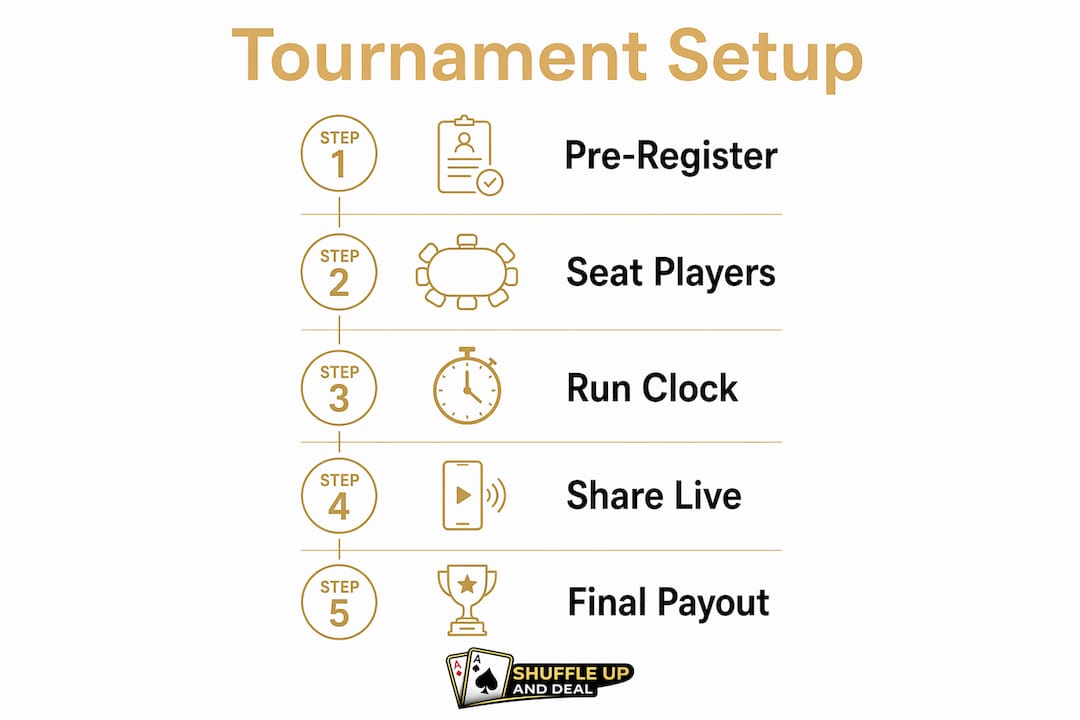
How to set up your first live tournament in 10 steps using Shuffle Up and Deal!
-
Configure your tournament (1-2 mins): set format, buy-in, starting stack, rebuy rules and late registration window.
-
Build your blind schedule (1-2 min): set level durations, antes, break intervals and colour-up rounds. Use the Blind Structure Wizard to create a schedule for your event in seconds.
-
Set your payout structure (>1 min): choose percentage-based or flat payouts; confirm the prize pool calculation method.
-
Register Players: add players manually as they arrive. Pre-registration saves time on the night, use the “bonus chips” feature to award players for registering early.
-
Configure league settings if applicable (5 mins): Create your league structure, set points matrixes and link the event to your season.
-
Set up your external display (1 min): connect with HDMi or AirPlay to an Apple TV and configure the cast view. Show the full seating chart during registration and then show the blinds, payouts and more once cards are in the air.
-
Run a test event (20 min): register 10-15 dummy players, seat them, run three levels, log the bust-outs, see how balancing and breaking tables works and check the payout calculations and results at the end.
-
Brief your floor staff (10 min): show them how to log rebuys and eliminations on a second device.
-
Open registration on the night (ongoing): register walk-ins, confirm buy-ins and draw seats when registration closes.
-
Run the event and close out (ongoing): log eliminations, trigger redraws, process the final payout and post results to the league.
What questions should you ask vendors before choosing an app?
Ask these before you commit to any platform:
-
Which devices does the app support, and does it run natively on iOS?
-
How does multi-device syncing work, and what happens if the internet drops mid-event?
-
Does the app integrate with payment processing, or does it handle cash buy-ins manually?
-
What are the participant limits at each pricing tier?
-
How does the external display work: full app mirror or a clean blinds-only cast?
-
What support is available during a live event, and what are the response times?
Red flags to walk away from:
-
No data export or vague answers about GDPR compliance
-
No documented offline mode or “we recommend a stable connection” as the only answer
-
Pricing that is unclear until after sign-up
-
Support limited to a ticketing system with no live option during event hours
-
No iOS-native app (web-only tools are fragile on venue Wi-Fi)
For commercial venues, weight support availability and uptime guarantees more heavily than feature count. A club that runs once a month can tolerate slower support; a venue running three nights a week cannot.
Pro Tip: Ask specifically: “What do I do if the app crashes at the final table?” A vendor with a clear, practised answer has thought about live events. One that hesitates probably has not.
Key takeaways
A full poker tournament management app pays for itself the first time it saves you from a seating dispute, a miscalculated payout or a lost player record.
| Point | Details |
|---|---|
| Timer apps have limits | Simple timers suit single-table home games; multi-table or league events need a full management app. |
| Single player record matters | Register once and carry that data through seating, results, league points and lifetime stats automatically. |
| Offline and GDPR are non-negotiable | Confirm documented offline behaviour and data-export capability before committing to any platform. |
| Test before you pay | Run a full test event with dummy players before upgrading to a paid plan. |
| Shuffle Up and Deal! covers the full workflow | Shuffle Up and Deal! handles registration through payouts and league tracking in one iOS-first app. |
The case for an all-in-one approach
The most common mistake tournament directors make is treating the blind clock as the hard part. It is not. The hard part is the fifteen minutes before cards are in the air: late registrations, seating disputes, a rebuy that someone forgot to log, a prize pool that does not match the buy-in sheet. That is where events fall apart, and where a fragmented toolkit of separate apps makes things worse, not better.
What actually works is a single source of truth. When a player’s profile exists once and flows through every stage of the event, errors drop dramatically. The director stops being a human spreadsheet and starts running the room. That shift in attention is what separates a smooth, professional event from a chaotic one, regardless of whether you are running a home game for twenty or a venue series for two hundred.
The other thing organisers underestimate is the spectator experience. Casting a clean blind clock to a venue screen and sharing a live link with players costs almost nothing in setup time. The effect on the room’s atmosphere is disproportionate. Players trust the clock. Spectators stay engaged. The event feels considered.
Shuffle Up and Deal! is worth trying before your next event
Shuffle Up and Deal! gives UK tournament directors a complete path from registration to final payout, on iPhone and iPad, without stitching together separate tools. The workflow is straightforward: register players, draw seats, run the clock, log rebuys and bust-outs, calculate payouts and post results to your league, all from one app.
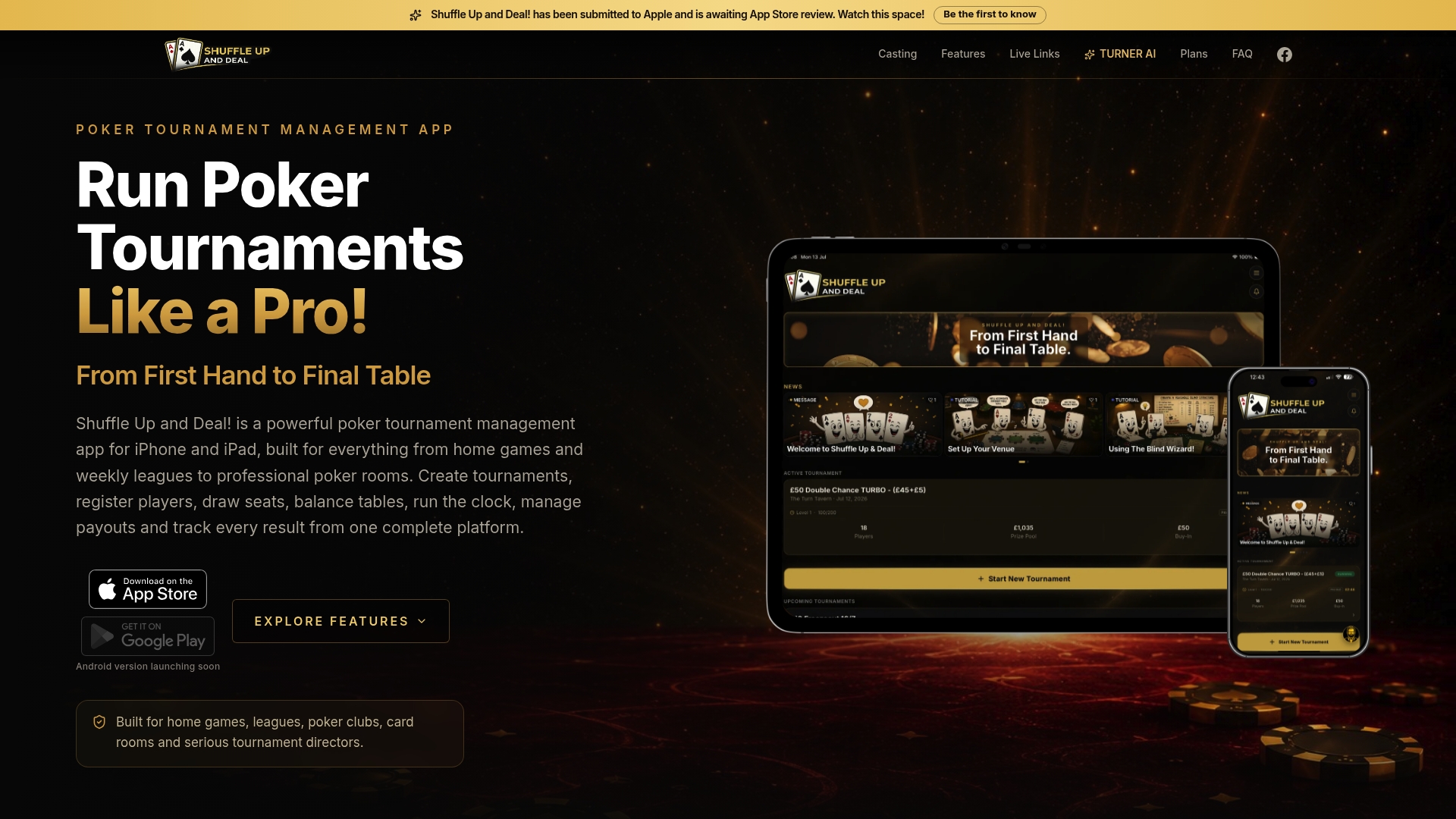
The free plan lets you run real events at no cost, so you can test the full workflow before deciding whether a paid tier fits your operation. Visit Shuffle Up and Deal! to explore plans, start a free trial or run your first test event today.
Useful sources and UK regulatory links
-
Shuffle Up and Deal! shuffleup.co.uk
-
Blinds Are Up! (Google Play): play.google.com - reference for timer app features and CSV export
-
Home Poker Tournament Manager (Google Play): play.google.com - home-game timer and blind schedule reference
-
Tourney Tournament App: tourneymaker.app - multi-format bracket and league management reference
-
Challonge: challonge.com - web-based multi-format platform with free and paid plans
-
UK Information Commissioner’s Office (ICO) - data protection for events: ico.org.uk - guidance on handling player data under UK GDPR
This article is general information for tournament directors and does not constitute legal or data-protection advice. Confirm your obligations under UK GDPR with the ICO or a qualified professional for your specific situation.