
Poker Tournament Management App
Run Poker Tournaments Like a Pro!
From First Hand to Final Table
Seat draws, table balancing, the clock, payouts and league standings: Shuffle Up and Deal! runs the whole night from your iPhone or iPad.

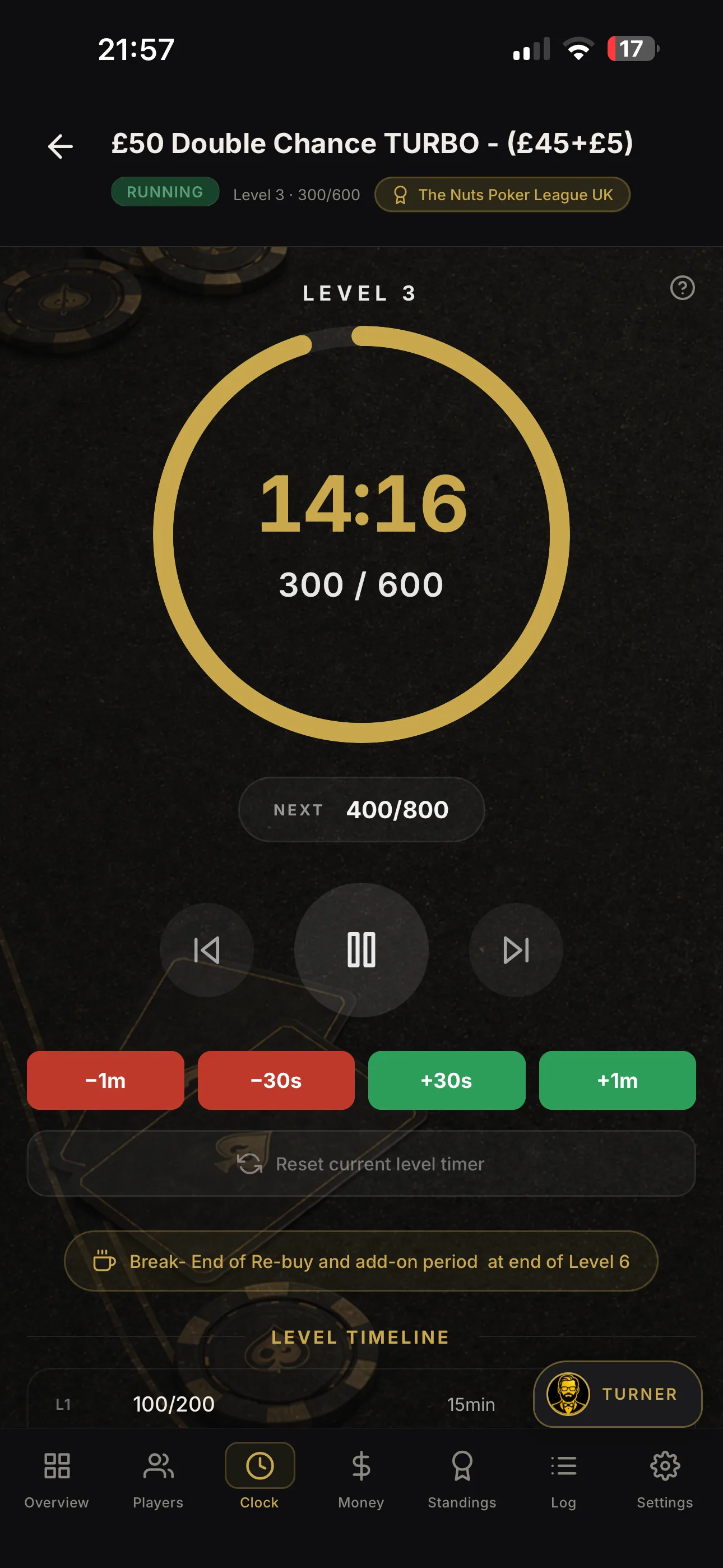
Live poker tournament updates for directors and card-room operators

Live poker tournament updates are the operational feeds that keep directors, staff and players synchronised in real time: the live clock, blind level, seating and table balancing, registration status, and payouts. The fastest, most reliable way to deliver them is a dedicated tournament management app with multi-device syncing and shareable links, such as Shuffle Up and Deal!. Industry data shows tournament software automates chip counts and table consolidation, and a smart seating algorithm paired with live clock synchronisation removes the manual guesswork that causes disputes on the floor.
Key Takeaways
Reliable live poker tournament updates depend on a dedicated app that syncs the clock, seating, and payouts across every device in real time.
| Point | Details |
|---|---|
| Publish the full metadata | Every share link needs event ID, level, time remaining, table, and seat to stay authoritative. |
| Run the pre-event checklist | Test devices, network, displays, and a mock update fifteen minutes before doors open. |
| Split clock and seating roles | One operator per function prevents bottlenecks during fast-moving levels. |
| Freeze first, fix second | On payout or seating errors, freeze the view, recalculate, then republish rather than editing live. |
| Shuffle Up and Deal! covers the full workflow | Live clock, smart seating, share links, external casting, and payout tracking run from one app. |
Table of Contents
- What must a live poker tournament feed actually include?
- How do you prepare devices and displays before the tournament starts?
- What’s the right workflow for running updates during the event?
- What are the most common live-update problems and how do you fix them?
- How should you share updates with players and spectators?
- Why use Shuffle Up and Deal! to run and share live updates?
- Sources
What must a live poker tournament feed actually include?
A live feed is only as good as what you put in it. Miss one element and players start asking floor staff instead of checking their phones, which defeats the entire point.
- Live clock and blind level. The single most-checked data point in the room; it has to be accurate to the second.
- Registration and rebuy status. Entries, re-entries and rebuys change the prize pool constantly, so this needs to update live, not at the next break.
- Seating and table-balancing notices. Players need to know exactly where they’re moving and why, the moment it happens.
- Prize pool and payouts. Running totals reduce the “what am I playing for” questions that clog up the rail.
- Bubble and hand-for-hand flags. These moments carry the most tension in the room, so the feed needs to flag them clearly.
- Late registration cut-off. Publish it early and often, it’s the deadline most disputes trace back to.
- Chip counts or leaderboard summary. Gives players a reason to keep checking the feed between hands.
For share links specifically, the minimum metadata is: event ID, current level, time remaining, table and seat assignment, and the next scheduled break - details often listed on tournaments and events pages to keep all participants informed. Anything less and the link stops being authoritative, reducing disputes rather than causing them.
How do you prepare devices and displays before the tournament starts?
Reliable live updates start well before the first hand. A five-minute check now saves a chaotic first level later.
- Devices and network: confirm every device is signed in, clocks are synced, Wi-Fi and a backup mobile hotspot are both live, and every display feed has been test-cast.
- Tournament configuration: load the blind structure, confirm re-entry and rebuy rules, select the payout template, and switch on smart seating.
- Permissions and display access: enable the share link, configure external display casting, and assign staff roles so only the right people can edit the clock or seating.
Pro Tip: Run a fifteen-minute mock update before doors open, start the clock, trigger one level change, and force one table move. If notifications and the display sync correctly on that dry run, they’ll hold under real pressure.
What’s the right workflow for running updates during the event?
Once the first hand is dealt, the workflow needs to be a routine, not a scramble. Follow the same sequence every level and disputes drop sharply.
- Start of event: finalise registrations, activate the live clock, and publish the share link alongside the lobby display.
- Per-level routine: announce the level start, confirm the clock is correct on every device, publish the blind change, and sync external displays.
- Table events: log eliminations as they happen, let smart seating trigger consolidation automatically, and push table-change notices with the seating display updated in the same motion.
- Bubble and payouts: switch to hand-for-hand if the format calls for it, freeze the payouts view, and publish a provisional payout summary the moment the bubble bursts.
- End of event: confirm final standings, lock payouts, then publish final results and a share link players can use as their receipt.
Three decision points matter more than the rest. Force a redraw only when table sizes are genuinely uneven, never for convenience. Delay a cast update rather than publish a feed you suspect is out of sync. And settle disputed chip counts against the last verified count, not a player’s recollection.
Pro Tip: Assign one operator to the clock and a separate operator to seating changes. Splitting the roles stops one person becoming a bottleneck, and if the network drops briefly, an offline cache keeps both jobs running until it reconnects.
What are the most common live-update problems and how do you fix them?
Most mid-event problems fall into five categories, and each has a fast fix that doesn’t require stopping the clock.
- Clock mismatch between devices. Resynchronise all devices to the master clock immediately, then check the level log and roll back any level change that fired on the wrong device.
- Duplicate or late registrations. Lock the registration list temporarily, reconcile manually against the cash drawer or till, and announce any correction clearly rather than quietly editing the count.
- Table-balancing failure or a wrong consolidation. Force a manual recalculation, revert to the last known correct seating chart, and broadcast the seat-change notice again once it’s fixed.
- Network drop or display casting failure. Switch displays to a cached static feed and hand scoreboard control to a backup device without breaking stride.
- Payout calculation errors. Freeze payouts on the spot, re-run the calculation using a verified template, then republish only once the numbers check out.
Stress-testing a system before it hits real-world volume is what surfaces these failure points, and it’s why tournament software built for consistent pacing tends to hold up better under a packed field than a spreadsheet ever will.
How should you share updates with players and spectators?
Different audiences need different channels, and mixing them up is where confusion creeps in.
- For players: in-app share links and external display casting are the authoritative source, treat these as the record.
- For spectators and the wider room: social lobby pages, printed table cards, and messaging groups work well as a secondary layer.
- For scale: SMS, WhatsApp, or Telegram bots save enormous time once you’re running events with 100 or more entrants, since bot integrations push instant alerts without a staff member typing each one out.
Four templates cover almost every message you’ll send: a level change (“Level 12 now live, blinds 800/1,600/1,600”), a table move (“Seat 4, Table 7, move to Seat 2, Table 3”), a bubble warning (“Bubble: 10 players remain, 9 paid”), and a final payout line (“Final results and payouts now published”). Keep every message timestamped and short. Multi-device syncing is what makes this genuinely scalable rather than a one-person relay job.
Why use Shuffle Up and Deal! to run and share live updates?
Everything covered so far, live clock, seating, blinds, payouts, share links, maps directly onto what Shuffle Up and Deal! was built to do. The live tournament clock keeps every device and display synchronised automatically, so there’s no manual clock-checking between levels. The smart seating algorithm handles table balancing and consolidation the moment an elimination is logged, prioritising balanced tables with minimal player movement while respecting your re-entry rules.

Share links carry the event ID, current level, and table assignment, giving players and spectators one authoritative feed instead of five competing rumours. External display casting turns any iPad into a dedicated tournament screen, with offline caching keeping things running through a short network wobble. Rebuys, late registration, and payout tracking all live in the same platform, so nothing gets reconciled by hand at 1am.
If you’re still juggling a spreadsheet and a whiteboard, the Shuffle Up and Deal! landing page has a free plan to get your first event running properly, no card details needed to try it out.
A tournament director’s note on live share links
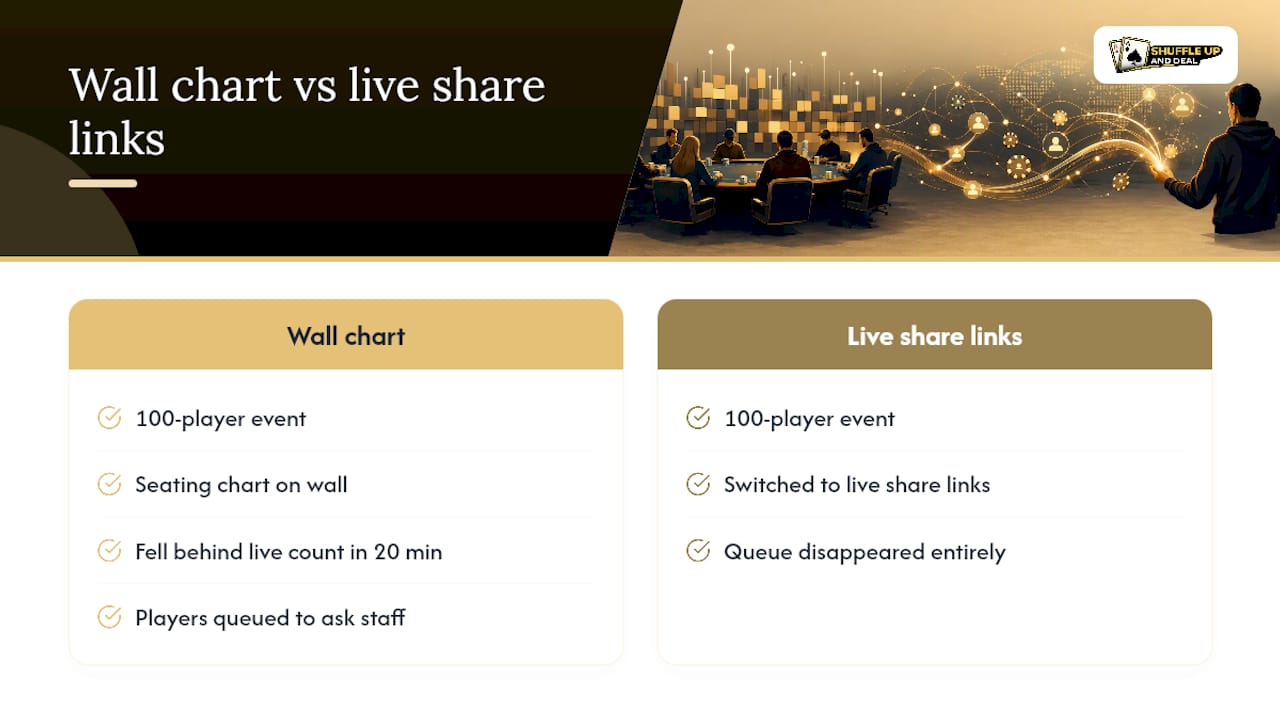
I ran a 100-player event where the seating chart on the wall fell behind the live count within twenty minutes, players were queuing to ask staff where they’d moved. Once we switched to live share links, that queue disappeared entirely.
Sources
- Why Use Software to Build Your Poker Tournament Schedule - Lobbyze Blog
- Why Poker Software is Essential for Tournament Organizers? | 3UP Gaming
- Poker Tournament Management Software: MTT vs Sit & Go - A Complete Operator’s Guide