
Poker Tournament Management App
Run Poker Tournaments Like a Pro!
From First Hand to Final Table
Seat draws, table balancing, the clock, payouts and league standings: Shuffle Up and Deal! runs the whole night from your phone or tablet.


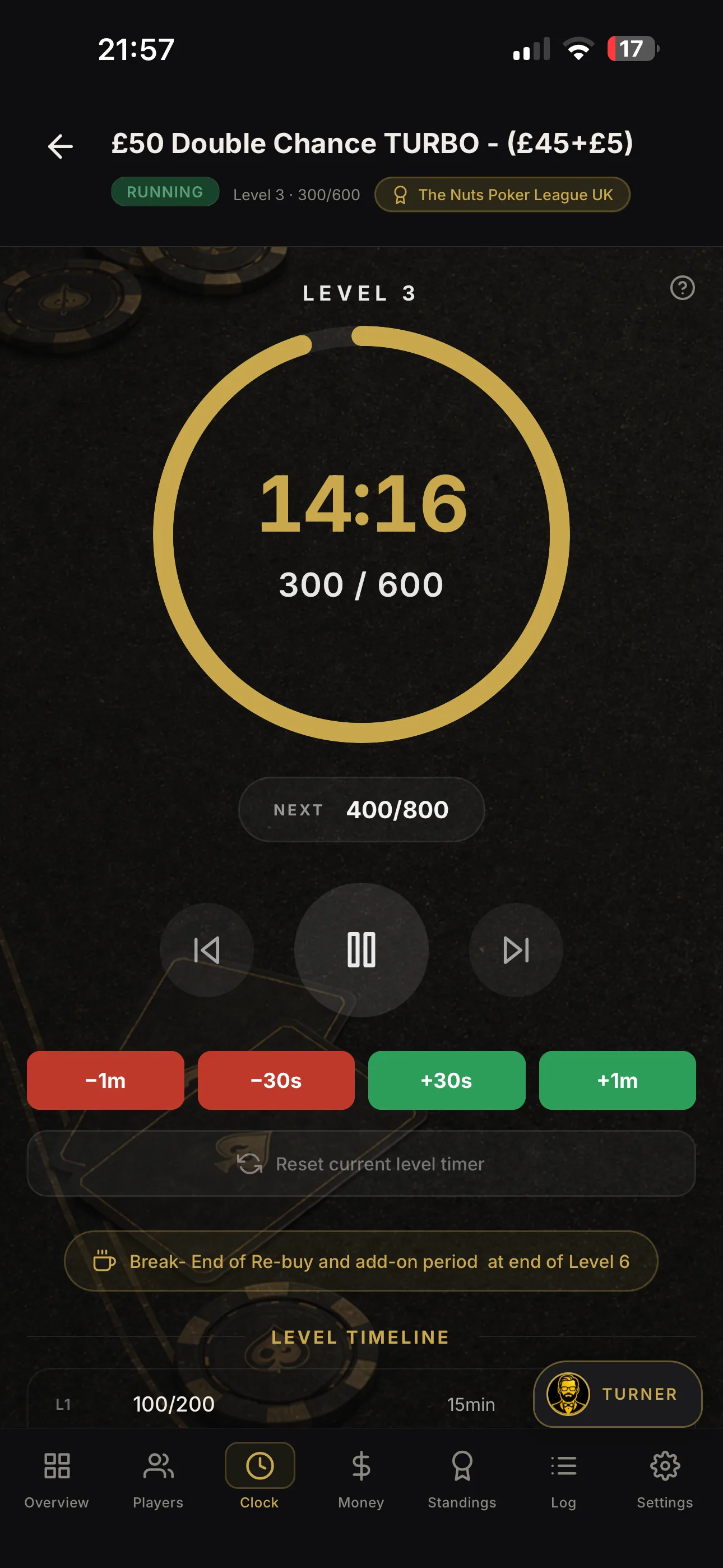
Seating chart display guide for poker tournament directors
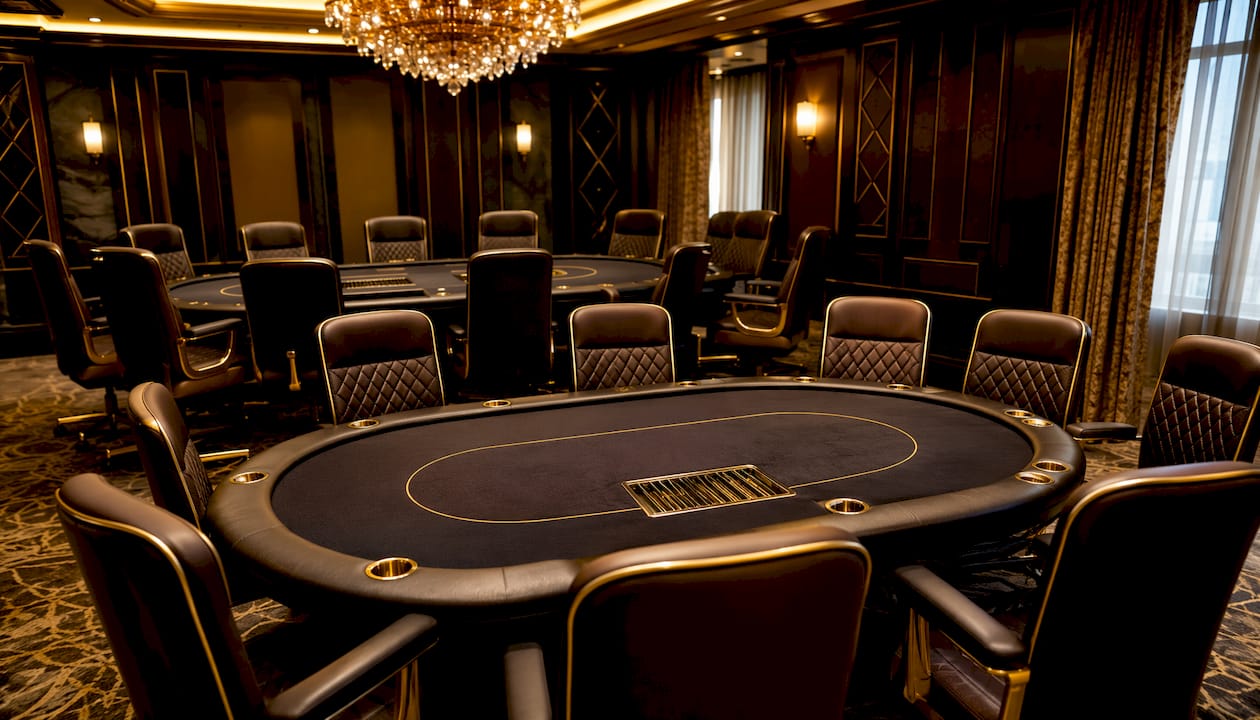
A seating chart display is a live, visual representation of every player’s position at every active table in your tournament. It shows table numbers, seat assignments, chip counts, the dealer button location, and blind positions at a glance. For tournament directors, it is the operational backbone of a fair, well-run event.
Here is why it matters:
-
Fairness and integrity: Players can verify their seat and position relative to the dealer button, reducing disputes before they start.
-
Operational speed: Clear displays cut the time players spend finding their seats after breaks or table consolidations.
-
Transparency: When chip counts and blind levels appear alongside seat assignments, every player understands their tournament status without asking.
-
Director confidence: A live display lets you spot imbalances across tables instantly, rather than discovering them mid-level.
The industry distinguishes between two related concepts: seat assignment (the specific chair a player occupies) and table assignment (which table they join). Keeping both accurate and visible on your display is what separates a smooth tournament from a chaotic one.
Table of Contents
-
Why smart balancing and dynamic displays keep tournaments fair
-
How Shuffle Up and Deal! makes your seating display work harder
-
Integrating your seating display with live tournament management
-
Software tools for poker seating chart display: what to look for
-
Shuffle Up and Deal! is the complete solution for your tournament display
How seat positions work across 9-max and 6-max tables
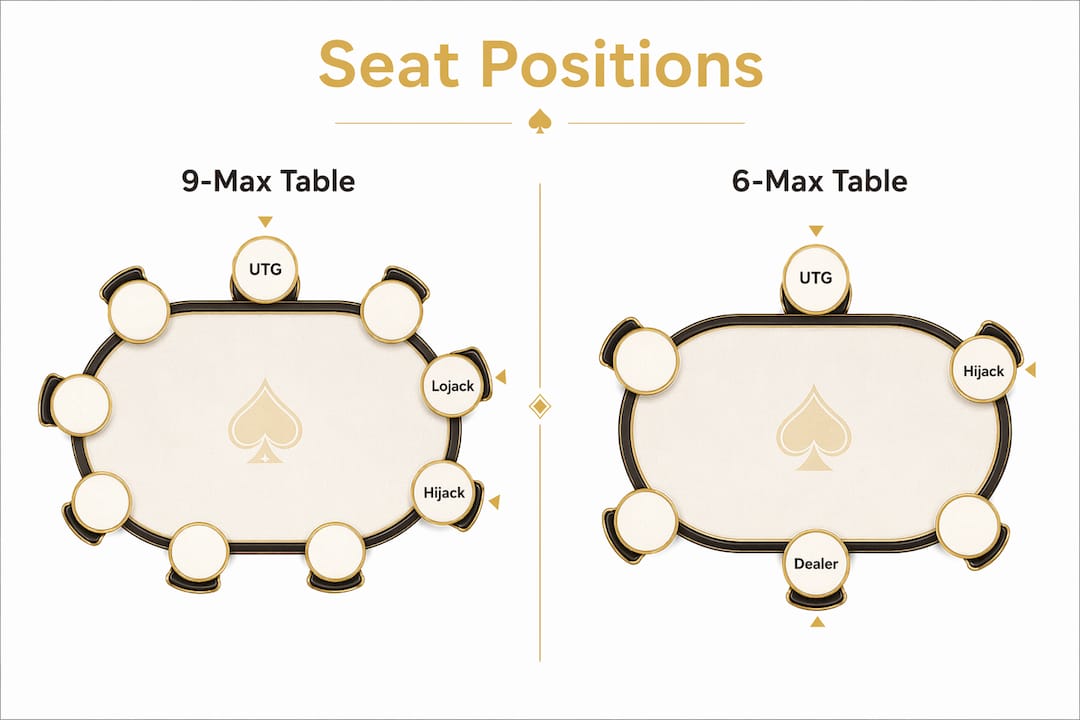
Understanding seat naming conventions is the foundation of any effective player placement system. Poker positions at a full-ring table follow a consistent structure that every director should know cold.
9-max positions, in order from the dealer button:
-
UTG (Under the Gun): First to act preflop, immediately left of the Big Blind. Tightest seat, opening roughly 10–12% of hands.
-
UTG+1: Second to act preflop. Similar constraints to UTG.
-
UTG+2: Third to act preflop. Still early position, strong hands required.
-
Lojack (LJ): Two seats right of the Button. Middle position begins here; ranges widen slightly.
-
Hijack (HJ): One seat right of the Cutoff. The transition point between middle and late position.
-
Cutoff (CO): Directly right of the Button. Second-best seat; opens 25–30% of hands.
-
Button (BTN): The dealer seat. Acts last on every postflop street. The most profitable seat at the table, opening 40–50% of hands.
-
Small Blind (SB): Posts half a big blind; acts first postflop. Structurally the weakest seat.
-
Big Blind (BB): Posts one full big blind; acts last preflop but early postflop.
6-max removes three seats entirely: UTG+1, UTG+2, and the Lojack disappear. The six remaining positions are UTG, Hijack, Cutoff, Button, Small Blind, and Big Blind. Because fewer players act behind the UTG seat in 6-max, opening ranges shift wider than at a 9-max UTG seat.
For your display, this matters practically: as tables consolidate from 9-max to 6-max late in a tournament, the seat labels on your chart must update to reflect the new positional reality. Showing a “Lojack” seat on a six-handed table is a source of confusion you can easily avoid.
Why smart balancing and dynamic displays keep tournaments fair
Smart balancing is the practice of reassigning players to new seats while preserving their position relative to the dealer button. When a table breaks and players move, a director who simply fills empty chairs at random can inadvertently give one player two consecutive Button positions or force another to post the Big Blind twice. Smart balancing prevents both.
Dynamic displays are the visual counterpart. As tables shrink from nine players to six, then to five or fewer, your seating chart must reflect the current configuration in real time. A static display that still shows nine seats on a six-handed table creates immediate confusion about who acts when.
Best practices for balancing and display updates:
-
Preserve relative button position when moving players from a breaking table to an active one.
-
Update the display immediately when a player is moved, not at the next break.
-
Flag waiting players on the display so the room knows who is in transit between tables.
-
Reflect table size changes by removing inactive seat positions from the visual layout as tables consolidate.
-
Synchronise blind and button indicators so the display always matches the physical table state.
Manual methods are prone to errors precisely because these updates need to happen simultaneously across multiple tables. Automated software handles the coordination that a director simply cannot manage alone at speed.
How Shuffle Up and Deal! makes your seating display work harder
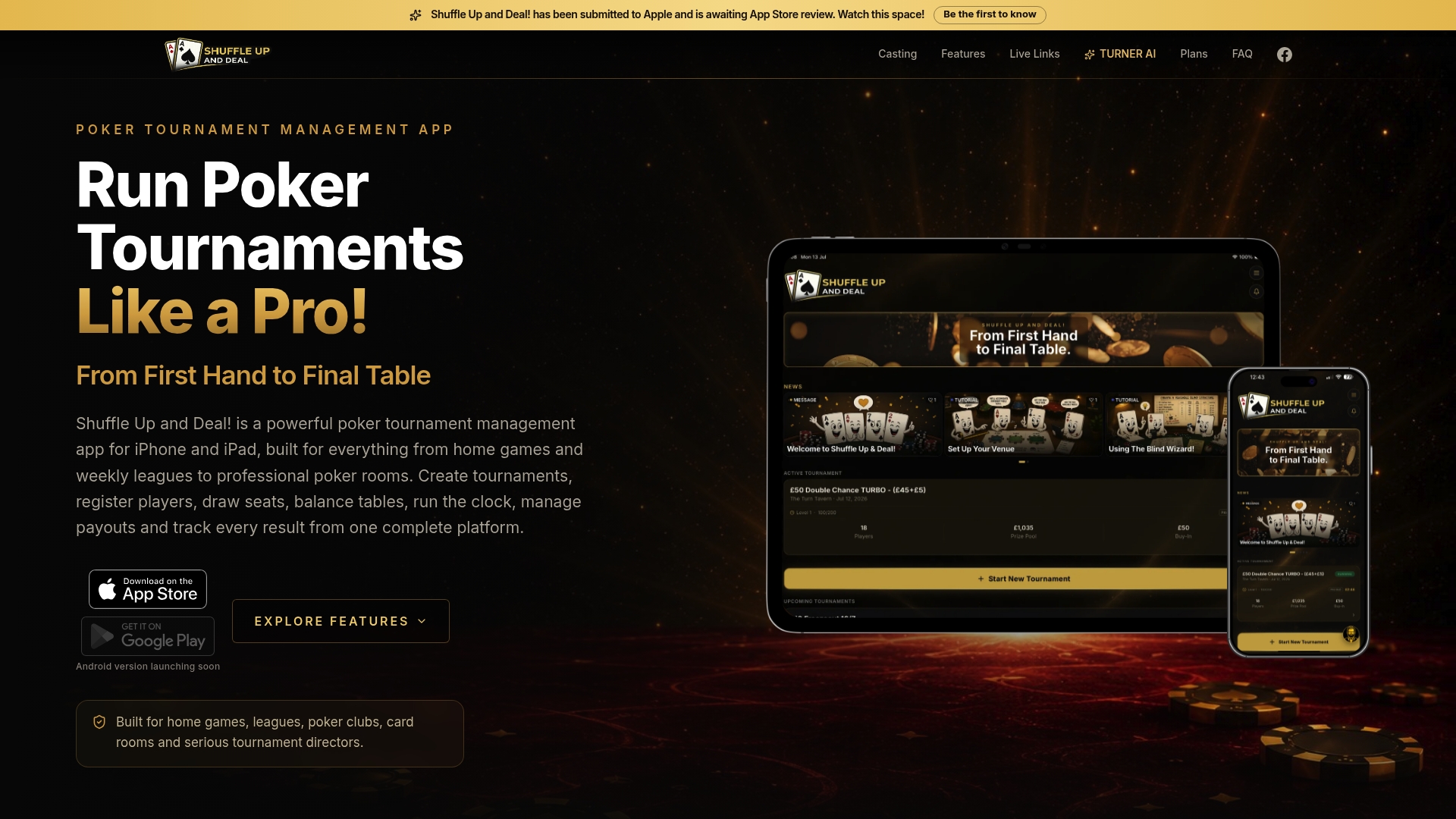
Shuffle Up and Deal! (Shuffle Up and Deal!) is built specifically for this challenge. The iOS tournament management app combines smart seating algorithms, a live tournament clock, and real-time player tracking in a single interface designed for iPhone and iPad.
Key features that directly improve your seating chart display:
-
Smart seating algorithms that automatically assign seats while preserving relative button positions during table breaks.
-
Live updates pushed instantly across all connected devices when a player moves, rebuys, or is eliminated.
-
External display and casting so you can turn any iPad into a dedicated spectator-facing tournament display.
-
Multi-device syncing allowing floor staff to view and act on the same live data simultaneously.
-
Integration with blind levels and payout tracking so chip counts, current blind level, and prize pool information appear alongside seat assignments.
-
Player statistics and league management giving directors a complete picture of every player’s tournament history.
Pro Tip: Use Shuffle Up and Deal!’s external display feature to cast the seating chart to a large screen at the entrance. Players find their seats before the level starts, cutting transition time significantly.
The result is a display that updates itself. Directors spend less time correcting errors and more time running the game.
Making your seating chart easy to read at a glance
A technically accurate display is worthless if players cannot read it quickly. Visual clarity is as important as data accuracy.
Prioritise these design principles:
-
High contrast text: Player names and seat numbers must be legible from across the room. Dark text on a light background, or white on deep colour, both work well.
-
Consistent seat numbering: Use the same numbering convention (1–9 clockwise from the dealer) across every table, every time.
-
Colour-coded table status: Distinguish active tables, tables in the process of breaking, and tables already closed with distinct colours.
-
Prominent dealer button indicator: The button position should be immediately obvious, not buried in small text.
-
Chip count proximity: Display chip counts next to player names rather than in a separate list that requires cross-referencing.
Avoid cluttering the display with information players do not need during play. Payout structures and blind schedules belong on a separate screen or section.
Common display problems and how to fix them
Even with good software, seating chart displays encounter predictable problems. Knowing the fixes in advance saves you from making decisions under pressure.
| Problem | Cause | Fix |
|---|---|---|
| Player at wrong seat | Manual entry error during registration | Use barcode or QR check-in to auto-assign seats |
| Display not updating after table break | Sync delay or connectivity issue | Confirm all devices are on the same network; force a manual refresh |
| Inconsistent seat numbers across tables | No standardised numbering convention | Set and lock a numbering template before the tournament starts |
| Blind/button position mismatch | Display not linked to live clock | Integrate your clock and seating display through a single platform |
| Players unaware of seat moves | No notification system | Use live share links so players receive move notifications on their phones |
The most common root cause across all these issues is relying on disconnected tools: a spreadsheet for registrations, a separate clock, and a whiteboard for seating. Consolidating onto one platform eliminates the gaps where errors appear.
Integrating your seating display with live tournament management
A seating chart display reaches its full value when it is connected to every other data stream in your tournament. Registration, blind levels, rebuys, eliminations, and payouts all affect who sits where and what the display should show.
The practical integration points are:
-
Registration feeds seat assignments automatically as players buy in, rather than requiring a separate manual step.
-
Eliminations trigger balancing prompts so the director is immediately alerted when a table falls below the threshold for consolidation.
-
Rebuy and late registration update the display in real time, adding players to available seats without disrupting the current hand.
-
Payout calculations linked to chip counts on the display give players accurate prize information as the field narrows.
Shuffle Up and Deal! handles all of these connections within a single app, which means the seating display is always a live reflection of the tournament’s actual state rather than a snapshot that is already out of date.
Software tools for poker seating chart display: what to look for
The market for poker tournament software ranges from basic spreadsheet templates to full-featured management platforms. When evaluating options, judge them on these criteria rather than feature lists alone:
-
Real-time update speed: How quickly does a seat change appear on all connected displays?
-
Smart balancing quality: Does the algorithm preserve relative button positions, or does it simply fill empty chairs?
-
Display flexibility: Can you cast to an external screen, share a live link, or display on multiple devices simultaneously?
-
Integration depth: Does the tool connect registration, clock, rebuys, and payouts, or does it handle seating in isolation?
-
Ease of use under pressure: A director managing 80 players mid-level needs an interface that responds in two taps, not five.
Shuffle Up and Deal! addresses every one of these criteria. Its smart table balancing and live display features are designed specifically for tournament directors who need accuracy and speed working together, whether they are running a home game for 20 players or a card room event for 200.
Shuffle Up and Deal! is the complete solution for your tournament display
Running a clean tournament starts with a display your players trust. Shuffle Up and Deal! gives you smart seating algorithms that balance tables fairly, live updates that keep every device in sync, and external casting that turns any iPad into a professional-grade tournament screen.
There is no patchwork of spreadsheets and whiteboards here. Registration, blind levels, rebuys, eliminations, and payouts all feed directly into the seating display, so what players see is always accurate. The free plan lets you get started immediately, and paid tiers unlock higher player counts and advanced league management as your events grow. Visit Shuffle Up and Deal! to start your first tournament today.
Key takeaways
A seating chart display that integrates live data, smart balancing, and clear visual design is the single most effective tool for running a fair, efficient poker tournament.
| Point | Details |
|---|---|
| Seat position naming matters | 9-max uses nine named positions; 6-max removes UTG+1, UTG+2, and Lojack entirely. |
| Dynamic updates are non-negotiable | Displays must reflect table consolidations and seat moves in real time, not at the next break. |
| Smart balancing prevents disputes | Preserving relative button positions during re-seating stops players from posting blinds twice or skipping the Button. |
| Visual clarity drives speed | High contrast, consistent numbering, and prominent button indicators cut transition time between levels. |
| Shuffle Up and Deal! unifies every data stream | Registration, clock, rebuys, and payouts all feed the live seating display through a single iOS app. |