
Poker Tournament Management App
Run Poker Tournaments Like a Pro!
From First Hand to Final Table
Seat draws, table balancing, the clock, payouts and league standings: Shuffle Up and Deal! runs the whole night from your iPhone or iPad.


Tournament Director Checklist: Map Tasks, See Where iOS Helps

A well-run tournament follows one rule above all others: nothing gets left to memory. This tournament director checklist covers every phase from venue booking to post-event debrief, with a day-of run sheet, staffing matrix, and contingency prompts built in. Follow it in order and you avoid the last-minute chaos that sinks so many events before the first round even starts.
TL;DR:
- Early planning should focus on locking the tournament format and securing the venue six to twelve months in advance to prevent last-minute changes.
- Staffing assignments and responsibilities must be decided well before the event, with clear role descriptions and a contingency plan for last-minute absences.
- A comprehensive day-of run sheet and role matrix are critical for smooth execution, with specific timings and assigned tasks for each staff member.
- Physical and technical checks, including venue access, power capacity, and equipment testing, must be done thoroughly at least a day before to avoid mid-event failures.
- Post-event tasks such as settling payments, returning equipment, and debriefing are essential for financial closure and continuous improvement.
Table of Contents
- What should a tournament director checklist actually cover?
- What does a day-of run sheet and role matrix look like?
- Are your site, equipment, and scoring systems actually ready?
- How should you handle registration and participant communication?
- What safety and contingency plans does a tournament actually need?
- What happens after the final round ends?
- How does Shuffle Up and Deal! take tasks off your checklist?
- What actually separates a smooth event from a chaotic one?
- Where Shuffle Up and Deal! fits into your next event
- Where to find official checklists and templates
- Sources
- FAQ
What should a tournament director checklist actually cover?
Most TD failures trace back to the same root cause: someone treated the tournament as one big task instead of a sequence of smaller, deadline-bound ones. USAPickleball’s own event operator guide breaks the job into exactly that: appoint a director, choose the venue, build the budget, then sanction the event. That order matters. Skip a step or run them out of sequence and you spend the week before the event firefighting decisions that should have been settled months earlier.
Here’s the phase breakdown that keeps everything moving:
- Six to twelve months out – Lock the venue, confirm sanctioning body requirements, and draft the format. This is also when you set the entry fee structure and payout percentages, because everything else (marketing copy, budget, staffing needs) depends on those numbers.
- Three to six months out – Recruit key staff (co-directors, head scorer, floor supervisors), open registration, and confirm insurance where required. USA Ultimate’s tournament directors manual recommends locking format templates at this stage so late changes don’t ripple through registration and scheduling.
- Four to six weeks out – Book equipment rentals, confirm vendor and sponsor agreements, and finalise the publicity push. Send the first round of participant communications, including venue address, parking, and any kit or equipment requirements.
- One to two weeks out – Print materials, confirm final headcounts, brief your staff, and do a full walkthrough of the venue if you haven’t already.
- The day before – Site setup, equipment testing, signage placement, and a final staff briefing so nobody arrives on the day unsure of their role.
- Day-of – Execution. This is where your run sheet earns its keep.
Within those phases, a handful of tasks deserve their own line item because they’re the ones organisers most often forget:
- Confirm the venue’s power capacity if you’re running scoring displays, AV equipment, or an external monitor setup.
- Draft a site map showing check-in, scoring tables, break areas, and emergency exits, then share it with every volunteer.
- Get written vendor confirmations, not verbal ones. A phone call agreement has no paper trail when a vendor cancels the week before.
- Build a single shared contact list covering staff, vendors, sponsors, and venue management, and keep it updated as people confirm.
Pro Tip: Build your master checklist as a single living document, not a folder of separate lists. Turnio’s tournament planning guides and other operator resources consistently point to the same failure mode: separate spreadsheets for budget, staffing, and logistics drift out of sync within weeks. One document, one owner, version-controlled.
Delegation is where most first-time directors go wrong. You cannot run registration, scoring, and the announcer’s mic simultaneously, so decide early which tasks you personally own and which get handed to a named deputy with a clear deadline attached.
What does a day-of run sheet and role matrix look like?
A run sheet is only useful if it’s specific enough that someone who wasn’t in the planning meetings could pick it up and know exactly what happens next. Here’s a sample structure for a one-day event:
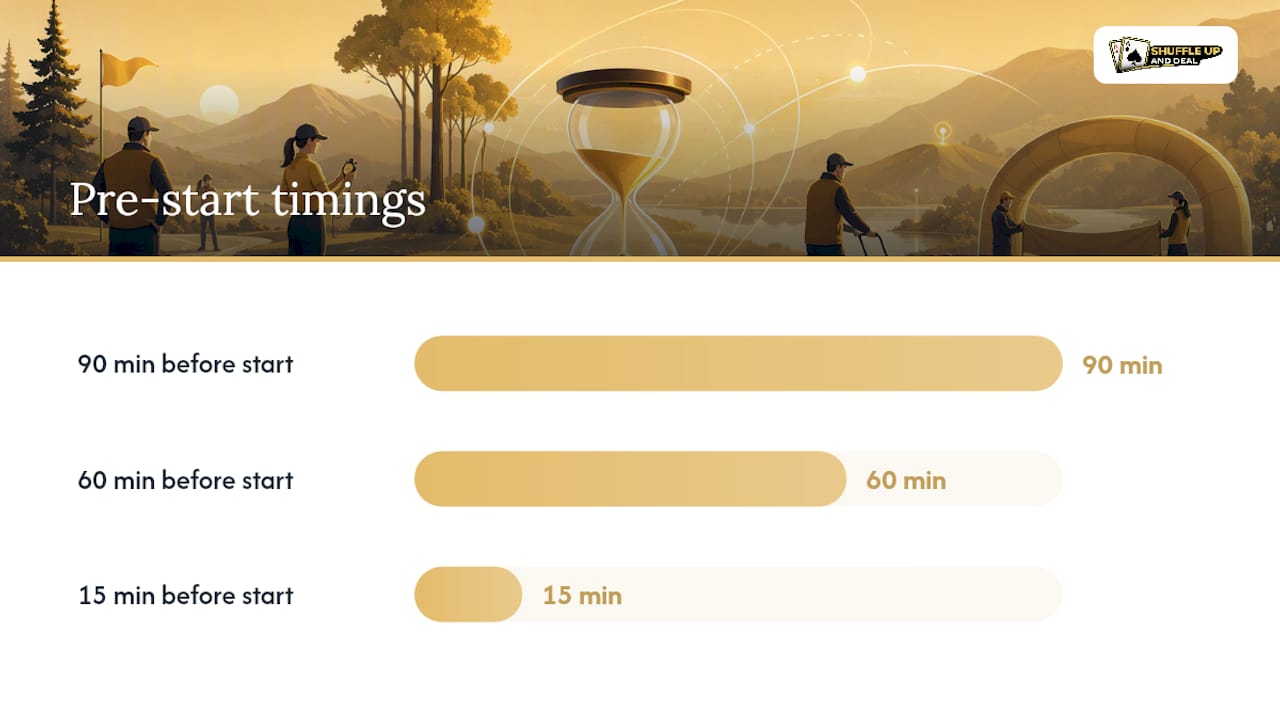
- 90 minutes before start – Staff arrival, equipment power-on, scoring system test, signage placement.
- 60 minutes before start – Check-in desk opens, floaters do a final venue walk, announcer confirms audio levels.
- 15 minutes before start – Final headcount, late registration cut-off, opening announcement prepared.
- Start time – Rules briefing, format confirmation, first round begins.
- Between rounds – Results collection, standings update, break announcements, any format adjustments communicated immediately.
- Final round – Scoring verification before results go public, prize table setup begins.
- Prizegiving – Announcer runs the ceremony, payouts distributed, thank-yous delivered.
Every role on your floor needs a one-line job description that a volunteer can glance at mid-event and know they’re on track:
- Tournament Director (TD) – Final authority on rulings, oversees the whole event, resolves escalations.
- Check-in staff – Verifies registration, collects waivers or fees, hands out materials.
- Scorer – Records results per round, maintains standings, flags discrepancies immediately.
- Announcer – Runs timing announcements, calls rounds, handles ceremony duties.
- Floater – Roams the venue solving small problems (missing chairs, signage issues, participant questions) so the TD isn’t pulled away from bigger decisions.
Your check-in desk needs its own mini-checklist: registration list (digital and printed backup), waiver forms, name badges or table assignments, a float of cash for on-site payments, and a working card reader if you’re taking digital payments. Your scoring table needs the reverse: score sheets or tablets, spare pens, a landline or mobile number for the TD, and a clear protocol for what happens when two scorers disagree on a result.
Write escalation contacts on a laminated card at every station, not just in your phone. When a dispute happens, staff need to know in seconds who to call, not scroll through a contact list.
Are your site, equipment, and scoring systems actually ready?
Physical and technical readiness fails quietly. Nobody notices a weak Wi-Fi signal or an undersized power circuit until the tournament is live and something drops out mid-round.
Walk the venue with this in hand:
- Confirm access times for setup and teardown, including whether the venue unlocks early enough for a full test run.
- Check power outlet locations and capacity against everything you plan to plug in, including scoring displays, chargers, and PA systems.
- Map toilets, parking, and accessible routes, and put that information in your pre-event participant email, not just on a sign at the door.
- Plan your signage route: entrance, check-in, scoring area, exits, and any restricted zones.
Equipment and AV need a testing schedule, not just a packing list. Test scoring displays and clocks the day before, not the morning of, so you have time to source a replacement if something fails. Bring spares for anything that’s a single point of failure: extension cords, a backup tablet or laptop, spare batteries, and printed score sheets in case your digital system goes down mid-event.
Scoring is where most directors face a real decision. Digital scoring is faster to publish and easier to display live, but it needs a network connection and a device that won’t run out of battery. Manual scoring is slower but never fails outright. The safest approach runs both: a digital system for live display and publishing, backed by a paper trail that lets you reconstruct results if the tech fails.
Pro Tip: Whatever scoring method you choose, decide your publishing channel before the event, not during it. A shared link, a printed board, and a live display are three different experiences for participants, and switching between them mid-event confuses everyone.
Don’t forget vendor logistics: confirm load-in and load-out windows in writing, and assign someone to supervise equipment storage overnight if the event spans multiple days.
How should you handle registration and participant communication?
Registration is the first data point you collect, and it shapes everything downstream, from catering numbers to payout calculations. Decide early whether you’re running online registration, on-site sign-up, or both, and what you actually need to capture:
- Contact details (name, phone, email) for every participant, plus an emergency contact.
- Payment confirmation, including whether fees were paid online or need collecting on the day.
- Signed waivers where your sanctioning body or venue requires them.
- Any special requirements: dietary needs, accessibility requests, or team affiliations for group events.
Before the event, send a confirmation message covering the essentials: venue address, parking instructions, what to bring, start time, and a short code of conduct so expectations are set before anyone arrives. This single email prevents most of the day-of questions that otherwise pile up at your check-in desk.
On-site check-in should run from a printed backup list even if you’re using digital registration, because venue Wi-Fi is never guaranteed. Have a clear process for late arrivals and no-shows so your floaters aren’t improvising.
For live updates, decide your channel in advance: a shared results link, a group chat, or a live display screen. Consistency matters more than sophistication. Participants forgive a simple system used well far more readily than a complex one that breaks down.
What safety and contingency plans does a tournament actually need?
Every event needs a first-aid plan that goes beyond “there’s a kit somewhere.” Name a trained first-aider, post their contact details at check-in and on the run sheet, and confirm the venue’s own emergency procedures before the day, not during an incident.

Weather and venue disruptions need to go or no-go criteria decided in advance, not improvised. Set a specific cut-off time and communication method for a weather call, and make sure every participant knows how they’ll be notified if the event is delayed or cancelled.
Permits and sanctioning deserve attention early because timelines vary widely by sport and governing body. Sanctioning bodies typically require health and safety compliance and registration deadlines to be met before an event qualifies for official status, according to guidance from USAPickleball. Confirm your specific rules with the relevant body well before your medium-lead planning phase closes.
Build a short list of red flags and their fixes:
- Registration numbers falling short – Extend the deadline or adjust the format to fit a smaller field.
- A key volunteer drops out last minute – Keep a backup contact list of people willing to step in on short notice.
- Scoring system fails mid-event – Fall back to your paper score sheets immediately, don’t wait to troubleshoot.
- Weather threatens an outdoor event – Trigger your go/no-go call at the pre-agreed time, communicate it on every channel at once.
USA Ultimate’s tournament directors manual treats health and safety requirements as a certification prompt worth checking against your own event before finalising the format, a habit worth borrowing regardless of your sport.
What happens after the final round ends?
The event isn’t finished when the last result is posted. Closing tasks protect your finances and your reputation for next time.
Settle every vendor and prize payment before people leave the venue where possible, and keep receipts for anything paid on-site. Return rented equipment promptly and do a full inventory check against what you brought, because missing items are far easier to trace the same day than a week later.
Thank your volunteers properly, ideally in person before they leave, and schedule a short staff debrief within a few days while memories are fresh. That debrief is where your next event actually improves.
| Wrap-up task | Why it matters |
|---|---|
| Vendor and prize payments | Closes financial loose ends before disputes arise |
| Equipment return and inventory | Confirms nothing’s missing while it’s still fresh |
| Volunteer thanks and debrief | Captures lessons and keeps staff willing to return |
| Budget vs. actual review | Identifies where costs drifted for next time |
Compare your budget against actual spend line by line, and write down the two or three biggest surprises while they’re still vivid. That short list becomes the first item on your checklist for the next event.
How does Shuffle Up and Deal! take tasks off your checklist?
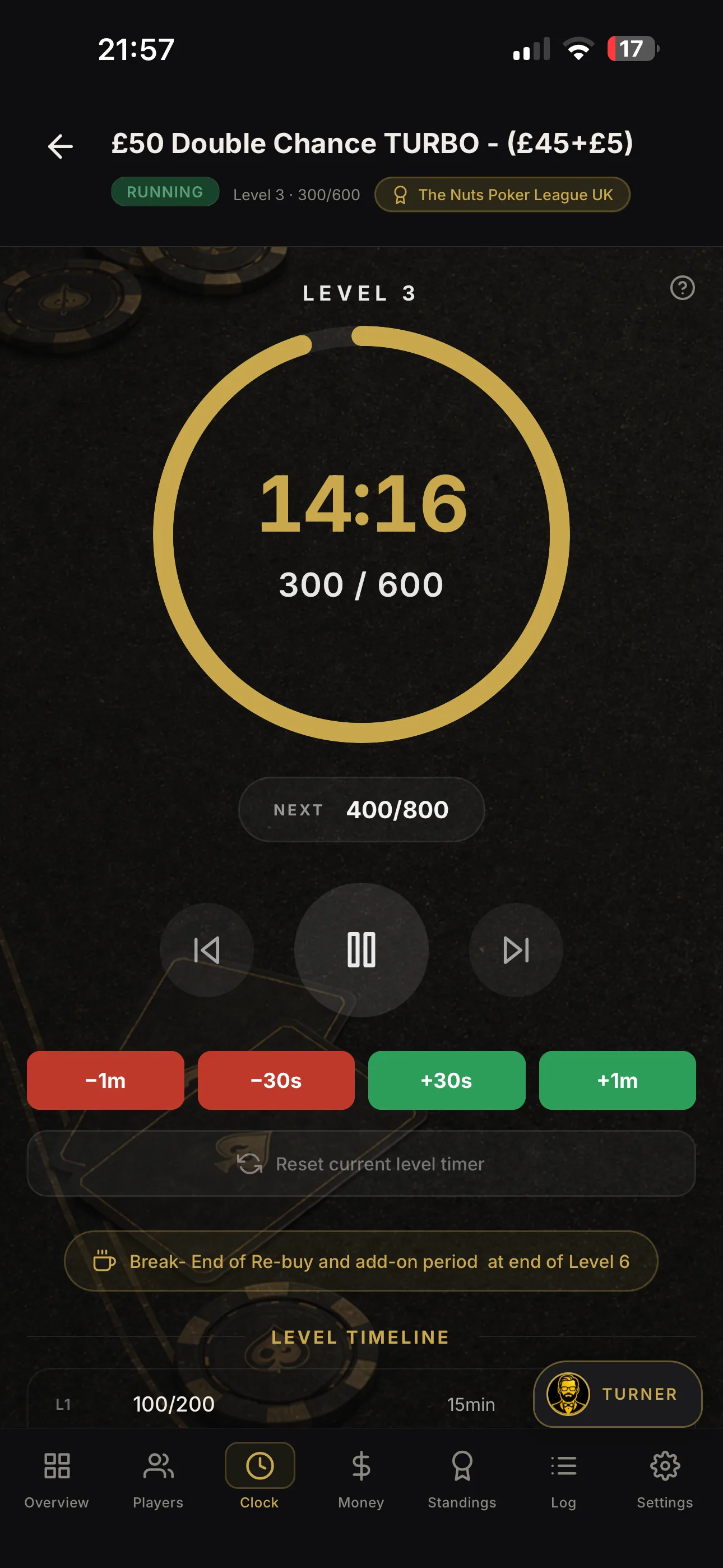
A checklist tells you what needs doing. The right tool removes some of it entirely. Shuffle Up and Deal! handles several of the tasks above directly, which matters most on the day itself when your attention is stretched thinnest.
Player registration inside the app means fewer people queuing at your check-in desk, because details and payment status are already captured before anyone arrives. Smart table balancing keeps seating fair automatically as players bust out, a job that eats a surprising amount of a director’s attention when done by hand. The live tournament clock keeps blind levels consistent across every table without a manual announcement, and multi-device sync means your co-director sees the same live state you do, from a different device, at the same moment.
- Registration → shorter check-in queues and cleaner records
- Smart seating → fair, fast table balancing without manual recalculation
- Live clock → consistent round timing across the whole floor
- Multi-device sync → co-directors and floaters see the same live data
Pro Tip: Cross-reference your app’s live data against your printed run sheet every hour. If the two start disagreeing on timing or standings, catch it early rather than at prizegiving.
For more on building an event calendar around these features, see how tournament series scheduling works for organisers running recurring events.
What actually separates a smooth event from a chaotic one?
Three things matter more than everything else on this checklist combined: a locked format decided early, a staffing plan with named deputies, and a scoring fallback that doesn’t depend on a single device staying charged. Miss any of those and no amount of signage or spreadsheet polish saves the day.
The mistake I see most often isn’t laziness, it’s over-scaling. A director running a 16-player home game copies a checklist built for a 200-player sanctioned event, drowns in tasks that don’t apply, and misses the two or three that actually matter for their size of room. Scale the checklist down before you scale it up. A small event needs a run sheet and a scoring fallback far more than it needs a sponsor coordination plan.
The second mistake is treating communication as an afterthought. Participants forgive a slow round far more readily than they forgive silence about why it’s slow.
- Jason
Where Shuffle Up and Deal! fits into your next event
If you’ve read this far, you already know the paper checklist gets you organised, but the day-of grind (seating, clocks, payouts, registration queues) still eats hours you don’t have. Shuffle Up and Deal! is built specifically to take those repetitive tournament-day tasks off your plate, with smart seating, a live tournament clock, and multi-device sync so you and your co-director see the same real-time data wherever you’re standing on the floor.
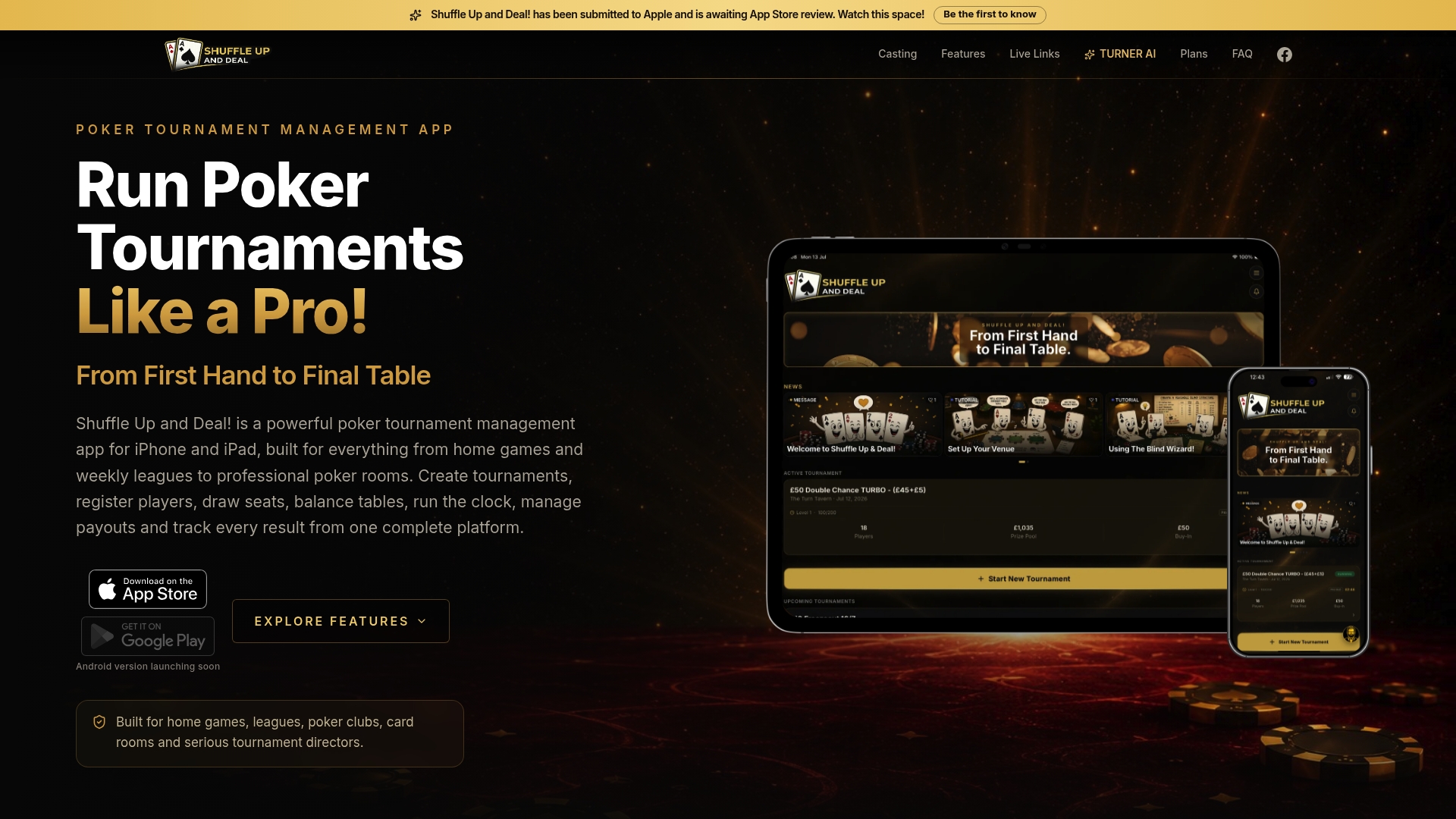
Home game organisers can start on the free Home Game plan, while directors running regular events will find tiered paid subscription options offering additional features. Card room operators managing multiple simultaneous events can choose higher-tier plans. For current prices and plan details, visit the Shuffle Up and Deal! website. Live share links mean players can follow standings from their phones without crowding your scoring table.
Head to Shuffle Up and Deal! to see which plan matches your next event, and check the best poker tournament app breakdown for a fuller look at how the features work together.
Where to find official checklists and templates
- The PDGA’s tournament director checklist organises tasks by phase and links to related sanctioning documents.
- USA Ultimate’s tournament directors manual covers format templates and health and safety requirements.
- USASoftball’s downloadable TD checklist includes information packet prompts you can adapt for other sports.
- For an international perspective on player communications and pairings, MagicFranco’s card tournament guide covers practical planning tips worth borrowing.
Sources
- Tournament Director Checklist
- Event operator guide
- Tournament directors manual
- TOURNAMENT DIRECTOR CHECKLIST
FAQ
What are the responsibilities of a tournament director?
A tournament director owns the event end to end: format decisions, staffing, budget, on-site execution, and final rulings on disputes. USAPickleball’s event operator guide frames the role around four core steps: appointment, venue selection, budgeting, and sanctioning.
How do you become a tournament director?
Most directors start by co-running or volunteering at smaller events before taking full ownership of one. Sanctioning bodies in sports like ultimate frisbee and softball publish manuals and checklists, such as USA Ultimate’s tournament directors manual, that double as a practical training resource.
Is there a good tournament planner app?
Yes. Shuffle Up and Deal! is built specifically for poker tournament directors, handling registration, table balancing, blind level timing, and payouts from one iOS app. Plans start with a free Home Game tier and scale up to Card Room at £59.99 per month for operators running multiple events at once.
How do you structure a tournament for a fair, smooth event?
Lock your format (single elimination, round robin, or a hybrid) during the long-lead planning phase, well before registration opens. This decision drives your scheduling, staffing needs, and scoring setup, so changing it late almost always creates knock-on problems elsewhere.