
Poker Tournament Management App
Run Poker Tournaments Like a Pro!
From First Hand to Final Table
Seat draws, table balancing, the clock, payouts and league standings: Shuffle Up and Deal! runs the whole night from your phone or tablet.


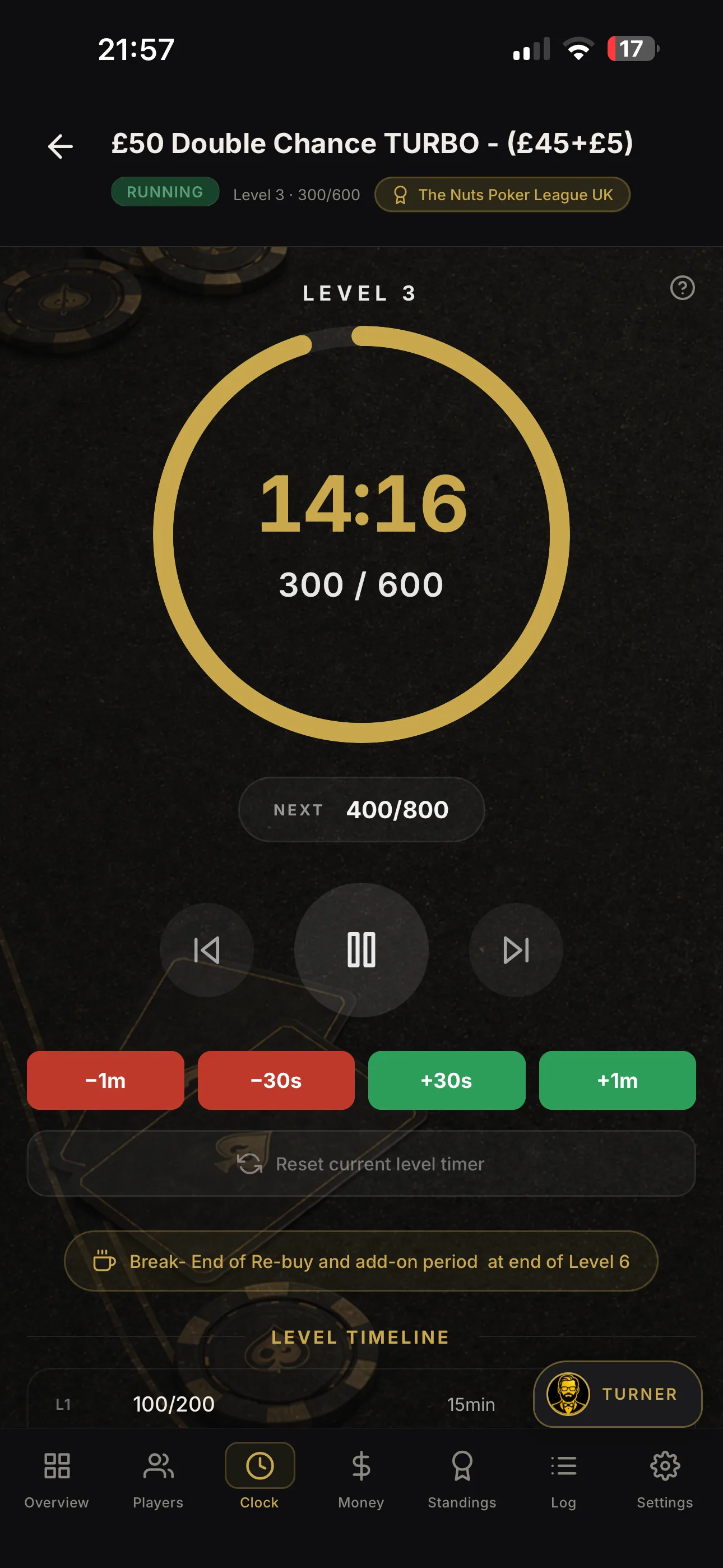

Run a Fair Game, Set a TDA Poker Tournament Clock in 5 Steps
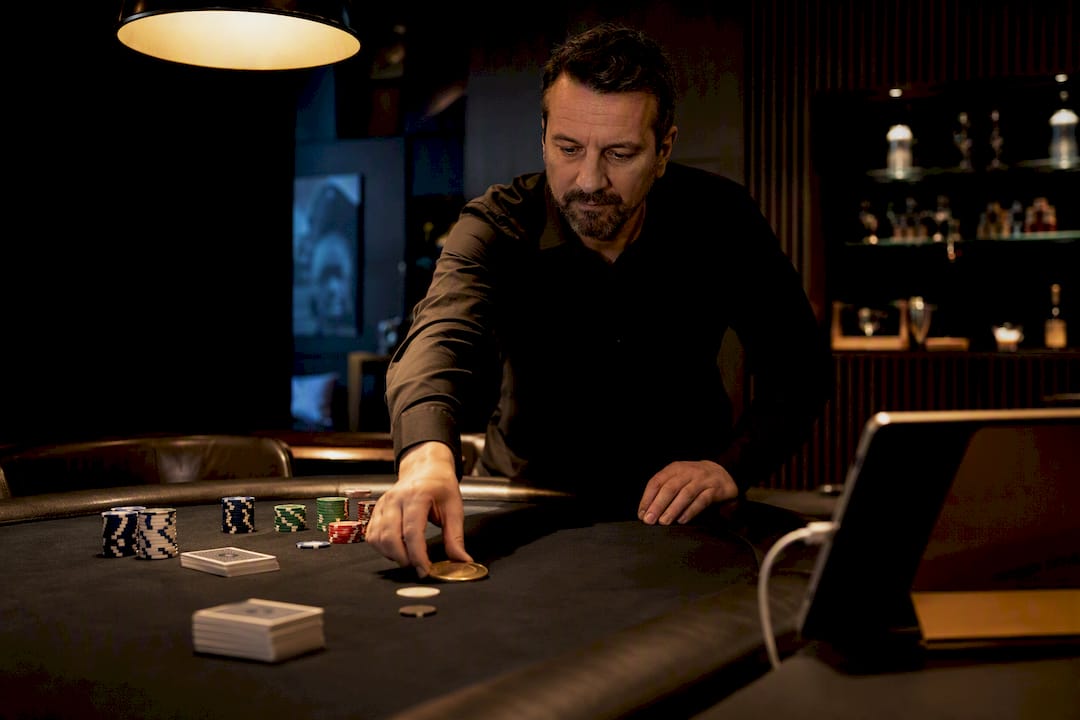
Set your poker tournament clock with a 20-minute Standard structure, 25/50 starting blinds and a 5,000-chip stack (100 big blinds), then let a free web timer or an app such as Shuffle Up and Deal! run the schedule automatically. That default suits six to ten players and typically plays out over roughly four hours. Adjust level length up for a faster turbo night or down for deeper, skill-heavy play.
TL;DR:
- Setting a 20-minute standard structure with a 5,000-chip stack generally lasts around four hours for six to ten players, but longer or shorter durations depend on level length choices.
- Use an automatic timer or app to quickly input tournament details, including blind levels, starting stack, buy-in, and registration rules, to avoid disputes.
- Maintain consistent blind jumps of about 1.5 times the previous level to ensure smooth progress and prevent game stalls or rapid eliminations.
- Synchronize the clock across all devices and cast it to a secondary display to reduce disputes and ensure transparency during play.
- Track rebuys, add-ons, and eliminations in real time, and plan scheduled breaks every four to six levels to keep the game on schedule and reduce disagreements.
Table of Contents
- How do you set up a poker tournament clock quickly?
- Choosing a blind structure for the game length you want
- Managing timer controls, display and alerts during play
- Tracking rebuys, add-ons and prize pool payouts
- Best practices for a fair, dispute-free tournament clock
- Integrating the clock with player seating arrangements
- Common issues when running a poker tournament clock
- Rules and best practices for pauses and breaks
- Customising blind increments beyond the standard presets
- Handling multiple tables and changing player counts
- Home games versus club tournaments: what the clock actually decides
- Get your clock running with Shuffle Up and Deal!
- Sources
- FAQ
How do you set up a poker tournament clock quickly?
Getting the clock running is mostly a matter of filling in five fields correctly before you deal a single card. Rush this stage and you will spend the rest of the night fielding arguments about chip counts instead of playing poker.
Start with the basics every organiser needs to lock in:
- Tournament name and date – even a home game benefits from a saved label, especially if you run a regular league and want to compare structures later.
- Starting stack – 5,000 chips is a common default; write it down alongside the buy-in so nobody disputes it after cards are in the air.
- Buy-in, rebuy and add-on rules – decide before registration opens whether rebuys are allowed, for how long, and whether there’s a single add-on at the break.
- Player registration method – a simple list works for six players; anything larger benefits from digital registration that also seeds your seating chart.
- Blind structure preset – picking Turbo, Standard or Deep here does most of the heavy lifting, because a good preset already has sensible level lengths and blind jumps baked in.
Presets exist because building a blind ladder by hand invites mistakes, like a jump that’s too small to matter or too large to survive. Once you’ve chosen one, set the number of levels, slot in a break every four to six levels, and save the configuration. Many web timers let you share the exact setup via a link, so a co-host or the next week’s game can reuse it without retyping a thing.
Choosing a blind structure for the game length you want
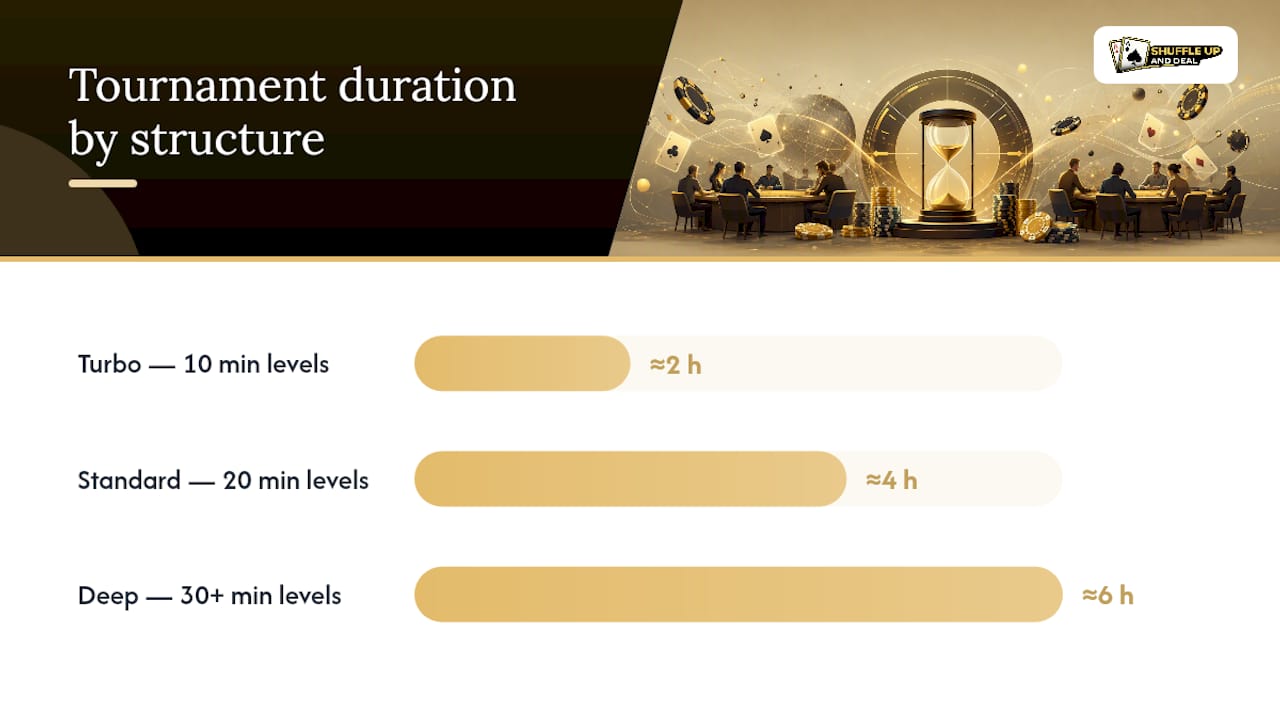
The single biggest lever you control is level length, and it decides almost everything else about how the night unfolds. A Turbo structure runs 10-minute levels, finishing a full tournament in around two hours. Standard structures use 20-minute levels and suit most home games, running closer to four hours. Deep structures push levels to 30 minutes or beyond, stretching the night past six hours but rewarding patience and post-flop skill.
Starting stack size matters just as much as level length. Aim for starting stacks in the range commonly used for home games, generally considered between about 50 and 100 big blinds at the first level:
- A 100bb stack (5,000 chips with 25/50 blinds) is often used as a default starting stack size to give players room to play real poker before the antes bite.
- A 50bb stack suits a deliberately fast turbo night where you want knockouts within the first hour.
- Always sanity-check your chip denominations against the blinds, so you’re never asking someone to post a blind in a chip colour nobody has.
Blind jumps deserve just as much care as the starting numbers. The widely cited rule of thumb is to increase blinds by roughly 1.5 times the previous level, never doubling. A jump from 100/200 to 150/300 keeps the game moving without suddenly flattening stack depth into a shove-or-fold contest.
Quick duration formula: multiply level length by the number of levels, then add scheduled breaks and roughly 20 extra minutes if you’re allowing rebuys in the first hour. A 10-minute Turbo ladder runs about 2 hours, a 20-minute Standard ladder about 4 hours, and a 30-minute Deep ladder about 6 hours once you factor in the same number of levels.
Managing timer controls, display and alerts during play
A clock only earns its keep once cards are in the air, and that’s when pause, skip, and display controls matter most. Pause and resume handle the obvious interruptions: a spilled drink, a dispute over a misdeal, or a late arrival needing a seat. Skip forward or back lets you correct a level jumped by mistake without restarting the whole schedule.
Visibility is just as important as accuracy. Running the clock in fullscreen, or casting it to a TV or secondary display, means every player at every table can check the blinds without asking the dealer. For anything beyond a kitchen-table game, that single change cuts more disputes than any rule sheet.
- Turn on level-change warnings so players get a 60 or 30-second heads-up before blinds jump.
- Use voice announcements for the closing minutes of a level and for antes kicking in.
- Set audio alerts loud enough to cut through table chatter, not just background music.
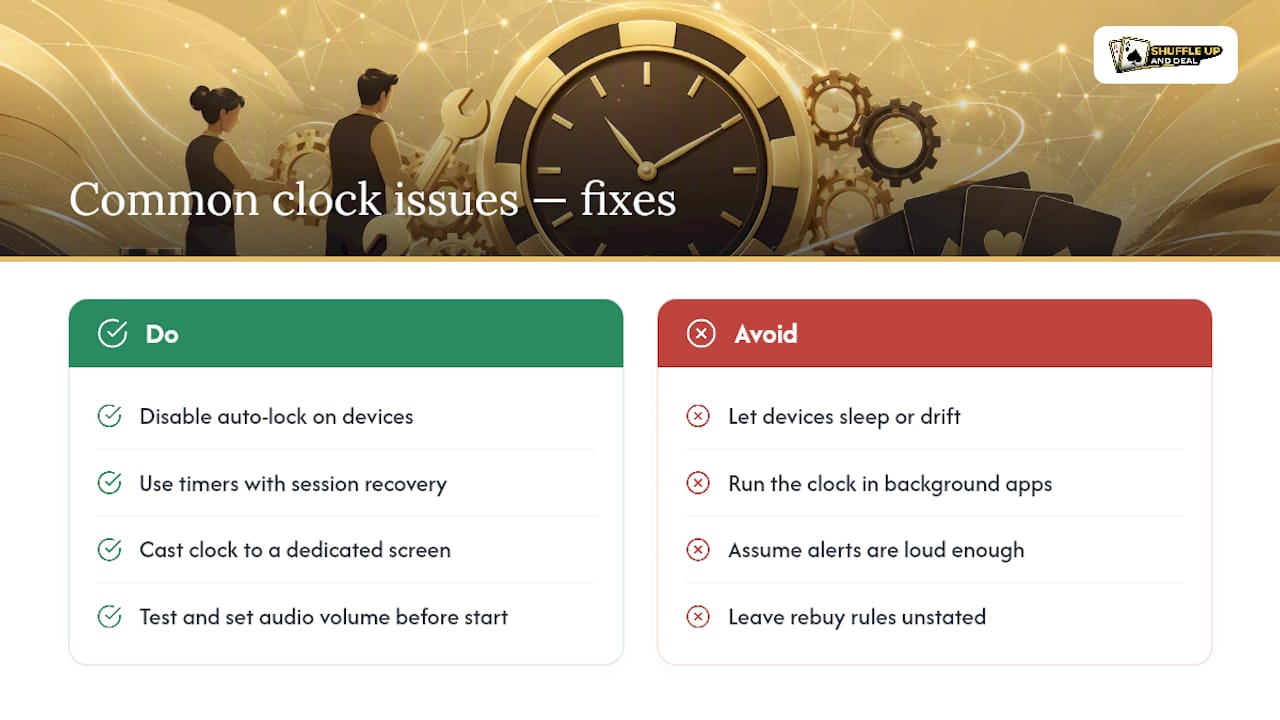
Device sleep is the most common failure point in home setups. If your phone or iPad locks mid-level, the clock can drift out of sync with reality. Look for session recovery, which lets the timer pick up exactly where it left off rather than forcing a manual recalculation.
Pro Tip: Disable auto-lock on whatever device is running the clock for the night, and keep a charger within reach. A dead battery mid-level causes far more disputes than a bad beat.
Tracking rebuys, add-ons and prize pool payouts
Rebuys and add-ons only cause chaos when nobody’s writing them down as they happen, so build the recording step into the clock setup itself rather than treating it as an afterthought.
- Define the rebuy window first – typically the first hour or first three levels – and stick to it publicly so nobody argues for an exception at level four.
- Record each entry immediately using quick-add controls; built-in tracking reduces manual errors that otherwise surface at the final table when money is on the line.
- Let payout calculators handle the maths – automatic tools adjust prize percentages the moment a rebuy lands, which beats recalculating on a napkin after the fact.
- Switch to custom payouts only when your group wants a non-standard structure, such as a bounty pool or a bubble payout.
- Track eliminations as they happen so table balancing stays accurate across multiple tables, and seating tools can move the right players without guesswork.
Every rebuy round adds real time to your night. Plan for an extra level or two per rebuy round when you’re estimating how long the whole event will actually take.
Best practices for a fair, dispute-free tournament clock
Most disputes at home games trace back to one of two things: an uneven blind jump or an ante nobody explained properly. Both are avoidable.
- Keep blind increases steady, using the roughly 1.5× guideline rather than anything approaching a doubling, so the late stages still reward good decisions.
- Introduce antes, ideally as a big blind ante, once the average stack drops below about 40 big blinds; it’s far easier to collect than individual antes in a home setting.
- Announce every level change out loud as well as on screen, and keep the structure visible or shareable so players can check it themselves instead of taking your word for it.
- Save your blind structure once it works, and reuse it. Consistency across sessions is what turns casual poker nights into a proper league.
A shared, visible structure paired with clear announcements helps prevent arguments. When every player can see the same clock and the same numbers, disputes over blind levels tend to disappear on their own.
For anything approaching a serious event, running by Tournament Director Association (TDA) rules gives you a recognised standard to point to when a ruling is disputed. Shuffle Up and Deal! builds this thinking into its live clock, syncing blind levels across every device at the table while also tracking rebuys and seating in the same view, so you’re never juggling a phone timer and a paper seating chart separately.
Integrating the clock with player seating arrangements
Your clock and your seating chart aren’t separate jobs, even though most home hosts treat them that way. Every time the blinds go up or a player busts out, your table balance needs to move with it, and if the clock and the seating plan live in different places, someone always forgets one.
The practical fix is running both from a single source. When a player is eliminated, that seat should open up for table balancing immediately, and the next break on the clock is the natural moment to execute any moves without disrupting a hand in progress. Announcing seat changes only at breaks, rather than mid-level, keeps players focused on the game instead of shuffling chairs every ten minutes.
For multi-table events, this matters even more. Balancing tables means moving players from a short-handed table to a fuller one to keep the game fair, and that decision depends entirely on knowing exactly how many players remain and how many seats each table has open. A clock that only tracks time is half the picture, a seating tool that only tracks players is the other half. Shuffle Up and Deal!'s smart seating algorithms handle the balancing calculation automatically as eliminations come in, syncing that against the live tournament clock so you’re not manually redrawing a seating chart on a whiteboard between levels.
Pro Tip: Lock table moves to break times only. Mid-level seat changes cost more disruption than the few minutes you’d save moving someone immediately.
Common issues when running a poker tournament clock
Most clock problems fall into a handful of predictable categories, and knowing them in advance saves a scramble mid-tournament.
Device sleep and drift top the list. A phone or tablet that locks itself mid-level can lose sync with the actual elapsed time, leaving players unsure whether the blinds have genuinely changed. Disabling auto-lock and using a timer with session recovery solves most of this before it starts.
Backgrounded apps cause a related headache. Switching away to check a message or answer a call can pause some timers silently, so the display looks live when it isn’t. Casting to a dedicated screen, rather than running the clock on the same device you’re using for anything else, removes the temptation entirely.
Missed announcements happen when audio alerts are too quiet for a noisy room. Test the volume before players sit down, not after the first level has already passed unnoticed.
Registration and rebuy confusion tends to surface when the rules weren’t stated clearly at the start. Announce the rebuy window and deadline out loud, and keep it visible on screen alongside the blinds.
Manual counting errors during payouts are almost always avoidable with an automatic calculator rather than mental maths under pressure at the final table. If you’re running Shuffle Up and Deal!, the live clock, rebuy tracking and payout calculator all draw from the same tournament data, so a correction in one place updates everywhere else instantly instead of requiring three separate fixes.
Rules and best practices for pauses and breaks
Breaks need rules of their own, not just a slot on the schedule, because an unstructured pause is where most tournament arguments start.
Schedule breaks every four to six levels rather than on a fixed clock time. This keeps the pause tied to the game’s natural rhythm instead of an arbitrary hour mark that might land mid-hand. A 10 to 15-minute break every hour or so gives players enough time for a proper reset without letting the table go cold.
Announce the break duration clearly before pausing the clock, and display a visible countdown if your setup allows it, so players know exactly when to be back in their seats. Chip counts and stack sizes should be settled before the break begins, never during it, to avoid disputes about who owes what.
Use scheduled breaks as the moment for anything disruptive to the game: seating rebalances, ante introductions, or announcing rebuy deadlines closing. Pausing for a genuine emergency, like a dispute needing a ruling, is different from a scheduled break and should be logged separately so the elapsed time on the clock stays accurate once you resume.
Resist the urge to extend a break informally because “everyone’s still chatting.” A tournament that drifts 20 minutes behind schedule early on often finishes well past when players expected to go home, which causes far more frustration than a strictly enforced return time ever does.
Customising blind increments beyond the standard presets
Presets get you running fast, but some games need a ladder built by hand, especially leagues with unusual player counts or a house style that’s developed over dozens of sessions.
The safest way to customise is to keep the 1.5× jump rule as your ceiling, even when you’re deviating from a standard preset. If you want antes to arrive earlier than a preset schedules them, or you’re running an unusually large starting stack, build the ladder level by level rather than stretching an existing preset awkwardly to fit.
A common custom adjustment is slowing the early levels while keeping the later ones closer to standard pace. This suits leagues where players want a long, skilful opening but still need the tournament to reach a natural conclusion by a certain time. Another is compressing the very late levels once only a handful of players remain, since a five-handed final table doesn’t need the same patience as a full ring.
Whatever you change, save the custom structure rather than rebuilding it from scratch next time. Shuffle Up and Deal! lets you store custom blind ladders alongside the standard presets, so a league running the same modified structure every week can load it in seconds rather than re-entering every level by hand. If you want a deeper walkthrough of building a ladder from zero, the full blind structure guide covers the maths in more detail than a single section can.
Handling multiple tables and changing player counts
A single table is straightforward. Multiple tables running the same clock is where organisation either holds up or falls apart.
Every table in a multi-table event needs to run from the same synced clock, because a level change that lands out of step between tables creates an immediate, obvious unfairness. Casting or syncing the clock across every screen removes the risk of one table quietly running a level behind another.
Player count changes need a plan before the tournament starts, not an improvised decision after the fact. As players bust out, tables need rebalancing to keep seat counts even; a table sitting at nine while another sits at five is a fairness problem, not just an inconvenience. Deciding in advance how many players trigger a table breakup, and which seats move where, saves an argument at the worst possible moment.
Late registration adds another layer. If you’re allowing players to join after the first level, decide upfront how their starting stack compares to those who registered early, and stop late entry at a fixed level rather than leaving it open-ended. Shuffle Up and Deal!'s table-balancing tools handle the seat math automatically as eliminations come in, whether you’re running two tables or twelve, syncing seating changes against the same live clock everyone’s already watching.
Home games versus club tournaments: what the clock actually decides
The clock is the one variable that quietly decides whether your tournament feels like a proper event or a scramble to finish before people go home. Home hosts almost always underestimate how much level length shapes the whole evening, then wonder why a “quick game” ran until 2am.
The biggest mistake new hosts make is picking a preset that matches how they want to feel about the tournament, rather than how much time they actually have. A Deep structure sounds appealing until you realise your group needs to be finished by 11pm. Match the preset to the clock on the wall first, then adjust starting stacks and antes to fit the skill level in the room.
Club directors have it slightly easier because they’re usually optimising for fairness and consistency across many sessions, not squeezing one evening into a fixed window. Either way, a reliable clock that syncs seating, rebuys and payouts in one place removes the single biggest source of avoidable disputes: disagreement over what the numbers actually are right now.
- Jason
Get your clock running with Shuffle Up and Deal!
Shuffle Up and Deal! turns everything covered above into a five-minute setup rather than a spreadsheet exercise. Pick a preset, and the app configures blind levels, level length and breaks automatically; add players, and smart seating handles table balance the moment someone busts out.
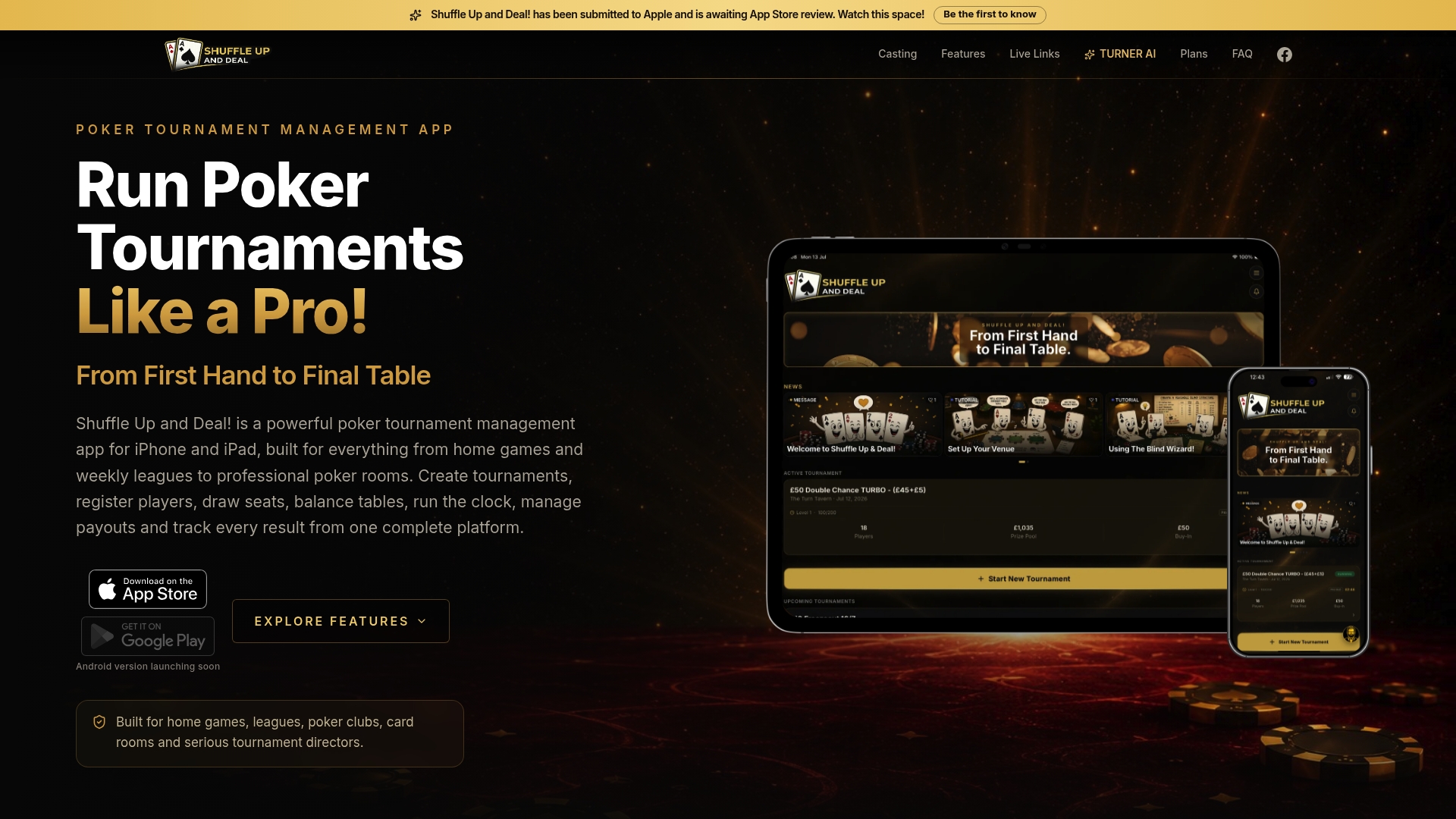
Rebuys and add-ons get logged with a single tap, feeding directly into the built-in payout calculator so prize splits update instantly rather than needing recalculation at the final table. The live tournament clock syncs across every device in the room, and you can cast it to a TV so every player sees the same blinds at the same time. If a ruling dispute comes up, the app’s AI rules assistant leans on Tournament Director Association-aware guidance to help settle it without a lengthy debate.
Start on the free plan at Shuffle Up and Deal! and run your first tournament tonight; upgrade only once you need higher player limits or league-wide statistics.
Sources
For deeper blind-structure planning, the full guide to building a blind schedule covers level ratios and starting stacks in more depth than a single setup checklist allows. If you want to see how free digital tools change casual game nights more broadly, this piece on free gaming tools is worth a read. For quick reference while building your own ladder, the PokerCharts blind timer lets you test durations before committing to a structure.
- Poker Blind Timer - PokerCharts
- How poker tournament chip structures work - BetMGM Poker blog
- Designing a poker tournament blinds schedule - Denexa blog
- Tick Tock Poker Clock - product page
FAQ
How many big blinds should you start with in a tournament?
Aim for 50 to 100 big blinds at the first level. A 5,000-chip stack with 25/50 blinds gives 100bb, which is a durable default for most home games and small club events.
What hands should I play in a poker tournament?
Early levels with deep stacks reward patience, so stick to strong starting hands and avoid marginal calls; as blinds climb and stacks shrink relative to the blinds, your range needs to widen to protect your remaining chips.
What is the best strategy to use in a poker tournament?
There’s no single approach that wins every event, but adjusting your play to stack depth, matching aggression to how many big blinds you hold, is consistently more effective than playing one static style throughout.
How long does a typical poker tournament clock run?
A Standard structure with 20-minute levels runs about four hours for a typical home game, while a Turbo structure with 10-minute levels finishes in roughly two hours.
Can I share my blind structure setup with other hosts?
Yes. Many timers, including Shuffle Up and Deal!, let you save a configuration and share it via a link so another host can load the identical structure without rebuilding it manually.