
Keep tables balanced
Draw seats, manage late arrivals and review balancing moves as players leave. Break tables and redraw the final table when needed.
Poker Tournament Management App
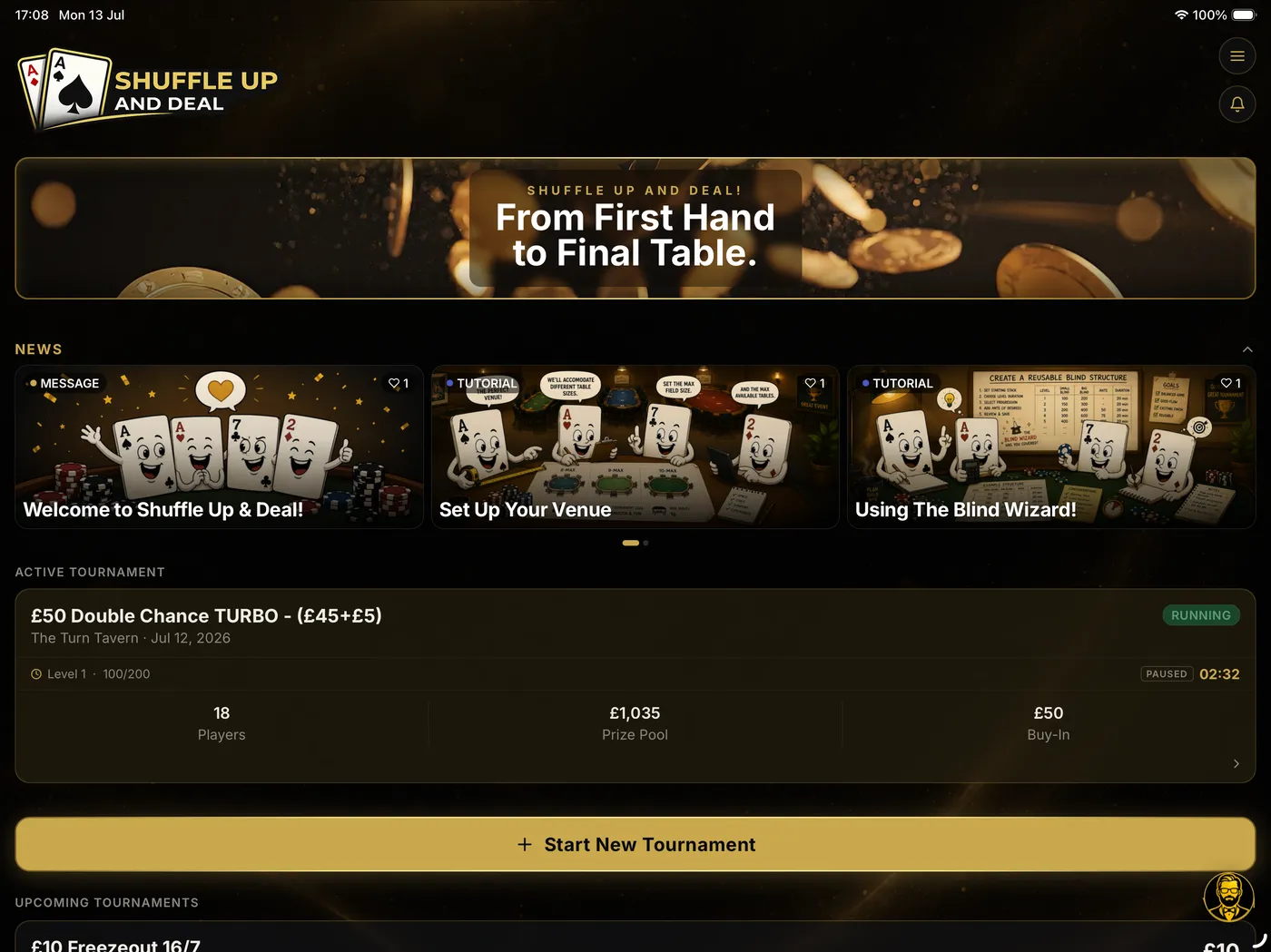
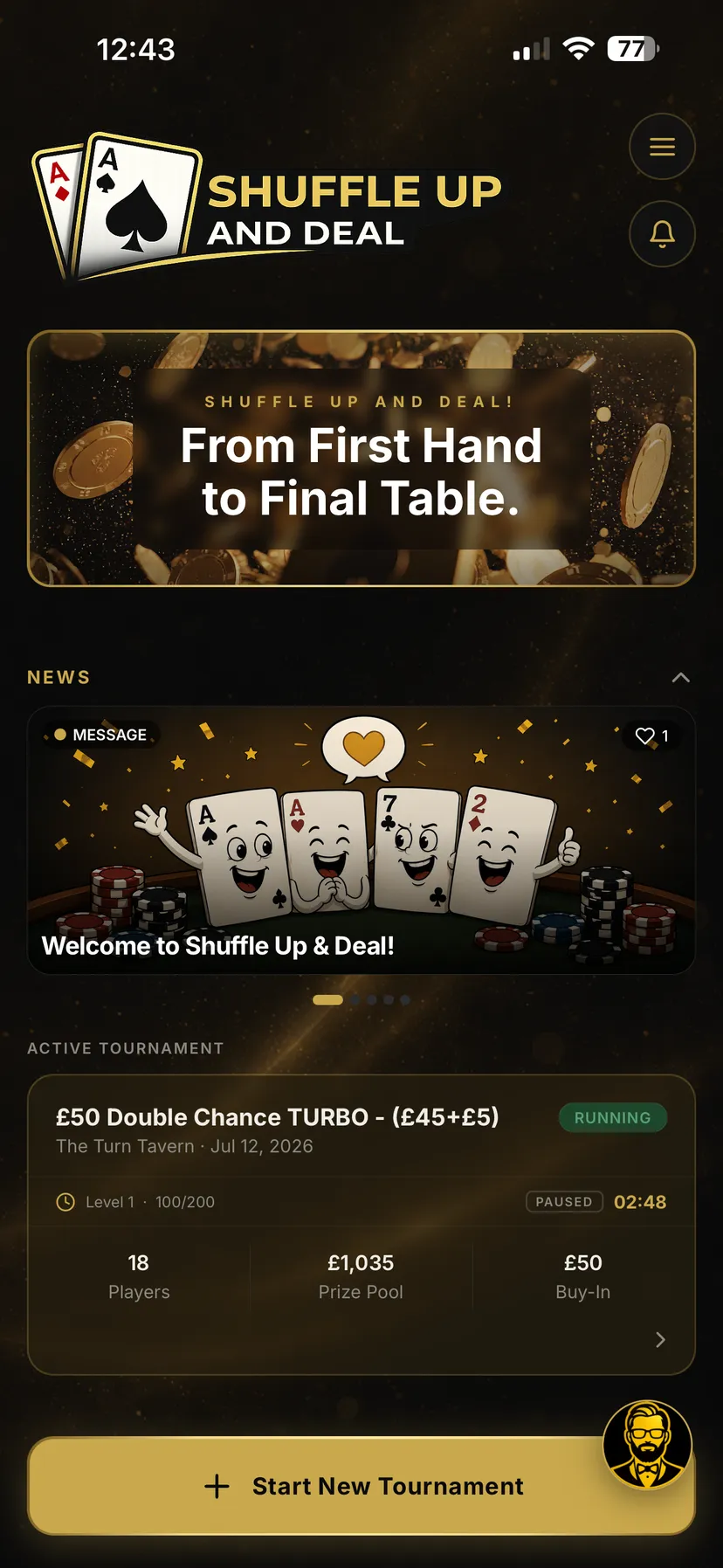
Set up your game, register players, draw seats and manage the clock, table moves and payouts from your phone or tablet. Built for home games, weekly pub and club leagues, and busy tournament directors.
Available on iPhone, iPad and Android.


Start free: 1 tournament a week, up to 20 players across 2 tables. A free account is required.
How it works
Follow guided setup for your venue, blinds and payouts.
Build the field, draw seats and manage table moves as the tournament progresses.
Control the clock, record eliminations and manage payouts. Paid plans add league tools and more.
Poker Tournament Management Features
Showing features 1 of 9
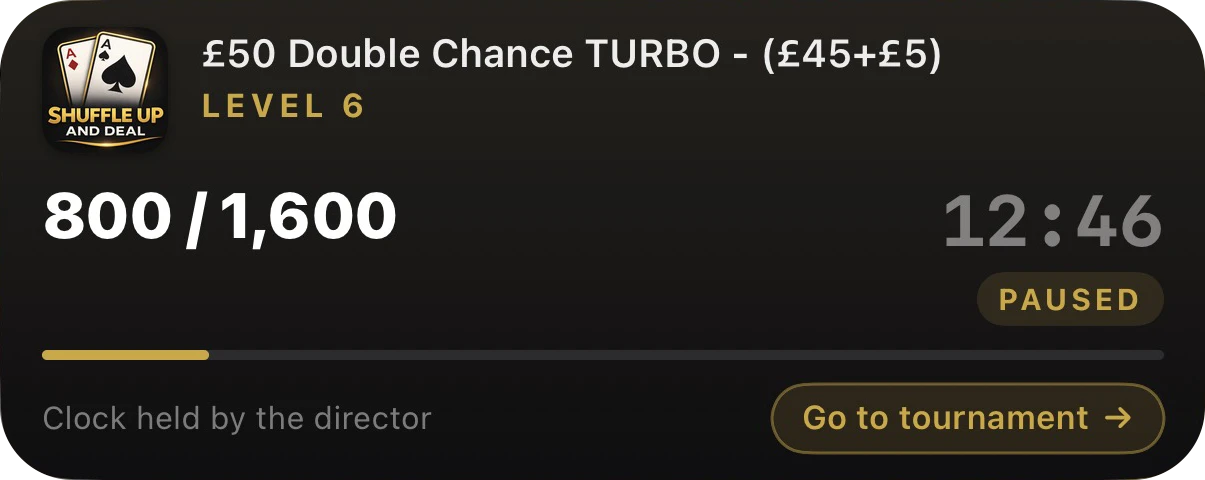
iPhone onlyThe clock follows you out of the app. A Live Activity shows the level and time remaining on the iPhone lock screen and Dynamic Island.
Poker Tournament Software for Every Game

Give your game with friends a professional touch. Just the basics, done properly: a real clock, fair seats and payouts nobody argues over.

For the TD behind the weekly pub or club game. Multiple tables, season standings and points sorted automatically, so the regulars always know who tops the ladder.
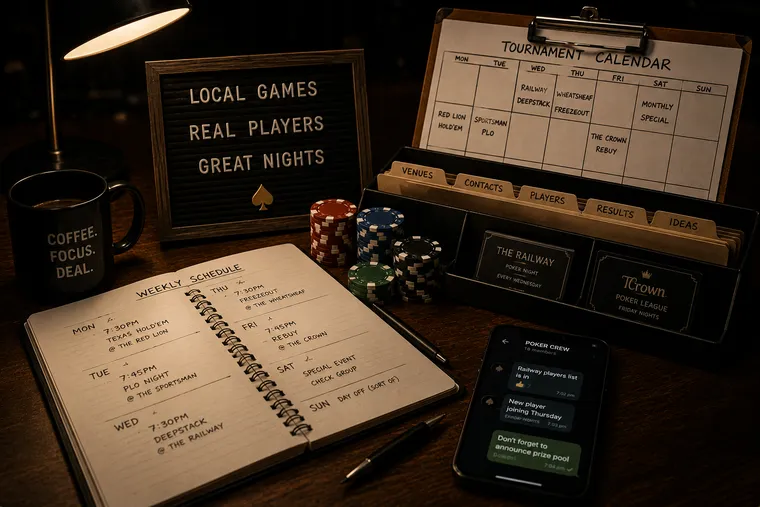
For the pro TD running a packed calendar, several nights a week across different venues. Saved formats, venue profiles and player histories load in seconds, so every game starts sharp.

For the venue running a full schedule under one roof. Several tournaments at once, a team of staff on the floor, and every clock, seat and payout kept in sync.
1 of 4
Plans and Pricing
Start with the free Home Game plan. When your game needs more, choose a paid plan for additional features and capacity.
Start free
For a small game with friends.
£0 no time limit
A free account is required. No trial or payment details needed.
Every paid plan includes the core paid tournament tools. Higher plans add capacity and features such as live sharing, custom venue displays and financial reports.
In every paid plan
Annual billing costs the same as 10 months, around 17% less.
Eligible accounts can try any paid plan free for 7 days, with a reminder 2 days before the trial ends.
Plan 1 of 4
Download the app, then choose your plan inside it.
Available on iPhone, iPad and Android.
How the 7-day trial works
Eligible accounts can try a paid plan free for 7 days, and we remind you 2 days before the trial ends. The selected subscription renews at the price shown in the app unless cancelled before the trial ends.
You choose and start a plan inside the app; nothing is bought or reserved on this website. Subscriptions are managed and cancelled through the App Store or Google Play, wherever you subscribed. Prices shown are in GBP; the app shows the price in your local currency before you confirm.
Highlights
Explore the room displays, player links and records that bring your tournament together.
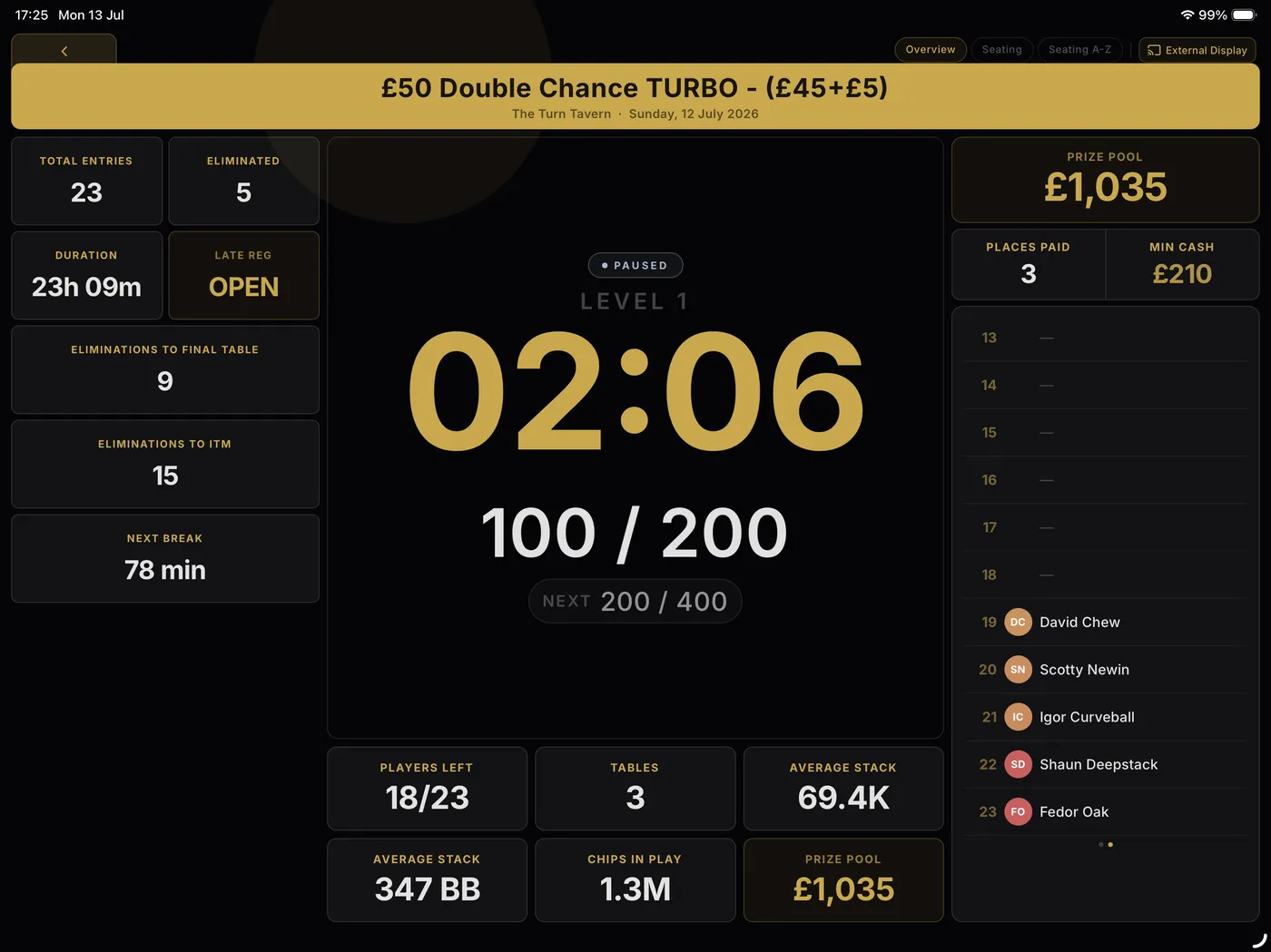
Bring the action to the big screen.
Shuffle Up and Deal! combines complete poker tournament management, a live blind clock, professional room displays and practical tournament director tools in one powerful platform.
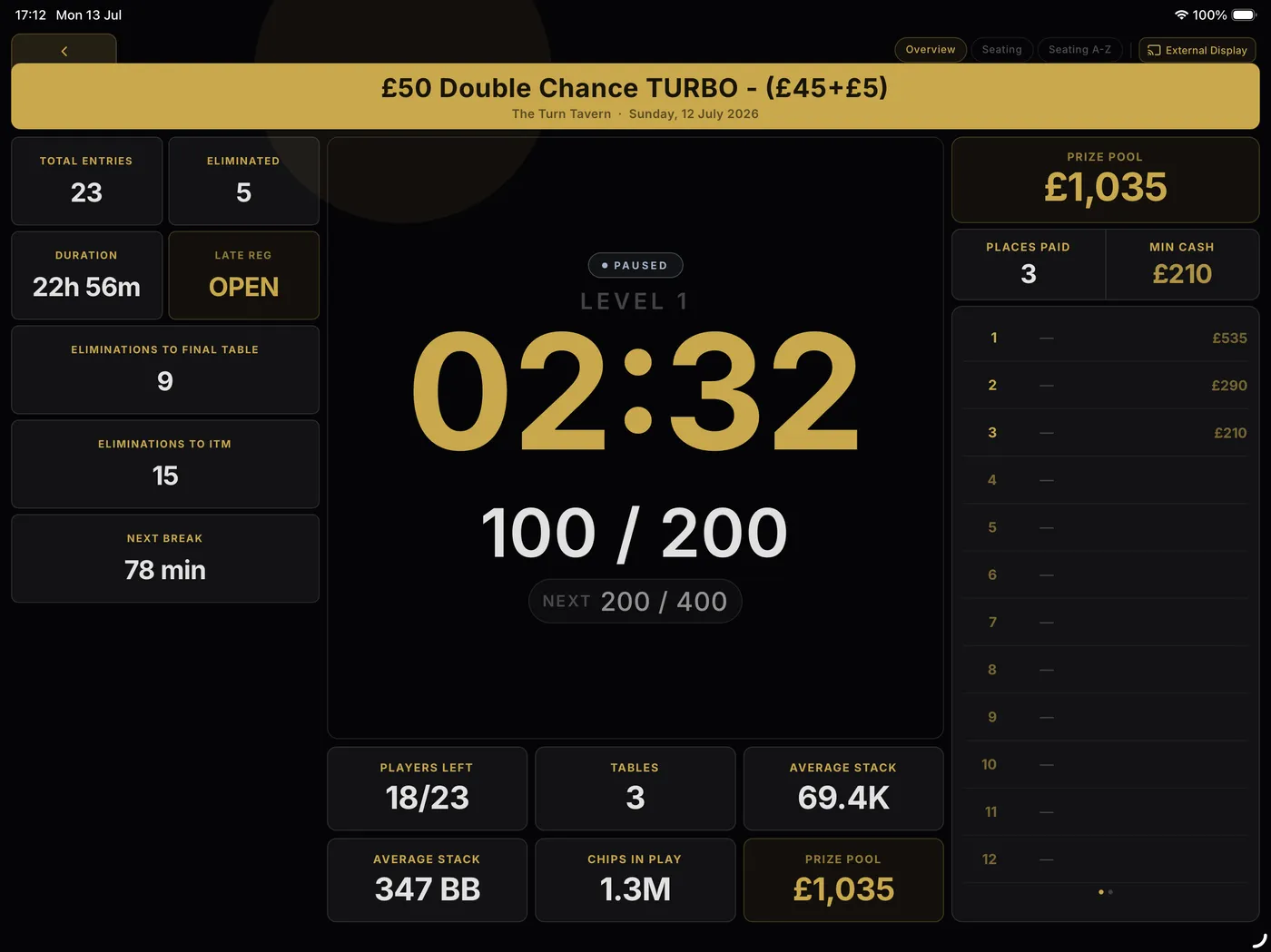
Turn an iPad or Android tablet into a dedicated tournament display. No additional equipment required.
Show the room display on a TV or projector with AirPlay or a wired adapter from iPhone and iPad, or Chromecast, Samsung Smart View or a compatible USB-C to HDMI connection from Android. Support depends on your device and TV.
Bold, crystal-clear visuals players can read from anywhere in the room.
Reveal new tables with smooth, eye-catching draw animations.
Mark eliminations and finishing positions with broadcast-quality animations.
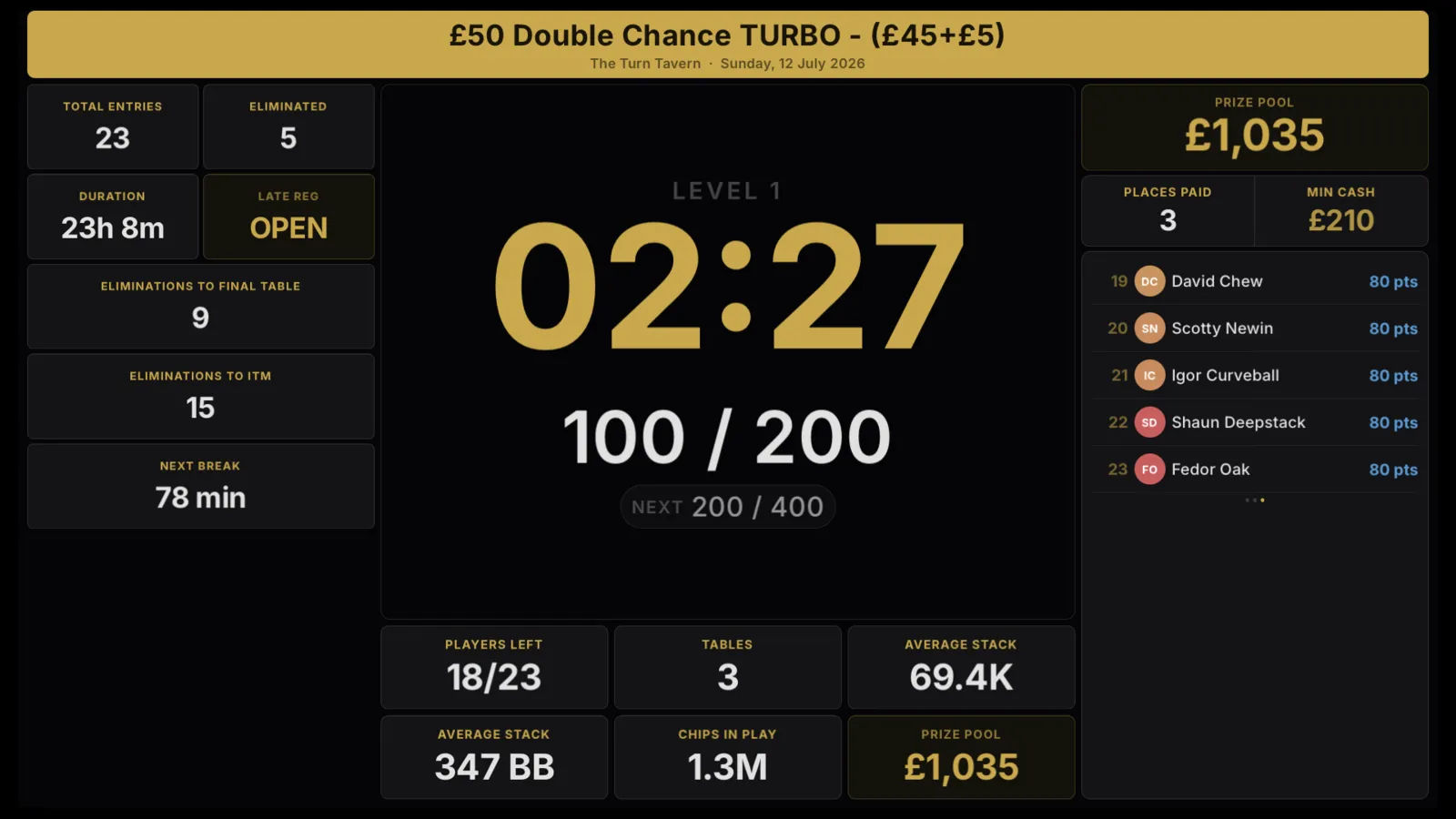
Customise the tournament display to match your venue — pick a display theme, set your own accent colour, put your logo on the screen and run your own messages across the announcement ticker.
Casting to a TV is in every paid plan. Customising what it shows is on TD Pro and above.
Put the full seating chart on the big screen so players find their table and seat fast.
Show open registration, the late-registration countdown and entries as players buy in.
Five announcer voice packs call blinds up, breaks and the final table out loud through the TV — no shouting over the room.
A clear on-break screen counts down to the next level so nobody misses the restart.
Chip counts, average stack, players left and prize pool, all updated live.
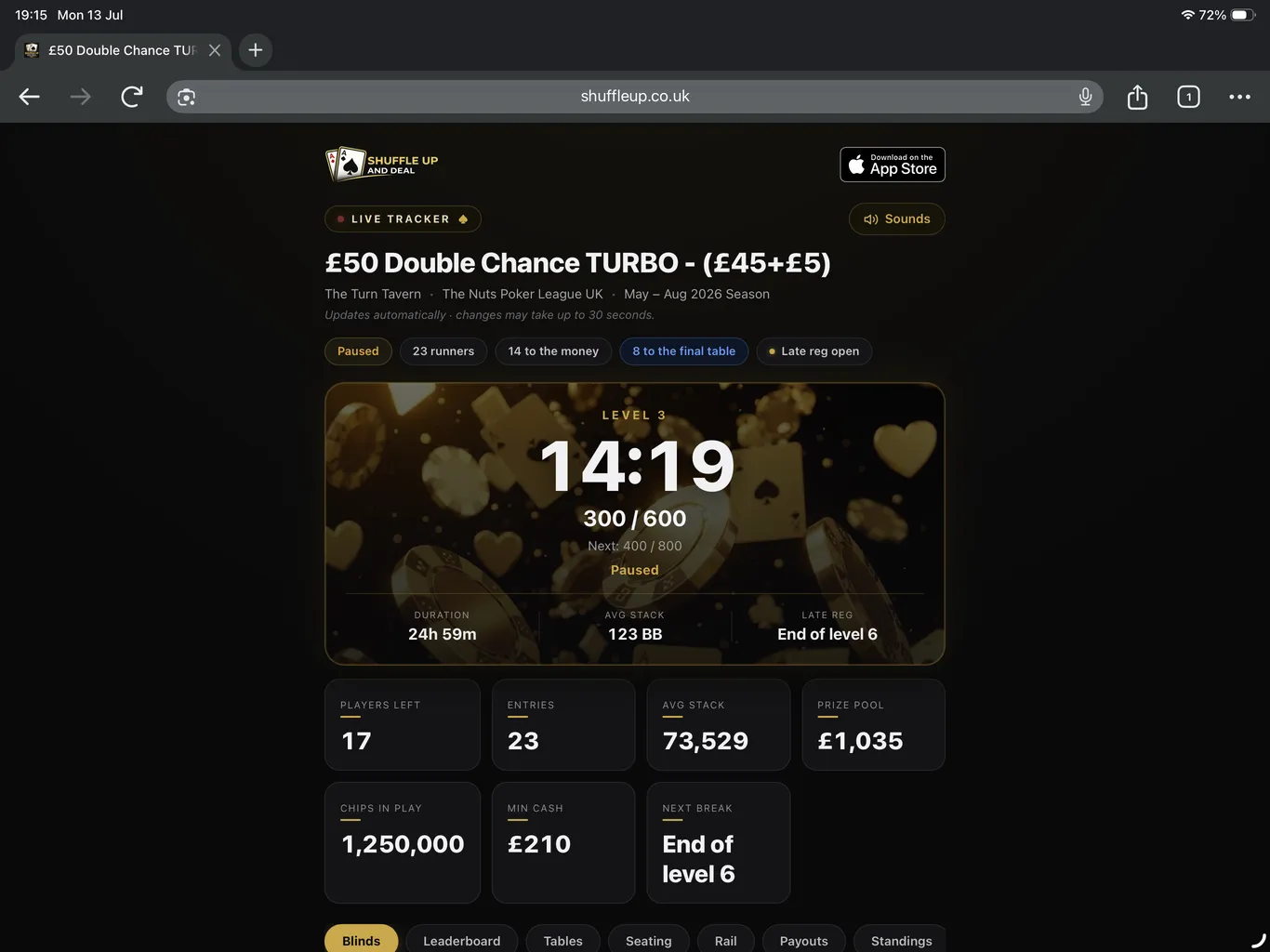
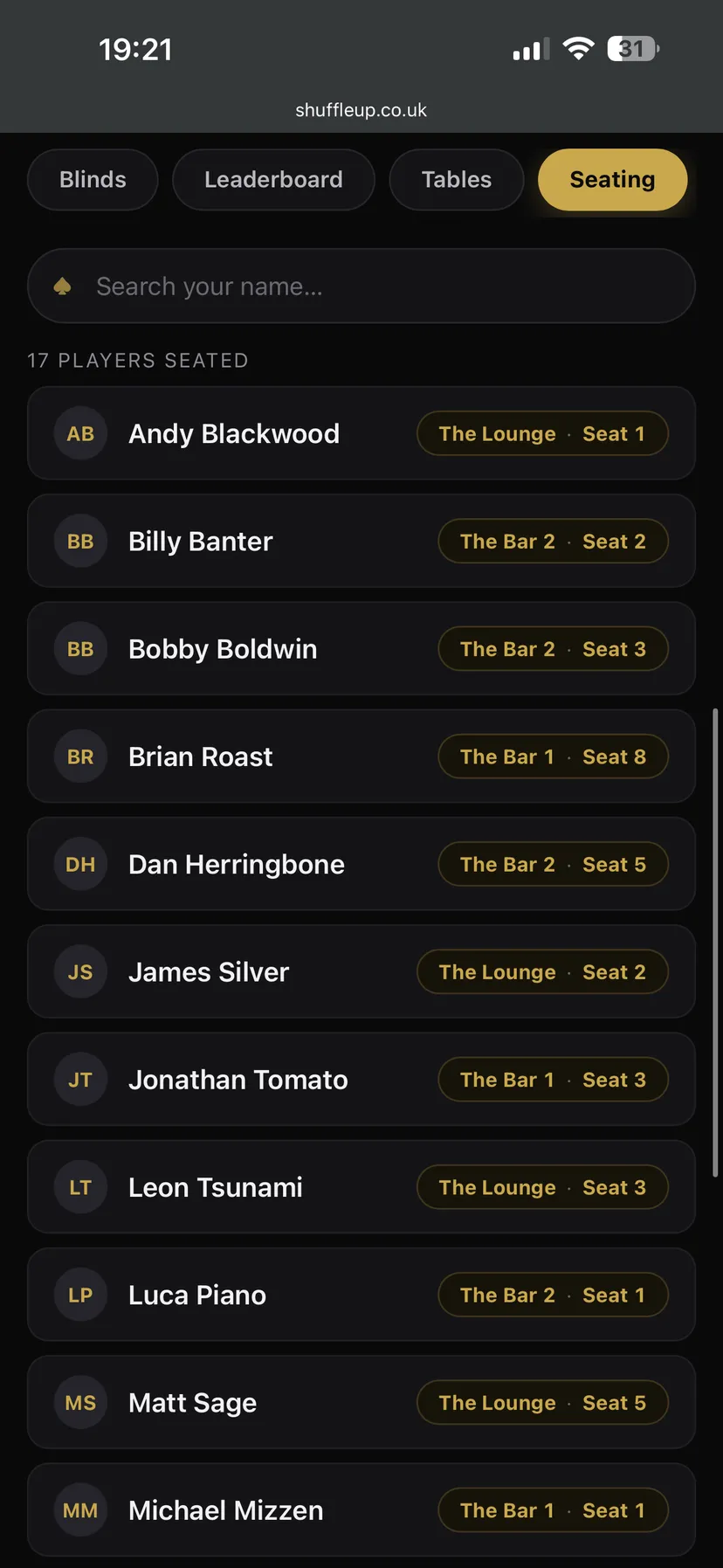
Share a live link and every player, dealer and spectator can follow the tournament from their own phone. No app, no sign-in. The clock, the blinds, the seating chart, the field and the league ladder, all updating live.
The full seating chart, searchable by name. No crowd around the big screen, no queue at the director's shoulder after every redraw.
Level, blinds, time to the next raise and the full blind schedule. Players and dealers glance at their phone instead of craning at the screen.
Players left, average stack, the rail of knockouts, who is closing in on the money and what every finishing place pays.
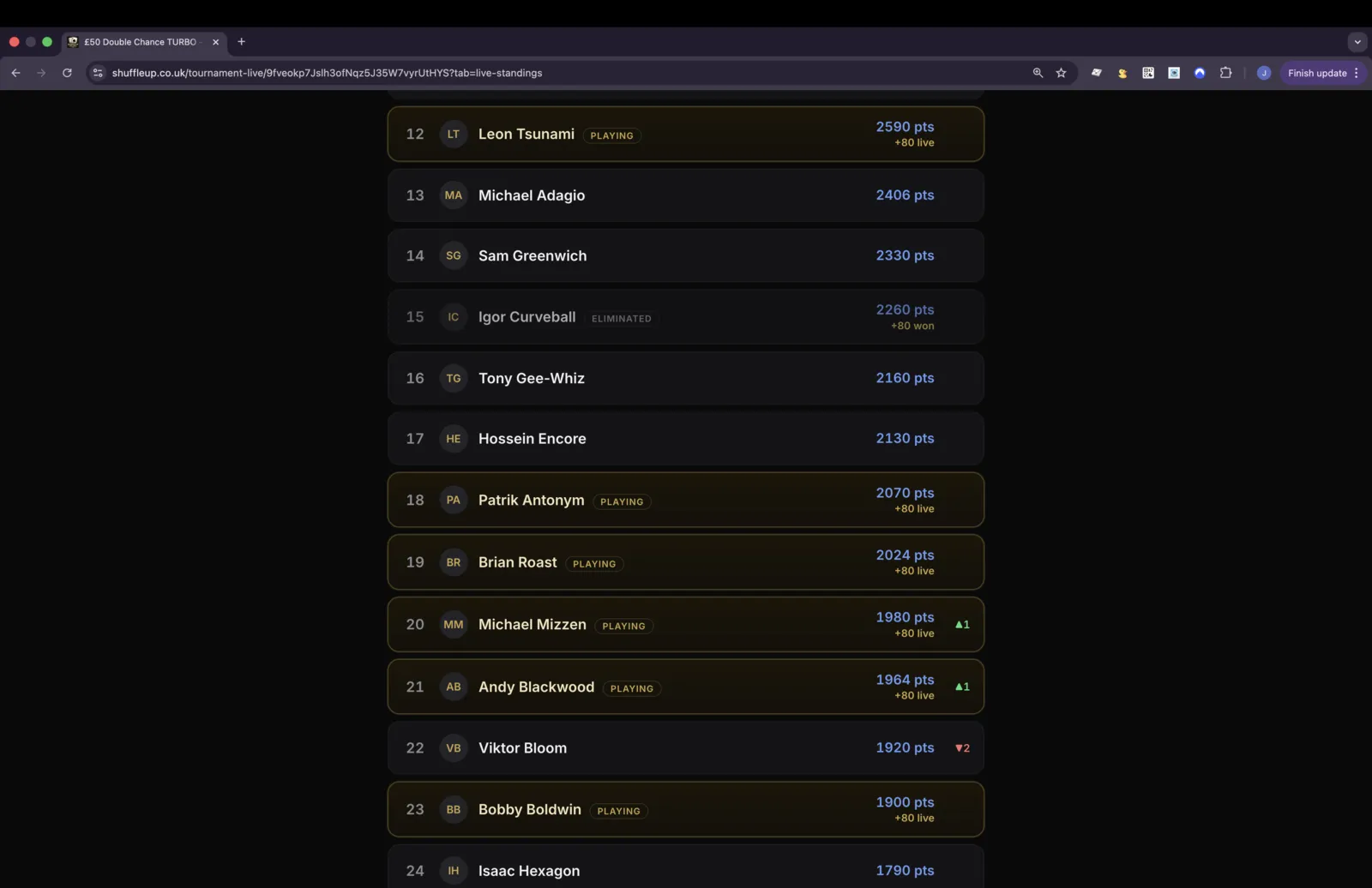
Season standings reshuffle with every bust-out, and players still in see the points they are projected to take home tonight.
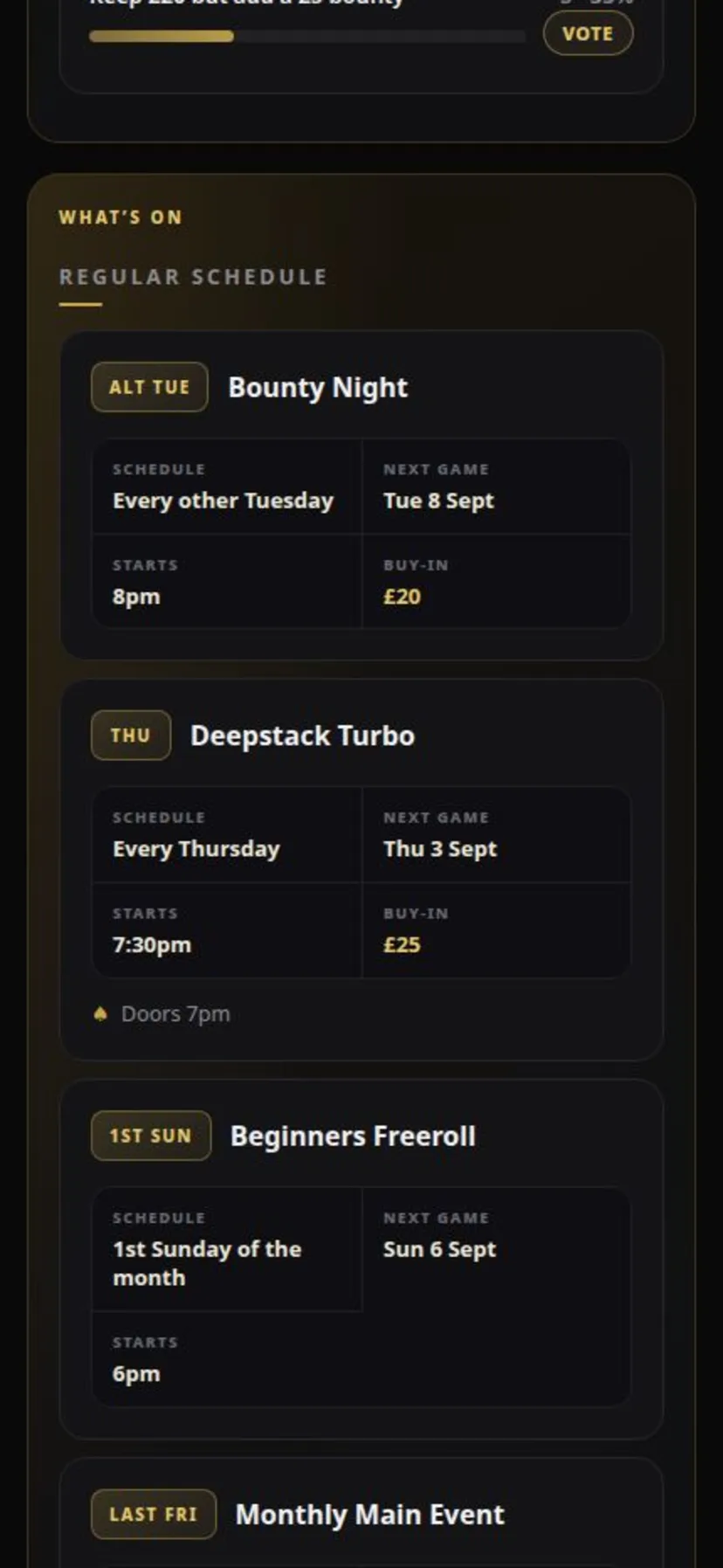
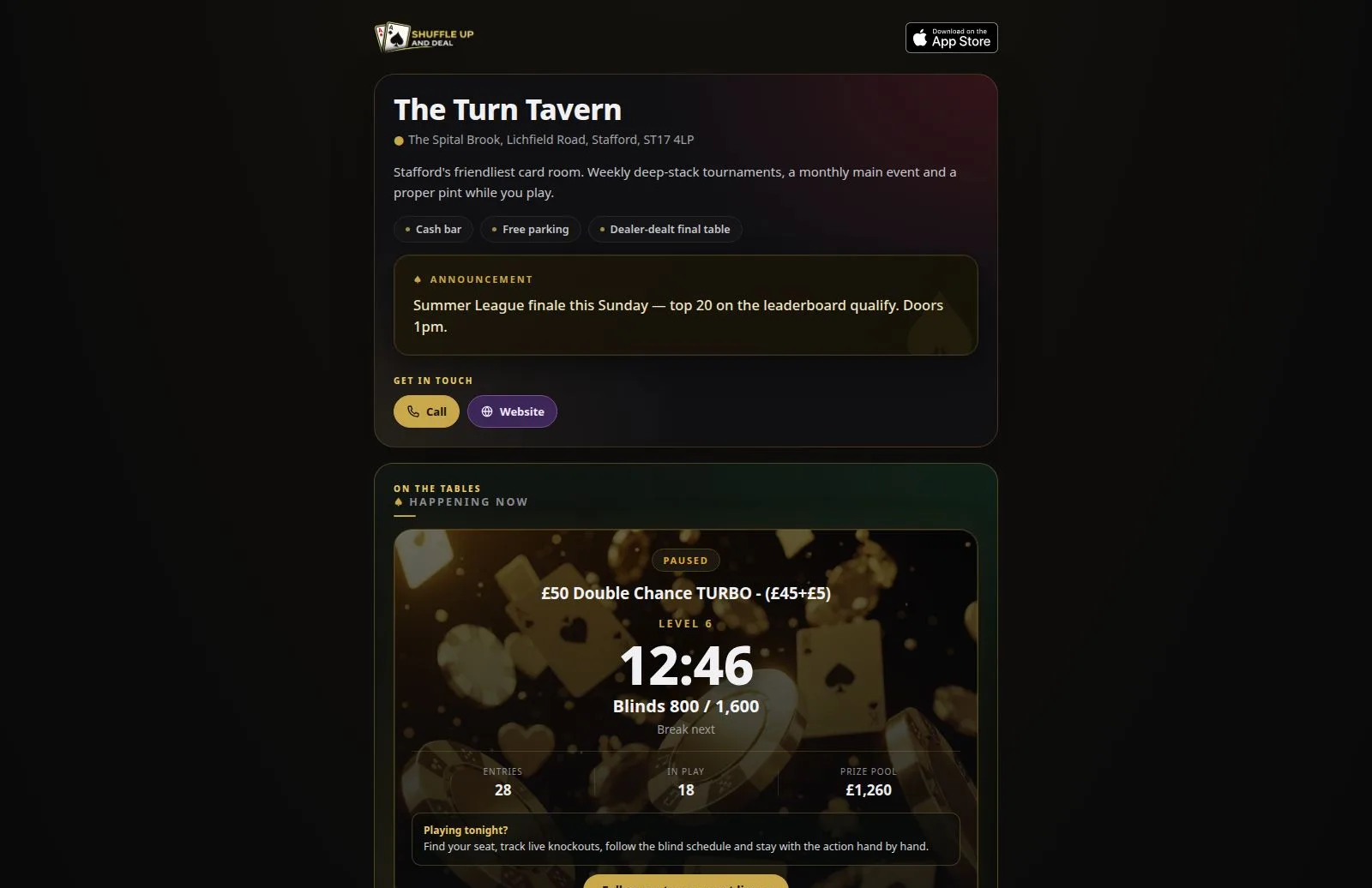
Live links cover the night. Your venue webpage covers everything in between: a permanent, public home for your game with the schedule, the standings, tonight’s action and the conversation, at one address your players can check any day of the week.
Your weekly schedule, the next game's countdown and add-to-calendar buttons. Set it up once in the app and the page keeps itself up to date.
Season standings live on the page permanently, so the midweek argument about who's top happens with the actual numbers in front of everyone.
When a tournament is running, the live clock, entries and prize pool appear automatically, with one tap through to the full live tracker.
Run polls right on the page: buy-in changes, format votes, next season's schedule. Players vote from the link, no app, no sign-in.
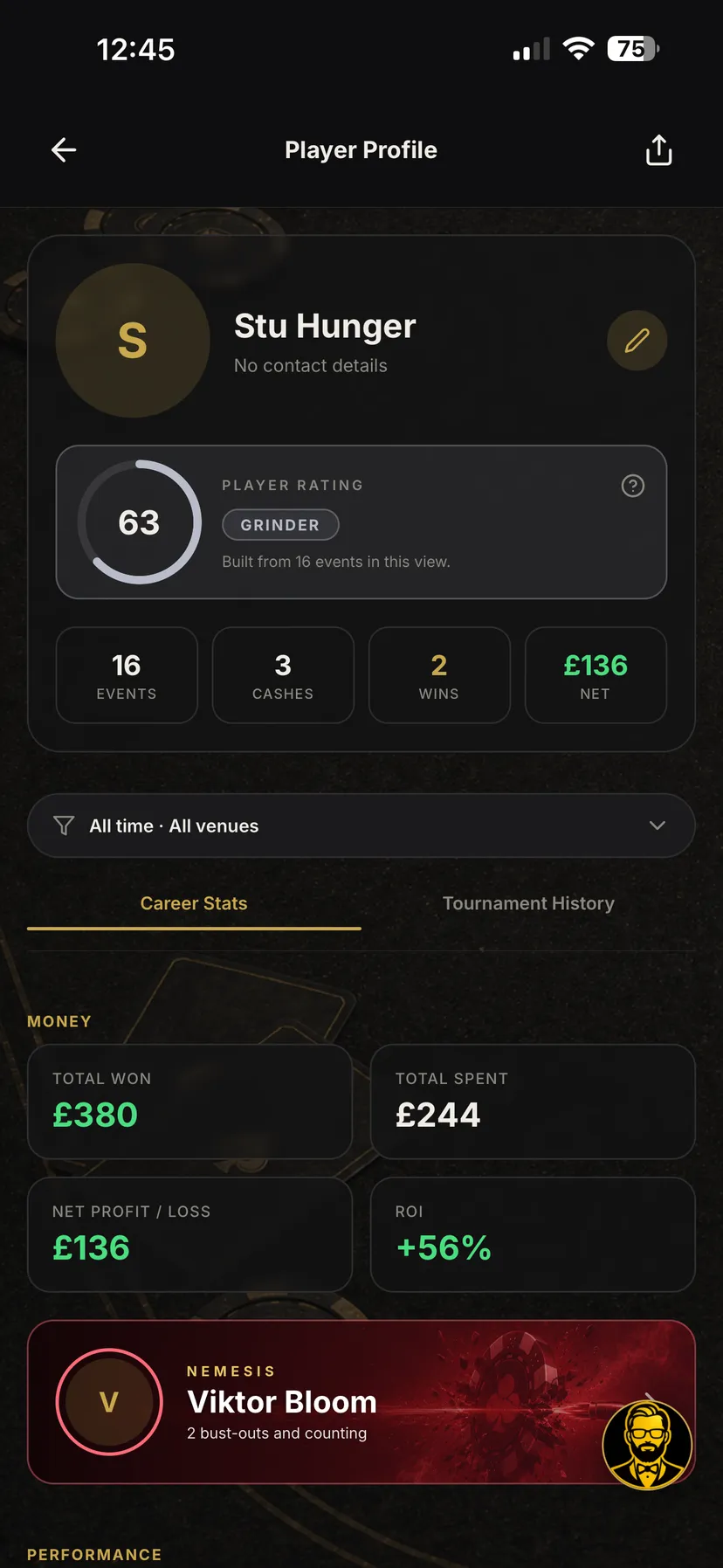
Run the game and the records write themselves. Every result feeds player profiles, season boards, hall-of-fame records and rivalries, with no extra data entry.
Tale of the tape
Viktor Bloom
2–1
Stu Hunger
3 knockouts traded · every rivalry scored automatically, one knockout at a time
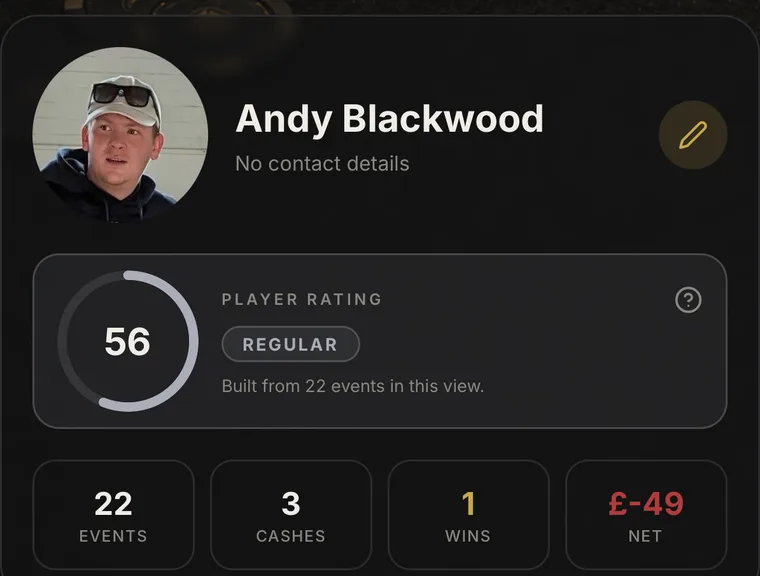
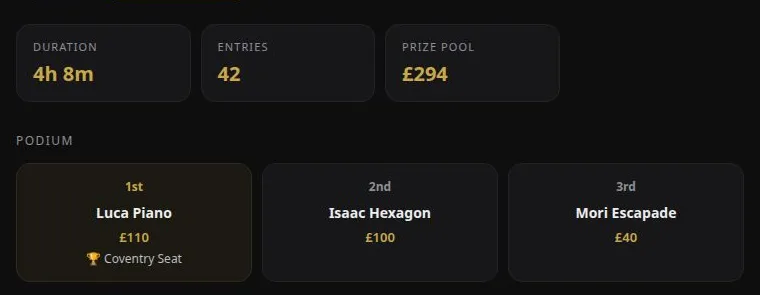
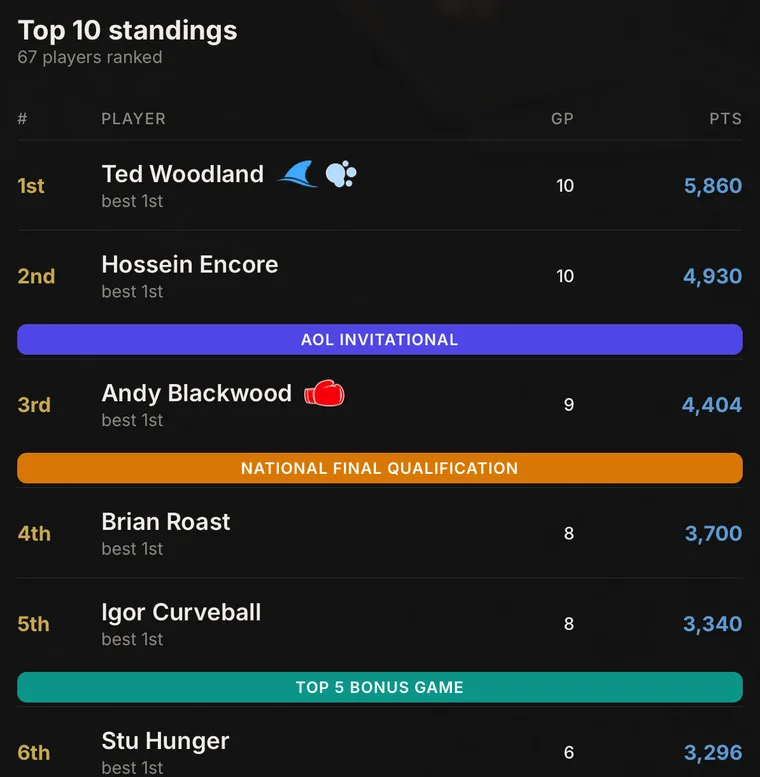
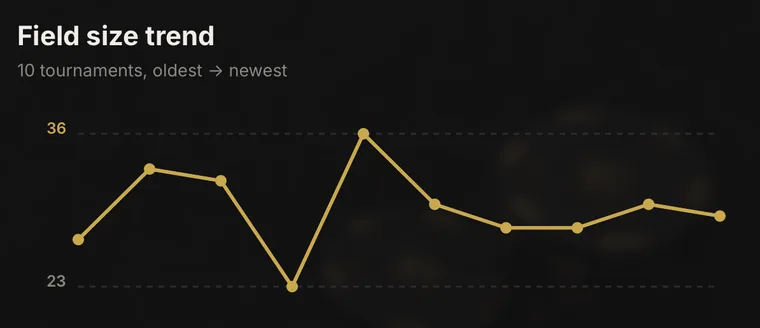
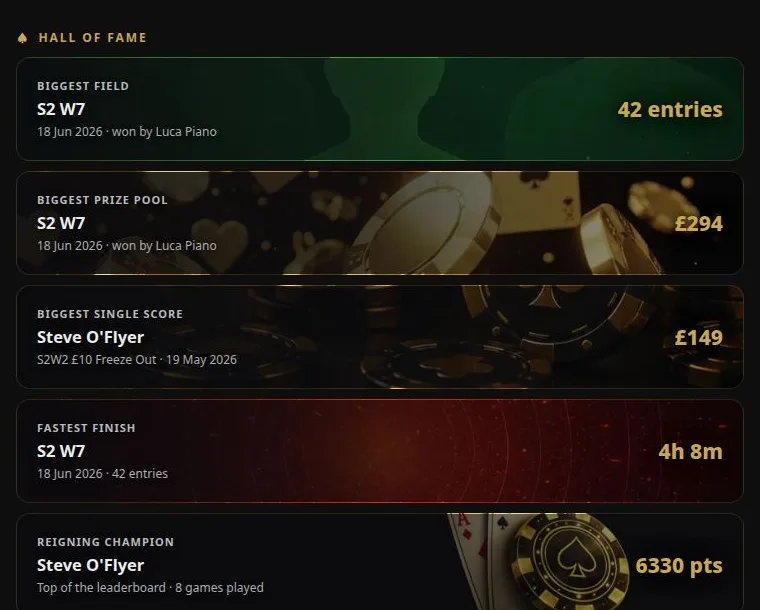
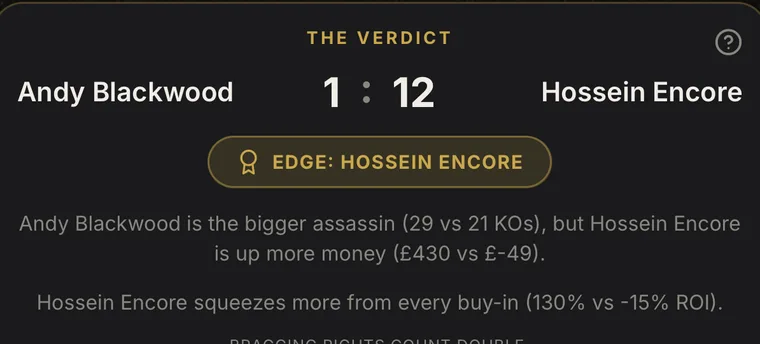
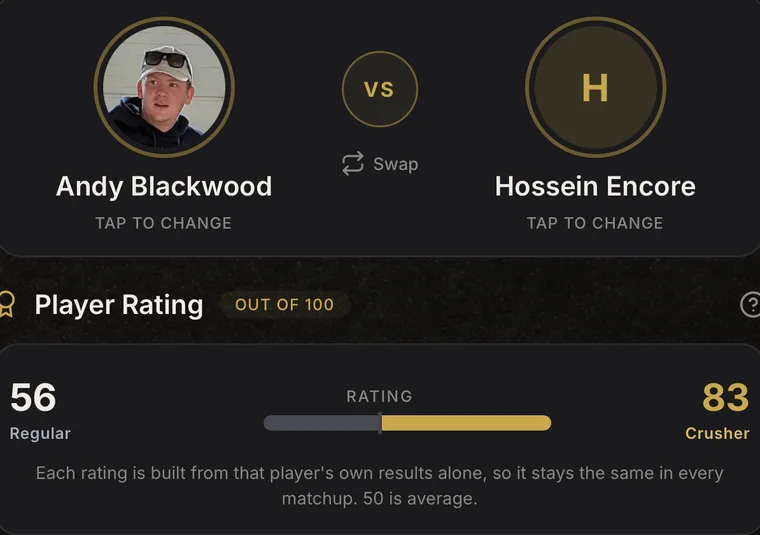
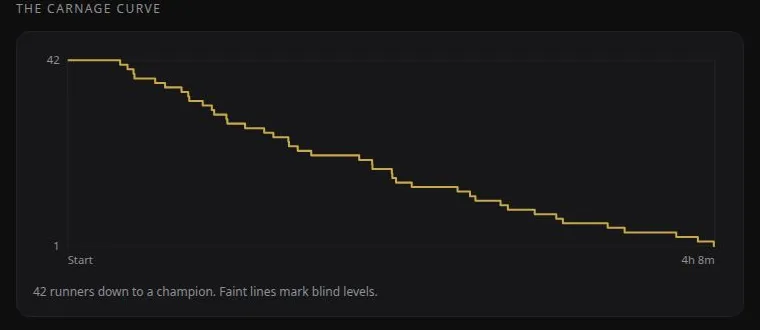
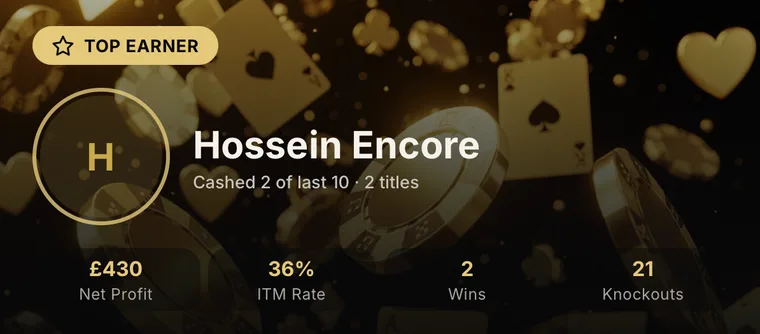
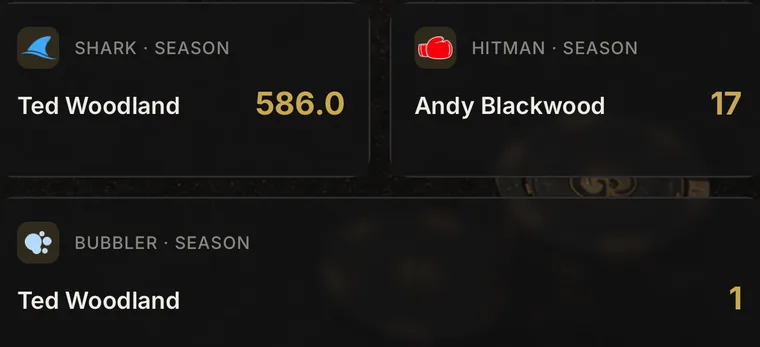
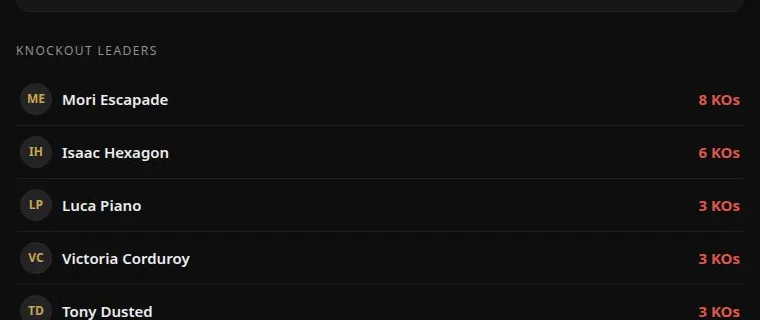
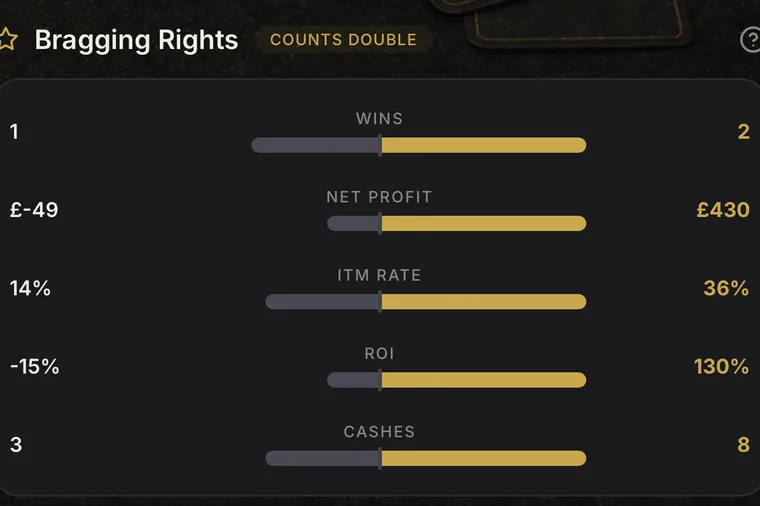
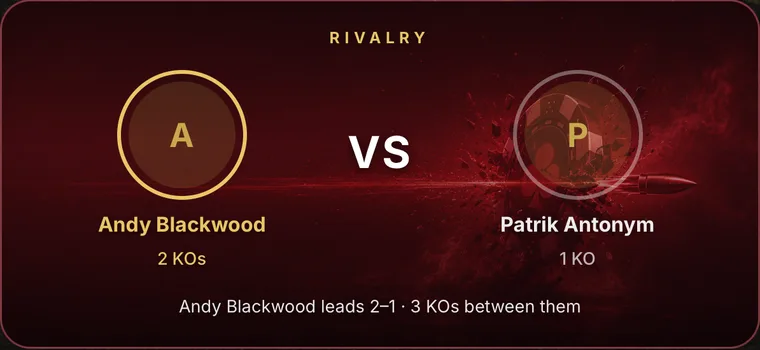
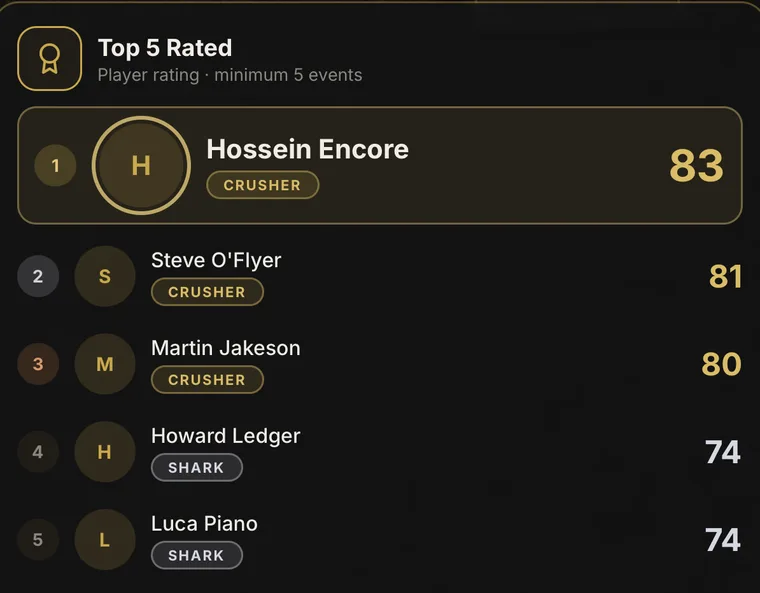
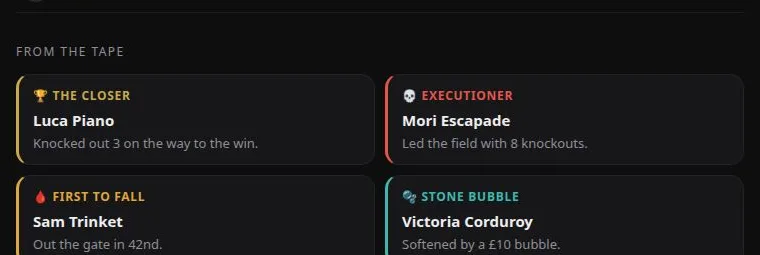
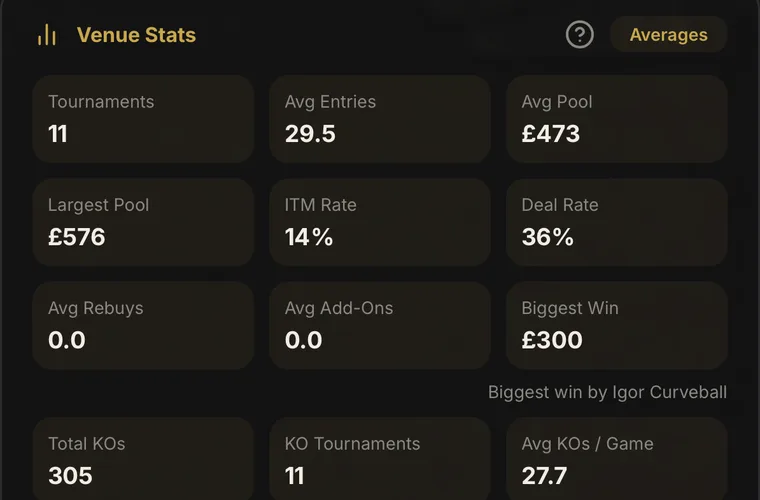
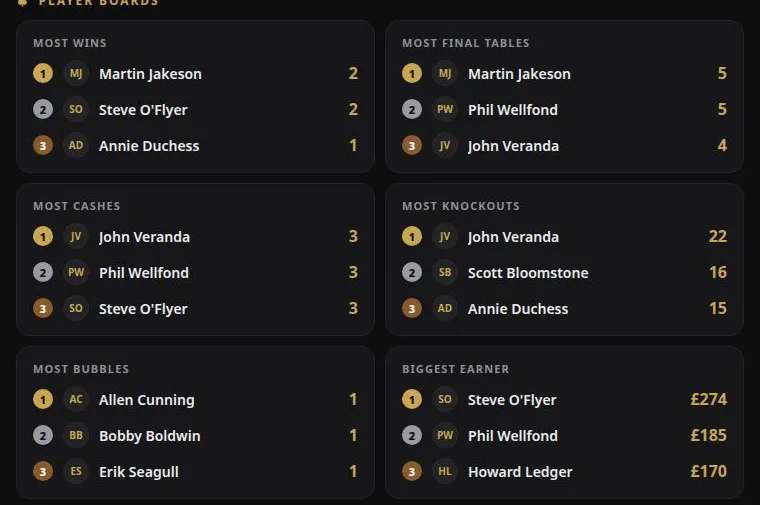
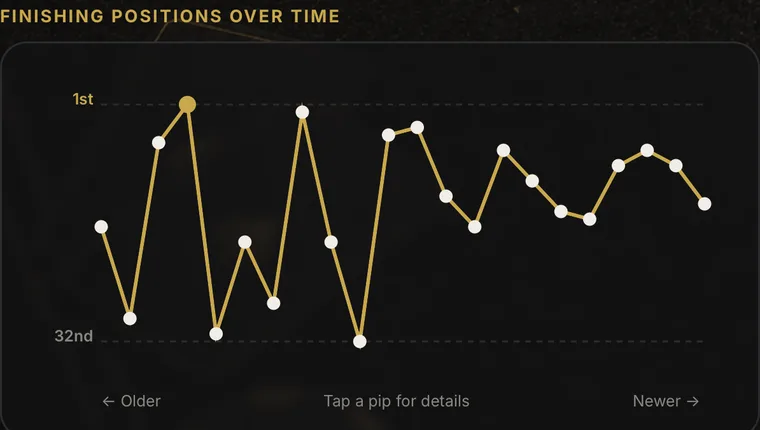
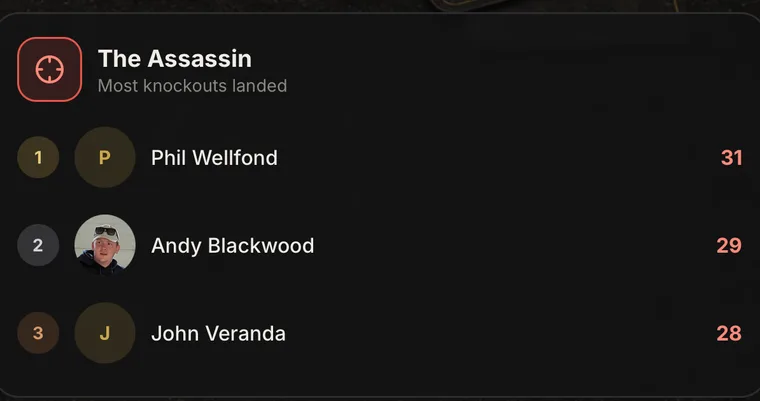
Player profiles, venue and tournament stats, rivalries and head-to-head comparisons — built from every game you run.
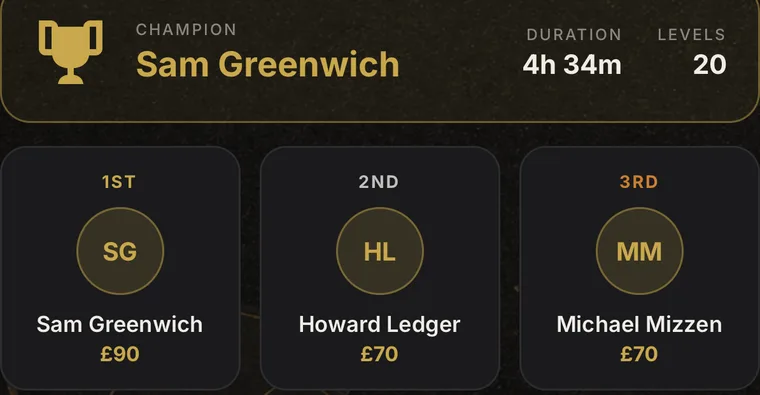
When a game ends, the share link becomes the Tournament Tape: podium, carnage curve, knockout leaders and the night's awards.
The public leaderboard carries a full Season stats tab: hall of fame, player boards, rivalries and accolades.
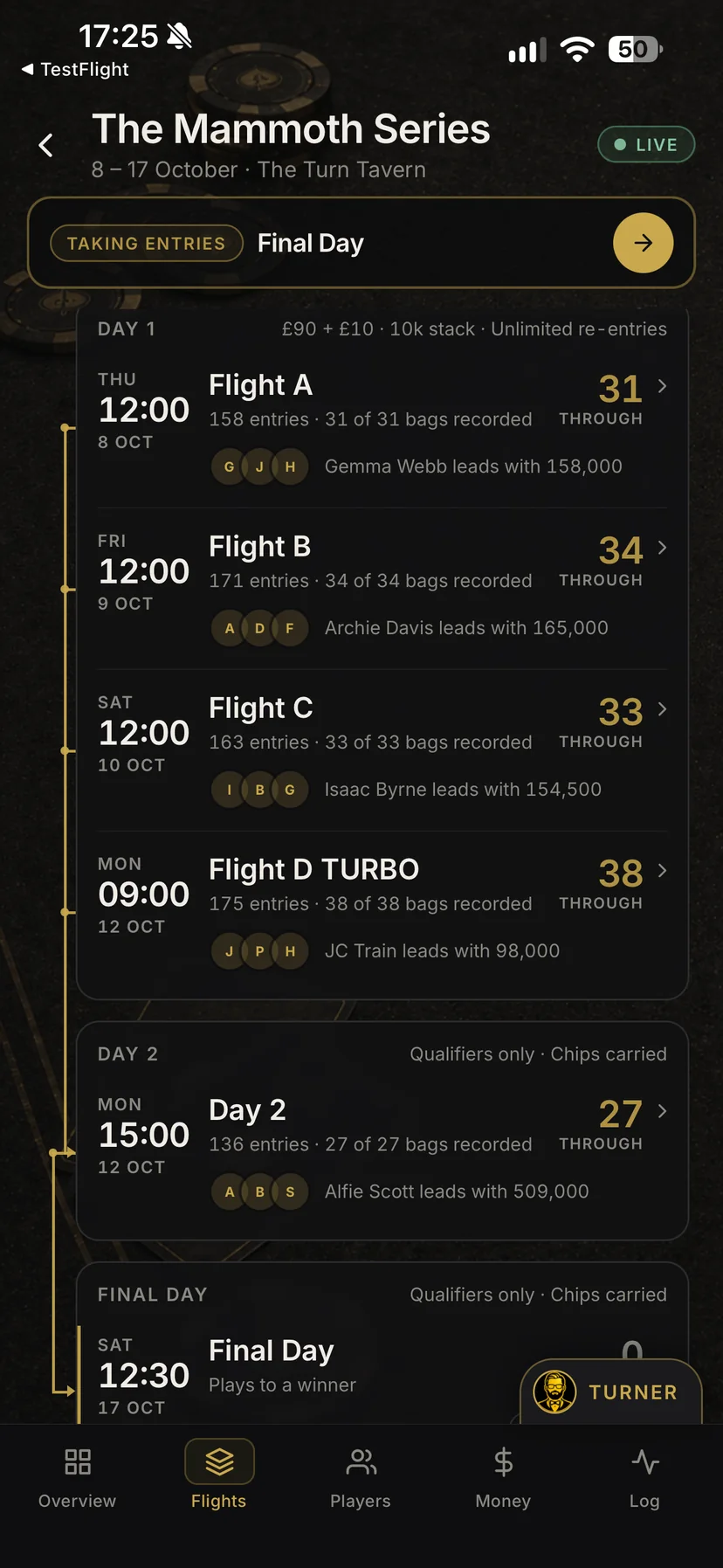
Bags checked in from 3 flights
One result
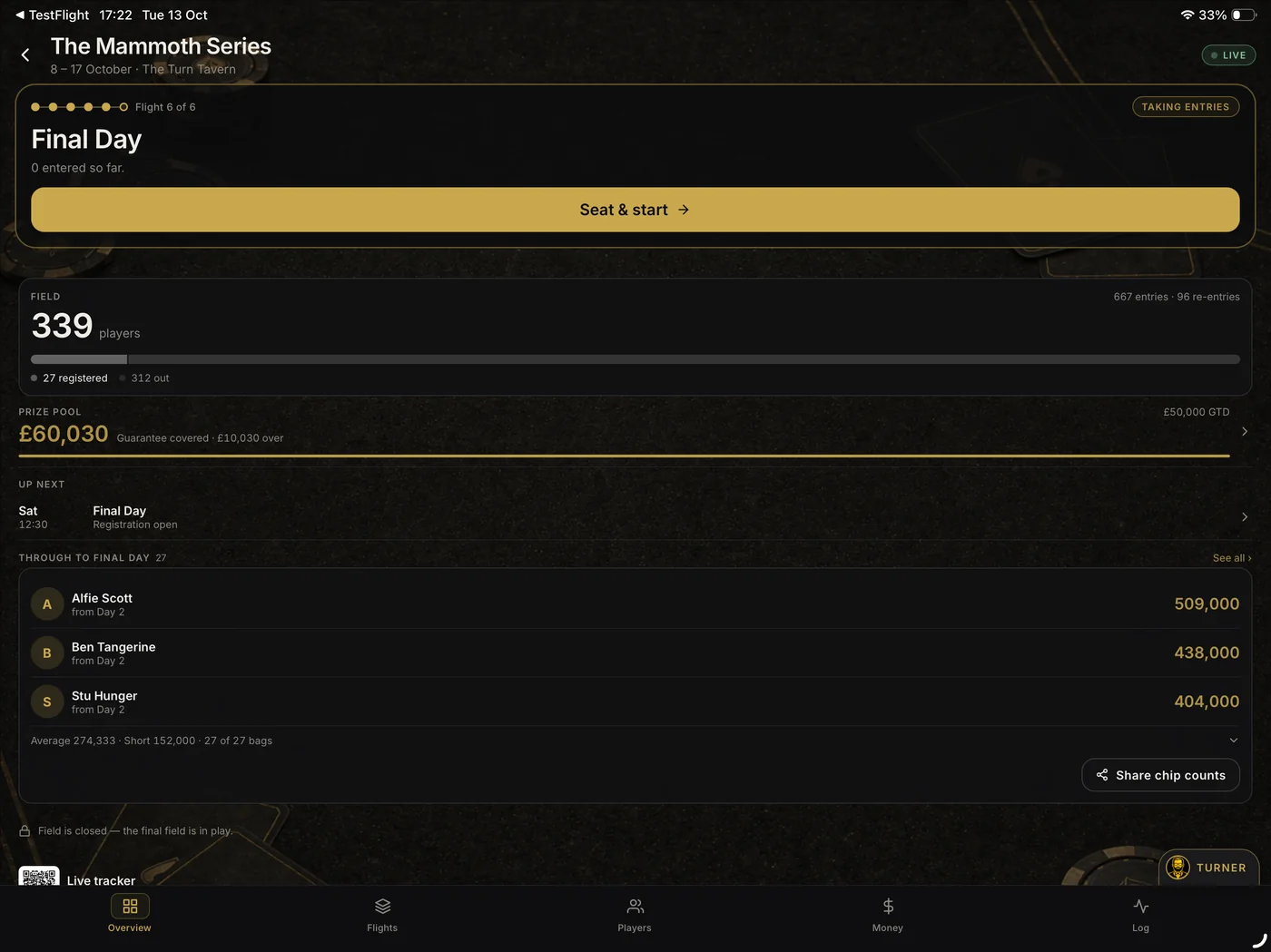
Starting flights usually mean a spreadsheet of qualifiers, bag slips on paper and a calculator for the prize pool. Here, each flight runs on the tournament tools you already use, qualifiers carry forward with their chip counts, and the whole field finishes on one result.
Day 1A, 1B and beyond each get the clock, seating, balancing and eliminations you already use. Plan the whole event up front, or add a flight once it’s under way.
When a flight ends, confirm who’s through and record each stack. Bags check in on Day 2, and a chip counts card is ready to share with your players.
Every flight, every qualifier and the prize pool so far, on one screen, with the next job that needs doing at the top.
Entries from every flight add up to one field and one prize pool. The event finishes on a single result, and each flight gets its own public recap page.
AI Poker Tournament Rules Assistant
Built specifically for poker tournaments, TURNER interprets rules, resolves disputes and answers tournament questions in seconds.
Straight answers on what the app does, what it costs and where it's heading. If it's not covered here, we're one message away.
Ask us anything through the in-app contact form, or reach out before you download. A working TD reads every message. Get in touch →
It is software for the person organising a live poker tournament. Shuffle Up and Deal! brings setup, blind structures, registration, seating, table balancing, the clock, payouts, player records and room displays into one app. It is not for playing poker: nobody plays hands or places bets in the app.
Yes. The free Home Game plan covers a complete poker night for up to 20 players across 2 tables. It includes the tournament builder, blind clock, smart seating, table balancing and payout calculator, and it keeps working without an internet connection.
Yes. The free Home Game plan has no time limit and supports one tournament a week for up to 20 players across 2 tables. A free account is required. Paid plans add features such as rebuys, re-entries and late registration, leagues, big-screen casting, TURNER, cloud backups, larger events and more signed-in devices, with live share links, custom venue displays and financial reports on TD Pro and above.
No. You can keep using the free Home Game plan for as long as you like. If your game needs more, eligible accounts can try a paid plan free for 7 days, and we remind you 2 days before the trial ends so you can decide whether to keep it. You choose the plan inside the app, and the subscription is managed through the App Store or Google Play.
An iPhone, iPad or compatible Android phone or tablet. The app adapts to phones and tablets, with a swipeable tournament view on phones and a fuller dashboard on larger screens. On paid plans you can also put a room display on a TV or projector: AirPlay or a wired adapter from iPhone and iPad, or Chromecast, Samsung Smart View or a compatible USB-C to HDMI connection from Android. What works depends on your device and TV.
No. Only the tournament director needs the app. Players can follow the room display, and on TD Pro and above, live share links let players, dealers and spectators view the clock, seating, field and standings in a browser without installing anything or creating an account.
Yes. The clock advances blind levels on schedule and counts down scheduled breaks. You can pause, adjust or skip levels at any time, and some moments, such as a chip race, can wait for you before play continues. On iPhone, the live level can also show on the lock screen and Dynamic Island. Voice announcements are available on paid plans.
Yes. The seating engine handles the opening draw, late arrivals, table balancing, table breaks and an optional final-table redraw, and helps you seat waitlisted players as spots open. It explains proposed moves before you confirm them, while manual moves and undo remain available whenever the tournament director wants the final say.
Yes, on the TD Elite and Card Room plans. Set up one event with as many Day 1 flights as you need, each run with the full tournament clock, seating and eliminations. When a flight ends you confirm who is through and record their chip counts, those players carry forward into Day 2, and entries from every flight combine into one prize pool and one final result.
Yes, on every paid plan. Set the registration window, re-entry or rebuy limits and add-on rules during tournament setup. The app applies those settings, allocates new seats and keeps entries, chips in play, average stack and the prize pool up to date. Knockouts are recorded against the player who made them.
Yes. Every buy-in, re-entry and add-on you record goes into a financial ledger. The app keeps fees separate, recalculates the prize pool as the field changes and supports custom payouts, plus guarantees, added cash and non-cash prizes on paid plans.
No. Shuffle Up and Deal! is an organisational tool for tournament directors, like a scorekeeper and stopwatch for poker night. You cannot play poker in the app, place bets through it or move money with it. No real-money play, wagering or gaming of any kind happens in the app.
No money passes through the app. The financial ledger and payout calculator are record-keeping tools: they track figures the tournament director enters and calculate how a prize pool could be divided. The app never collects buy-ins, holds funds, processes payments or pays out winnings.
Yes, on every paid plan. Create leagues and seasons, choose a fixed or field-size-based points system and award points live as players are eliminated. Season and all-time leaderboards update automatically and can be exported as an image or PDF.
Yes, on paid plans, which allow from 2 to 15 signed-in devices depending on the plan. One person can manage registration while another handles table moves or eliminations, with every device kept in sync and destructive actions protected from staff collisions.
Yes, on every paid plan. From iPhone or iPad, use AirPlay or a wired adapter. From Android, use Chromecast, Samsung Smart View or a compatible USB-C to HDMI connection; the app includes step-by-step guides, and support varies by device and TV. The room display can show the clock, blinds, seating, registration, break countdowns, live statistics, table draws and elimination animations.
Yes. The app is local-first, so the clock, seating, registration and payouts keep working in venues with poor or no internet. Changes sync when a connection becomes available again, and paid plans add automatic cloud backups.
A basic clock app shows the time and blind level. Shuffle Up and Deal! helps you run the whole tournament, including setup, registration, seating, balancing, table breaks, payouts and player histories, with league standings, external displays, live share links and tournament director tools on paid plans.
TURNER is the built-in AI assistant for tournament directors, included on every paid plan. It answers rules questions with tappable citations from the official TDA rules, walks through disputes step by step and can follow captured house rules. It provides guidance, but the tournament director's ruling remains final.
Tournaments live on the device first, with cloud backup and cross-device sync on paid plans, plus manual backup files you can export and keep. Player, venue and league names are replaced with anonymous tokens before an AI request leaves the device, so real names are not sent to the AI service.
Subscriptions are managed through the store you subscribed with. Cancel from your Apple account subscriptions on iPhone or iPad, or from Google Play on Android. You keep the free Home Game plan afterwards.
The app receives regular updates shaped by feedback from working tournament directors, and the public roadmap lists what is planned, such as a dedicated player app and guest self-registration. The in-app contact form goes directly to the team building it, and many current features began as requests from tournament directors.
Download Shuffle Up and Deal! and bring complete poker tournament management to your home game, league or card room.
Available on iPhone, iPad and Android.
Start free with the Home Game plan. A free account is required; paid plans are chosen inside the app.
Questions before you download, business enquiries, bug reports, bright ideas. It all lands in one inbox, and a working tournament director reads every message.
Not sure it fits your game? Ask anything before you download. No sales pitch, just straight answers.
Card rooms, venues, press and partnerships. Tell us what you're planning and we'll take it from there.
Spotted something off, or something missing? Plenty of what's in the app today started as a TD's request.
Prefer your own inbox? Our email address appears here once the page finishes loading.

About the Studio
AceRiver Studios builds professional software for people who take their hobbies seriously. Every product is thoughtfully designed, carefully engineered and built to solve real problems.
Shuffle Up and Deal! is our flagship platform, created to give tournament directors the confidence to run exceptional poker tournaments, whatever the size of the event.
We improve it constantly from real feedback. If you have an idea, spot an issue or want to help shape what's next, we'd love to hear from you.