
Poker Tournament Management App
Run Poker Tournaments Like a Pro!
From First Hand to Final Table
Seat draws, table balancing, the clock, payouts and league standings: Shuffle Up and Deal! runs the whole night from your iPhone or iPad.

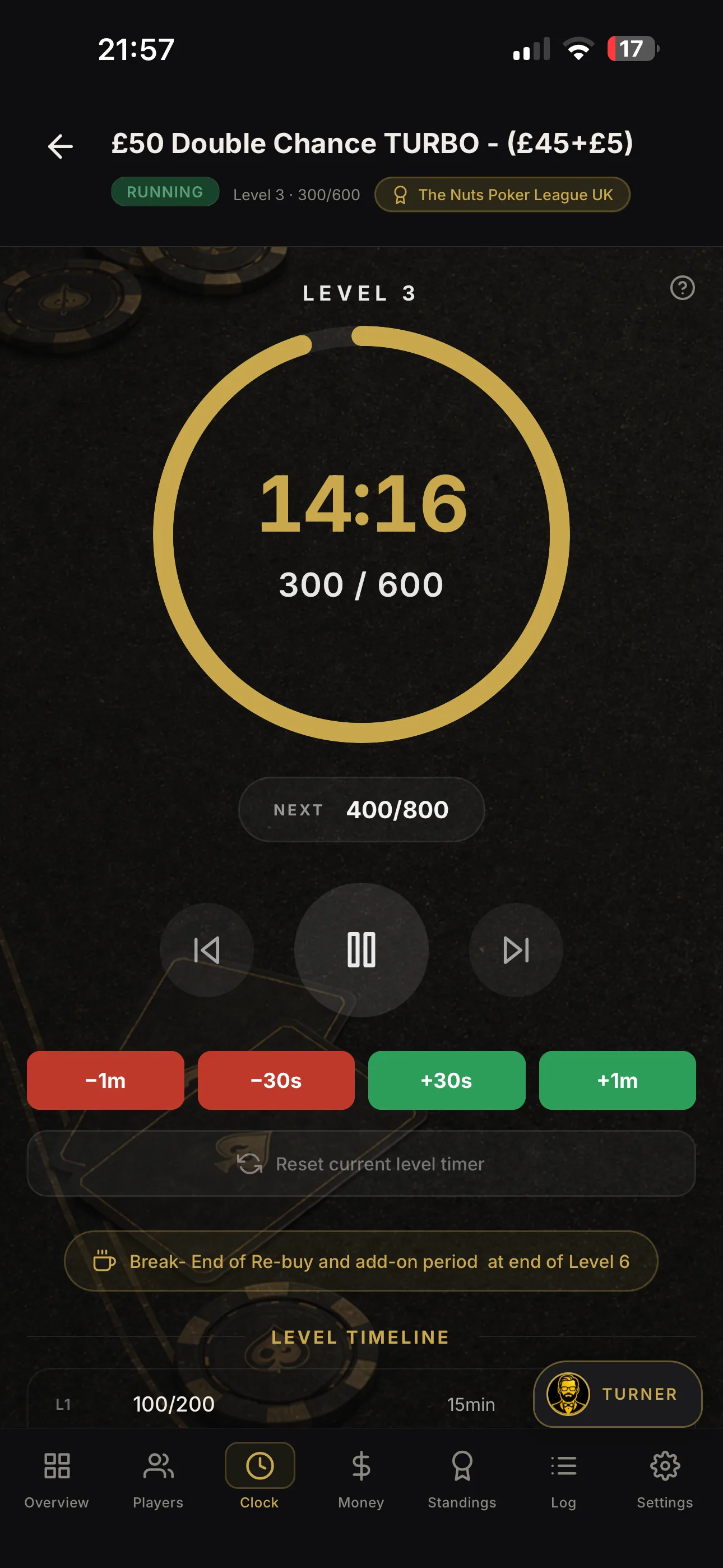

Make poker player profiles auditable with two fields

Player profiles are the registered tournament-player accounts inside your management software: identity details, contact information, buy-in history and performance stats attached to one unique record. For organisers, that single record replaces the paper sign-up sheet and the mental arithmetic. It speeds up registration, keeps payout records accurate, and gives you the raw material for leaderboards, league standings and repeat-player marketing.
TL;DR:
- Most organizers should focus on collecting a unique player ID, last buy-in timestamp, and basic contact details to ensure accurate registration and payout reconciliation.
- Seating algorithms use profile data such as seat history and registration timestamps to balance tables evenly and accommodate late entries or re-entries automatically.
- Tracking a concise set of per-event and aggregate statistics, including finish positions, buy-in counts, and lifetime cash rate, supports league standings and player retention efforts.
- Exported reports should include player ID, buy-in, payout, and payment reference for straightforward reconciliation, with encryption and consent rules applied per jurisdiction.
- Migrating existing records requires simple templates, deduplication, validation, and small-scale testing to maintain data integrity and facilitate seamless integration.
Table of Contents
- What fields belong in a poker player profile?
- How do profiles support seating and table balancing?
- Which player statistics should organisers track?
- How should organisers export and store player records?
- How do you migrate and import existing player records?
- Why Shuffle Up and Deal! fits the way organisers actually work
- What actually matters once the doors open
- Getting started with player profiles in Shuffle Up and Deal!
- Sources
- FAQ
What fields belong in a poker player profile?
A player profile earns its place in your tournament software by carrying exactly what staff need at the registration desk and finance needs afterwards. Too many fields slow down check-in; too few and you cannot reconcile a payout dispute three weeks later.
Start with identity and contact details, then layer in the transactional and operational data that a live event actually generates.
- Identity fields: full name, email or phone number, and a unique player ID that never changes, even across seasons.
- Transaction fields: buy-in amount, rebuy count, payment reference and a timestamp for every entry.
- Operational flags: late-registration status, seat history and any disqualification or no-show markers.
- Optional enrichment: avatar or photo, home club or league affiliation, and free-text notes for staff.
- Technical IDs: an internal reference that plugs into cashiering, seating or league export tools without duplication.
Relational database designs for poker typically split this across separate players, tournament_registrations and player_statistics tables, so identity data stays clean while per-event numbers pile up underneath it, according to a sample poker database schema. Mirror that separation on paper or in your registration app and you avoid the classic mess of overwriting a player’s lifetime stats every time they rebuy.
How do profiles support seating and table balancing?
Profile data gets read and written constantly once the clock starts, not just at the registration desk. Understanding the sequence helps you spot where manual systems usually break down.
- Pre-registration and check-in. Online sign-ups create a provisional profile; on-site staff validate identity and confirm payment before the seat is confirmed.
- Initial seating. A smart seating algorithm draws on seat history and player attributes stored in each profile to spread players evenly and avoid repeat table clashes.
- Ongoing balancing. As tables break, the same engine reseats players using live counts, pulling from the same profile data rather than a whiteboard guess.
- Late registration and re-entry. New or returning entrants get a fresh timestamped record and a stack assignment logged against their existing profile, not a duplicate one.
- Live display. Share links and external screens pull directly from these records, so players see their correct seat, stack and leaderboard position without a queue at the desk.
Centralising registration, seating and reporting into one system rather than juggling a spreadsheet and a printed bracket sheet is exactly the shift that tournament management platforms are built to make, and it is where most of the time savings on tournament day actually come from.
Which player statistics should organisers track?
Not every number is worth collecting, and chasing too many metrics buries the ones that matter. The useful split is between what happens in a single event and what accumulates across a player’s history with you.
Per-event metrics tell you how one tournament played out for one entrant: finish place, payout, total buy-ins and rebuys, and time in the field. Aggregate metrics tell you who your regulars are: lifetime entries, cash rate, average finish and a rough return-on-investment proxy built from total buy-ins against total winnings. A handful of event-specific indicators round it out: bubble finishes, late-registration success rate, and each player’s contribution to the overall prize pool.
- Finish position and payout per event
- Buy-in and rebuy count per event
- Lifetime cash rate and average finish across all events
- Bubble and near-miss frequency
- Prize-pool contribution as a share of the guarantee
Pro Tip: Track late-registration success rate separately from overall cash rate. Players who consistently do well entering late often play a different game than early registrants, and treating them the same skews your leaderboard.
Consolidated player data like this is what turns a spreadsheet of results into a retention tool. Data warehousing across payment, gameplay and support systems is what lets operators build churn prediction and VIP segmentation instead of just archiving numbers nobody looks at. For a home game or weekly league, that might mean nothing more sophisticated than spotting which regulars have not shown up in six weeks and sending them a nudge before the next guarantee.
How should organisers export and store player records?
Every event ends with a reconciliation task, and profile data is what makes it fast instead of frantic. Plan your exports before the tournament starts, not after someone asks where the missing £40 went.
Standard exports should carry player ID, name, buy-in and rebuy totals, payout amount and payment reference, in a format your finance software can ingest without reformatting. Three reports are worth running after every event: a payout ledger matched against bank or cashier records, a rake report for the house, and a player-activity summary for league standings.
- Payout ledger with player ID, amount and payment reference
- Rake report broken down by event and session
- Player-activity summary feeding league or leaderboard updates
On privacy, keep it simple: collect only what you need, encrypt stored records, set a retention period and get consent for anything beyond basic tournament administration. Reporting obligations vary by jurisdiction and by whether real money changes hands, so check local rules for your venue rather than assuming a one-size-fits-all standard applies. Reconciliation and reporting dashboards that produce daily rake figures and prize-pool logs are considered standard practice for regulated tournament operations, and the same discipline pays off even for a casual home league.
How do you migrate and import existing player records?
Moving from a spreadsheet, a paper ledger, or another app into a proper player-profile system is where most data quality problems get baked in permanently, or fixed for good.
- Build a minimal CSV template. Columns should cover player ID, name, contact detail, last buy-in date and lifetime entry count. Nothing more.
- Dedupe before you import. Search for repeated names or emails and merge them into one profile rather than letting duplicates split a player’s history.
- Validate IDs and back up first. Confirm every unique ID is genuinely unique, then keep a backup of the original file before you overwrite anything.
- Preserve legacy references. When migrating old registrations, keep original transaction references and timestamps in a separate legacy_id field rather than replacing them, so reconciliation still matches your bank or cashier records, as recommended in database schema guidance for poker.
- Test with a small batch. Import ten or twenty records first and check formatting and duplicate handling before you commit the full list. It catches problems while they are still cheap to fix.
- Connect the rest of the stack. Link cashiering, live display and league export once the import is clean, so the same profile feeds every downstream tool without re-entry.
Why Shuffle Up and Deal! fits the way organisers actually work
Shuffle Up and Deal! builds player profiles around the same logic this guide has laid out: one record, feeding both the live event and the long-term league picture. It maps directly onto what tournament directors need at the desk and afterwards.
- A registration engine that captures identity, buy-ins and rebuys against a single player record, no duplicate entry.
- Smart seating algorithms that draw on seat history to balance tables fairly, including through late registration and re-entry.
- A live tournament clock and shareable displays that pull seat and stack data straight from the same profile.
- Player statistics and league management features that turn per-event results into standings and leaderboards automatically.
- Multi-device syncing and export tools, so records created on one iPad stay accurate across every device running the event.
Jason, who contributes tournament-management guides for Shuffle Up and Deal!, built this piece around the field-level detail organisers ask about most: what to collect, when it gets used, and how it exports cleanly at the end of the night.
What actually matters once the doors open
The industry talks about “player profiles” as if the concept alone solves anything. It does not. A profile with forty fields nobody updates is worse than a spreadsheet, because it creates false confidence in data that is actually stale.
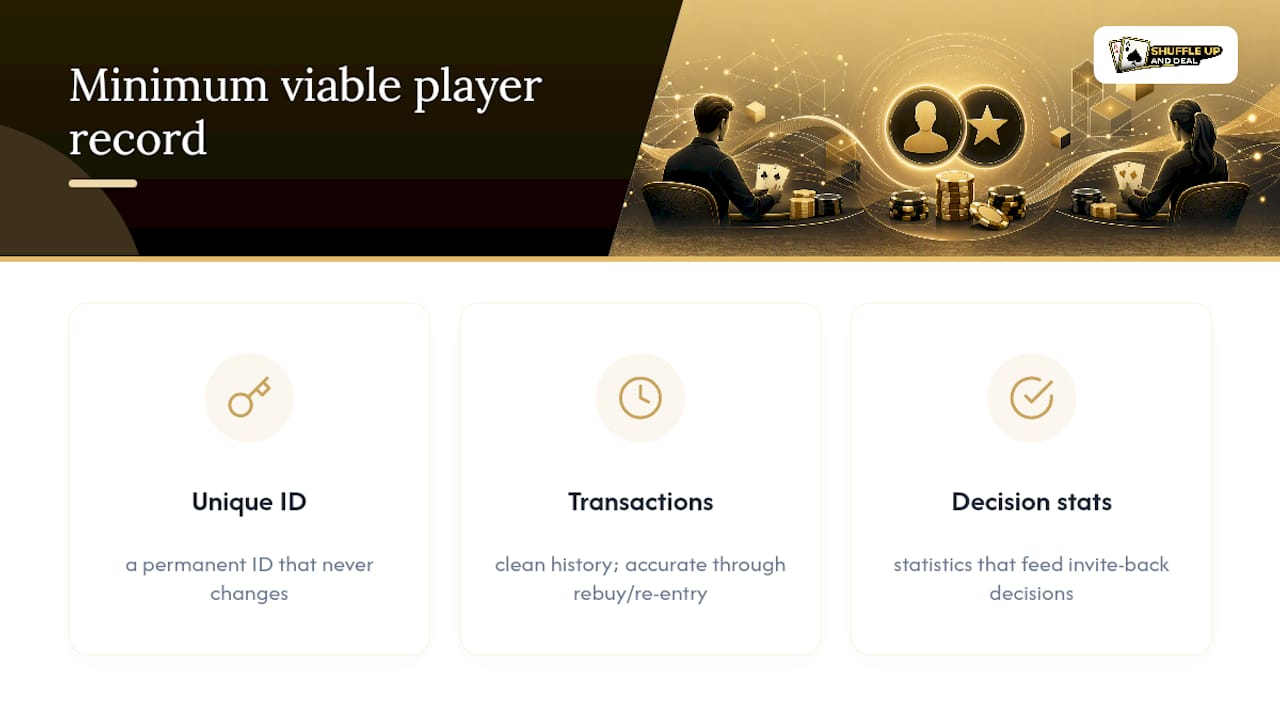
What matters is the minimum viable record: a unique ID that never changes, a clean transaction history, and statistics that feed a decision you will actually make, like who gets invited back for a guarantee. Everything else is decoration.
Conventional advice pushes organisers toward collecting more, on the theory that more data means better marketing later. In practice, the opposite is true. The leagues and card rooms that run smoothly are the ones that picked a handful of fields, kept them accurate through every rebuy and re-entry, and exported them the same way every single time. Consistency beats comprehensiveness.
If there is one priority for a director reading this: get your unique player ID and your buy-in timestamp right before you worry about avatars or notes fields. Everything downstream, from seating to payouts to next season’s leaderboard, depends on those two numbers being correct.
- Jason
Getting started with player profiles in Shuffle Up and Deal!
Shuffle Up and Deal! is the alternative to running registration off a spreadsheet and a printed seating chart: one app handles the player record, the seating, the clock and the payout maths together, so nothing gets re-typed twice.

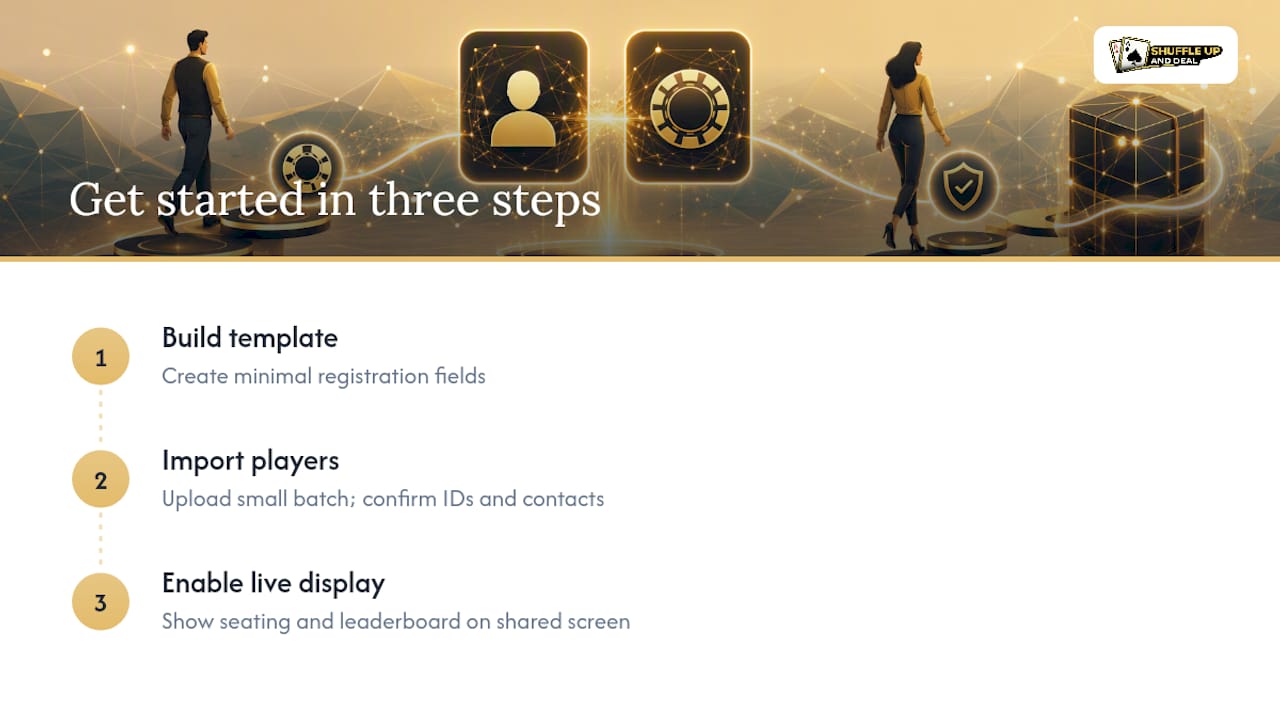
Three steps get you running before your next event. First, build a simple registration template inside the app, mirroring the minimal field set covered above. Second, import a small batch of existing players to confirm your IDs and contact details land cleanly, exactly the sample-first approach that catches formatting issues early. Third, switch on the live display feature so players see accurate seating and leaderboard data on a shared screen the moment doors open.
Visit Shuffle Up and Deal! to explore available plans and current pricing for registration and statistics tools.
Sources
For deeper detail on the mechanics covered here, see the poker player statistics guide, the player registration checklist, and the payout calculation guide from Shuffle Up and Deal!'s article hub.
- Poker Tournament Management Software: MTT vs Sit & Go - A Complete Operator’s Guide
- Poker Game Database Structure and Schema Diagram
FAQ
What is a player profile in poker tournament software?
A player profile is a registered account inside your tournament app holding identity details, contact information, buy-in and rebuy history, and performance statistics tied to one unique player ID. It is distinct from a public biography; it is the operational record organisers use to run events and settle payouts.
What data should every poker player profile include at minimum?
At minimum, a profile needs a unique ID, name, contact detail, and a transaction record covering buy-ins, rebuys and payment references with timestamps. Optional fields like avatars or club affiliation add polish but are not required for accurate registration or reconciliation.
How do player profiles help with table balancing?
Smart seating algorithms read seat history and player attributes stored in each profile to spread entrants evenly and avoid repeat clashes as tables break. Shuffle Up and Deal!'s seating engine draws on this data automatically during rebalancing and late registration.
What statistics should a league manager track across a season?
Track lifetime entries, cash rate, average finish and prize-pool contribution alongside per-event finish position and payout. These feed league standings and leaderboards, and Shuffle Up and Deal!'s player statistics and league features build this automatically from registration data.
How much does Shuffle Up and Deal! cost for player profile features?
Pricing runs from a free Home Game plan through several paid plans listed on Shuffle Up and Deal!, each unlocking expanded registration, statistics and league management capacity.